Is an AI boudoir video explicit?
No. On SpicyFrame it is tasteful and non-explicit: lingerie-style styling, robes, window light and sensual moods. Explicit sexual content is not produced.
SPICYFRAME · PRACTICAL GUIDES
Turn boudoir shoots into a tasteful AI boudoir video: client consent, frame selection, non-explicit prompts, pricing and private delivery with SpicyFrame.
5 seconds · 480p · $3.99. Pay per video, no subscription required.
Updated
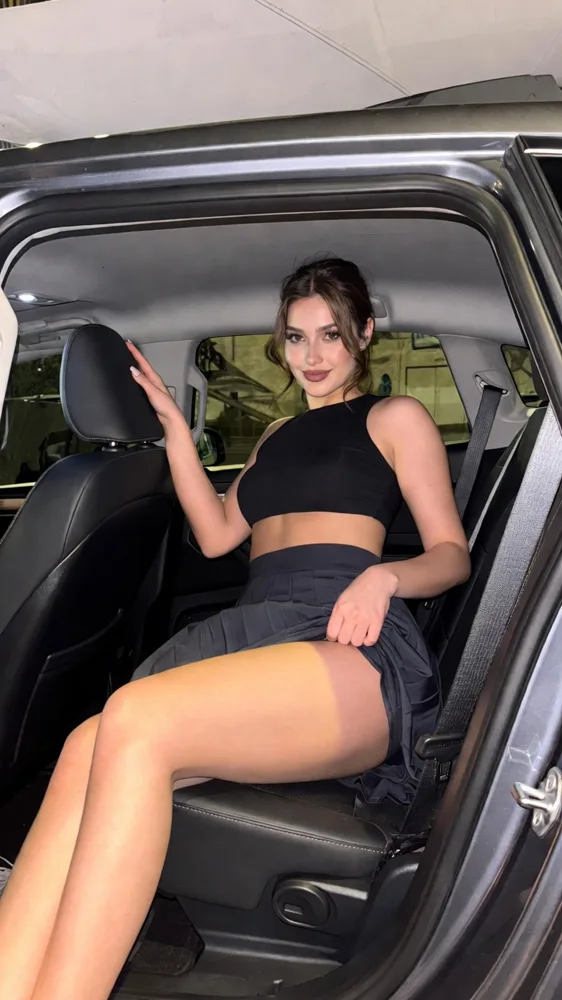
A public SpicyFrame example illustrating the guide. Results depend on the photo and prompt.
Yes: an AI boudoir video from photos turns a finished boudoir image into a short, tasteful motion clip, such as a slow turn by the window, a robe moving in a breeze or a soft glance toward the camera. SpicyFrame does this with Seedance 2.5 in 5, 10 or 30-second vertical clips with native audio, from $3.99. The result stays non-explicit: the studio creates glamour, lingerie-style and sensual moods, not explicit sexual content.
A boudoir session already produces a carefully lit, retouched gallery. A few seconds of motion can extend that work: a reveal clip for the client’s private gallery, a vertical preview for the photographer’s own marketing when the client allows it, or a keepsake that feels more alive than a still. Motion rewards what boudoir photographers already control: directional window light, fabric, posture and expression. AI animation does not replace the session. It reinterprets one approved frame, so it works best as an add-on to a finished gallery rather than as a substitute for shooting real video.
Boudoir clients agree to a specific, private kind of image, and animating it is a new use. Before generating anything, get written consent that names AI animation, the intended use (private delivery only, or marketing too) and whether the clip may be posted. The client must be 18 or older, and every identifiable person in the frame must agree. SpicyFrame’s rights confirmation, which you tick before each order, is your own declaration, not proof of the client’s consent, so keep your records with the session files. Never animate a client’s images without that consent, and never share a clip beyond what was agreed.
Pick frames where the face is sharp, the hands are visible and natural, and there is room for movement: space beside the hair, fabric that can sway, a window or lamp whose light can shift. Standing or seated poses by a window, robe and curtain shots, and close portraits in soft light usually animate more gracefully than tightly tangled poses, crossed limbs or heavy shadows. Export a high-quality JPG, PNG or WEBP under 10 MB rather than a compressed preview. Add a second angle from the same set only if the planned motion needs it, and keep wardrobe and lighting identical between references.
Describe light, fabric, pose and mood rather than the body. 1. “@Image 1 sits by a tall window in a silk robe, curtains moving gently, soft morning light, very slow push-in, calm and confident mood, quiet room tone.” 2. “@Image 1 turns slowly toward the camera in black lace lingerie-style styling, warm lamp light, locked frame, sultry but relaxed, faint city ambience.” 3. “@Image 1 rests on white linen and glances at the camera, sheer curtain shadows drifting across the room, locked overhead shot, serene mood.” 4. “@Image 1 stands in a doorway in an oversized shirt, backlit by golden light, gentle side track, playful smile, soft footsteps.” 5. “@Image 1 adjusts a pearl necklace before a vanity mirror, candlelight, slow dolly-in, elegant mood; keep the reflection subtle.” 6. “@Image 1 leans on a velvet armchair, small smile, amber side light, very slow orbit of a few degrees, vintage mood.” For flirty scenes beyond the studio session, the sexy AI video generator guide has more prompts.
Do not ask the model to remove, reduce or change clothing, and avoid anatomical or explicit wording: SpicyFrame does not produce explicit content, and the provider’s rules can refuse such prompts. Avoid large movements such as rolling over, standing up from a lying pose or hands sweeping across the face; they force the model to invent body positions the photo never showed. Keep one action and one camera move per clip, and end each prompt with “keep face, hair and outfit unchanged”. If a render is refused or fails, confirmed failures restore piments or refund a single-video payment; rewrite the prompt with more emphasis on light and styling.
Test each concept at five seconds in Medium 480p for 399 piments ($3.99), then render the approved version in High 720p: 499 piments ($4.99) for five seconds, 899 ($8.99) for ten or 2,499 ($24.99) for thirty. A package of three five-second High clips therefore costs 1,497 piments, about $14.97, plus any tests. Weekly plans (Starter $9.99 for 1,249 piments, Creator $19.99 for 2,499, Studio $39.99 for 4,999) suit studios with regular sessions and keep the same video prices. Price your add-on on your time for selection, review and delivery, not only on generation cost.
Boudoir images are sensitive, so set storage before uploading. Turn “Keep my new photos and video” off and SpicyFrame saves nothing new to your library or browser draft; download the clip within 24 hours, because unsaved and guest results use a temporary link. Generation and payment providers still process the data needed to deliver the order. Deliver the MP4 through the same private gallery you already use for the session, label it as AI-animated, and confirm with the client before any marketing use. Output is vertical 9:16 in 480p, 720p or 1080p, so it suits phones and online galleries rather than print or large screens.
A repeatable workflow keeps AI clips from eating into editing time. After the client chooses their gallery favourites, shortlist two or three frames that suit motion. Write one prompt per frame from a saved template: light, fabric movement, one gesture, one camera move and “keep face, hair and outfit unchanged”. Render five-second Medium tests in one sitting, approve the strongest, then render only those in High 720p. Review, export and add the clips to the private gallery with a short note explaining that they are AI-animated from the session photos. Log the frame, prompt, price and consent reference for each clip, so you can answer client questions later and reuse the prompts that consistently work.
Watch each clip at full screen, then pause at the start, middle and end. Check the face against the original, hands and fingers, jewellery, lace patterns, the edges of the robe, window frames and anything reflected in mirrors. Exact likeness is never guaranteed, and a boudoir client will notice a changed smile or jawline before anything else. Reject clips with drifting features instead of hoping nobody notices. Listen to the ambient audio too, and mute or replace it in an editor if it does not fit. Keep the source frame, prompt, consent record and final export together in the client folder.
| Source frame | Suggested motion | Risk to watch |
|---|---|---|
| Window portrait in a robe | Curtain movement, slow push-in, soft glance | Light flicker across the face |
| Seated on a bed or armchair | Small head turn, breathing, smile | Hands and fingers changing shape |
| Backlit standing silhouette | Gentle side track, fabric sway | Doubled outlines at the edges |
| Mirror or vanity shot | Necklace or hair adjustment, dolly-in | A reflection that shows a different face |
| Close-up of face and shoulders | Blink, smile, very slow push-in | Changed lips or teeth |
No. On SpicyFrame it is tasteful and non-explicit: lingerie-style styling, robes, window light and sensual moods. Explicit sexual content is not produced.
Yes. Get written consent for AI animation and its intended use. The client must be 18 or older, and the clip should not be shared beyond what they agreed.
Sharp frames with visible hands, soft directional light and room for fabric or hair to move, such as window portraits and seated poses.
Five seconds suits one glance or turn and is the cheapest test. Ten seconds lets a movement settle; 30 seconds suits one slow continuous scene.
Yes. Turn storage off before uploading and nothing new is saved to your library or browser draft. Providers still process what is needed to generate the video.
A vertical 9:16 MP4 in Medium 480p, High 720p or Ultra High 1080p with native ambient audio, designed for phones and online galleries rather than print.
Only with the client’s explicit consent for marketing use. Check each platform’s rules on suggestive content and AI labelling before posting.
External pages, opened in a new tab. Rankings reflect the time of writing.