5 seconds · 480p · $3.99. Pay per video, no subscription required.
Updated
AI-generated editorial illustration: an adult fashion look in red city light. This is a styling reference, not a video-generation result.
Choose a styling lesson rather than a provocative hook
Glamour AI video for TikTok can focus on an adult fashion detail such as how a structured coat frames a monochrome outfit. Give the viewer a concrete visual idea without using sexual framing to attract attention. A hypothetical clip could show the coat silhouette under a changing studio light while external text names the fabric contrast. Avoid pretending that the scene is candid footage from a real fashion week or a personal recording from a fictional model. Decide what is true about the image before choosing an opening line. The first frame should identify the clothing, not conceal the subject for a reveal that changes coverage. Keep the entire treatment suitable for a non-explicit editorial presentation.
Confirm current AI and content guidance in the app
TikTok's public policy and AI support pages returned limited readable content during this research, so this guide does not assert exact current disclosure wording, accepted upload limits or eligibility for a specific recommendation surface. Read the current official guidance and the controls available in the publishing flow before uploading. Check content rules, synthetic-media labeling and commercial disclosure separately when relevant. A trend, sound or hashtag used by another account is not evidence that your proposed scene is permitted. Do not alter labels or use coded wording to evade moderation. If a treatment is uncertain, simplify it to an ordinary adult fashion study with honest context, or seek clarification through official support before making a distribution commitment.
Make the opening legible on a small screen
Frame the subject so the coat's overall shape and the styling contrast are visible immediately. Avoid tiny accessories carrying the whole idea, because feed viewing and processing can obscure them. Leave room for accurate external text and the interface. The vertical composition guide helps identify a source crop that does not cut off the key garment. Test a still mockup before generation: can someone identify the outfit without zooming or reading a paragraph? Keep the background simple enough that the garment remains the focal point. If a caption says “structured shoulder,” show that shoulder clearly rather than a face close-up that forces the viewer to guess which design detail you mean.
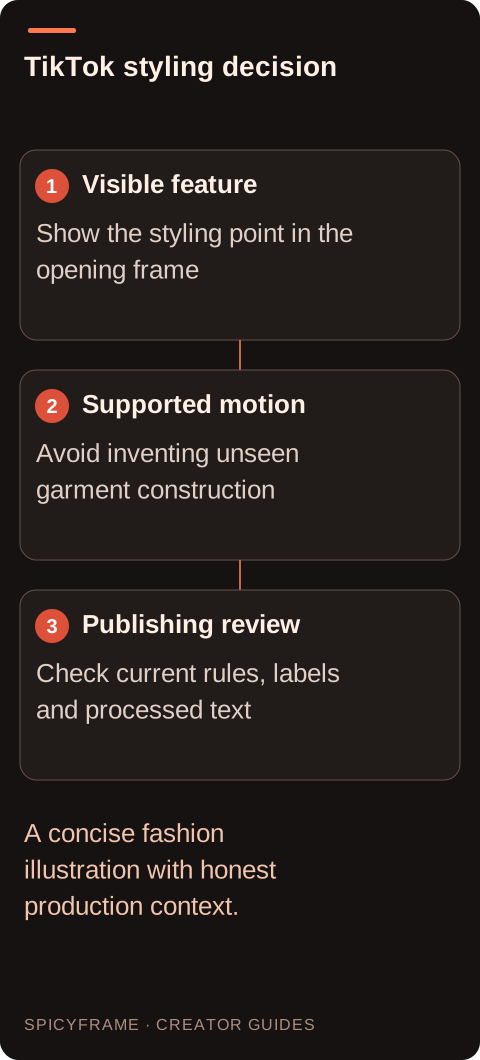
Visible feature: Show the styling point in the opening frame. Supported motion: Avoid inventing unseen garment construction. Publishing review: Check current rules, labels and processed text. A concise fashion illustration with honest production context.
Use motion that demonstrates the styling honestly
Plan one small movement, such as a restrained turn that reveals the coat's side silhouette, only if the reference set supports that view. A single front photograph does not establish the unseen back, belt or pocket structure. For a real garment, use accurate additional views or keep the movement frontal. Consult the fashion video guide when deciding which details can remain stable. Avoid suggesting fit, stretch or movement performance that the generated footage cannot verify. A fabric wave is an illustration, not a laboratory or wear test. If the clip is a fictional styling concept, say so where the distinction affects a buying decision or the viewer's understanding of the work.
Prepare text and sound around the actual message
Write a short overlay that names the styling idea and any necessary AI context, using an external editor or current publishing tools. Do not ask the model to produce exact captions inside the scene. If you add a spoken explanation, create it separately with permission and check the final captions word by word. SpicyFrame's ambient audio is not a script, a cloned voice or a licensed trending song. Review any music rights and the terms of the tool used to add it. Watch the edit silently to confirm that the styling idea survives. Then listen for ambient sounds that imply a real crowd, runway or statement when the visual is only a generated studio concept.
Test one styling point before finishing the TikTok edit
Use a short draft to check whether the coat feature named in the opening remains visible throughout the movement. Five seconds in Medium 480p costs $3.99; High 720p costs $4.99 and Ultra 1080p costs $11.99 for the same duration. The studio exports vertical 9:16 MP4 with ambient audio and also offers 10 or 30 second clips. It does not supply a licensed trending song, generate exact captions or publish to TikTok. Add those elements in the appropriate external workflow after the garment review. Authorized JPG, PNG and WebP references must be under 10 MB each, with up to 12 accepted. Keep a clean source export so changing a caption does not require another generation. Review the cover, first moment and final frame together: each should support the same non-explicit styling idea, without a crop or sudden movement that changes the impression of the approved adult fashion presentation.
Review the whole motion, including the cover frame
Look at the hands, hair, coat edges, buttons and footwear throughout the clip. Sudden changes can create an unprofessional result or alter the agreed non-explicit appearance. Use the artifact checklist when a sleeve fuses with a hand or the coat unexpectedly opens. Check the cover separately because viewers may see it without the explanatory sequence. A cover that suggests a different context from the video needs revision. Obtain the depicted adult's approval for the actual final version and caption, not just the source image. If the character is fictional, confirm that its identity description does not borrow a real person's name, biography or implied endorsement.
Assess the processed post without assuming reach
Preview the finished upload on the intended device and inspect text placement around the platform controls. Confirm that the outfit remains readable after processing and the disclosure context is available where required. Do not promise recommendation eligibility, views or conversion gains from a particular resolution or duration. Save the clean master and external editing project so a typo can be fixed without purchasing a new animation. The duration guide can help keep the scene proportional to one styling idea. If the post is adapted for another account or a paid placement, repeat the consent and policy review. A useful fashion study remains useful because it is clear and truthful, not because it imitates a supposedly successful trend.
Glamour AI video for TikTok: style within the rules: review decisions
Decision
Practical action
Approval evidence
Styling point
Identify one visible garment feature
First frame shows the stated feature
Current rules
Review official AI and content guidance
No assumed label or reach entitlement
Motion evidence
Use supported garment views
No invented fit or hidden construction
Sound
Add authorized external music if needed
No false spoken or event implication
Preview
Inspect cover and processed playback
Clothing, text and context stay coherent
AI image-to-video questions answered
Can I copy the style of a popular TikTok fashion clip?
You can study broad presentation ideas, but obtain rights to your own sources and avoid copying protected assets or implying affiliation. Popularity does not establish that a particular treatment complies with current rules.
Does a non-explicit outfit remove the need for AI context?
No. Content eligibility and synthetic-media context are separate questions. Check current official guidance and describe the production honestly, especially when realistic movement could be mistaken for a filmed event.
Can generated motion prove that a coat fits well?
No. It may invent fabric behavior or body geometry. Use actual fitting footage and accurate measurements for fit claims, while keeping AI animation clearly within its illustrative styling role.
Should I use a trending song in the studio prompt?
The studio generates ambient audio rather than supplying licensed tracks. Add music externally only through a workflow whose rights and current terms cover the intended post and any commercial use.
What if the interface covers my styling caption?
Move or shorten the caption in the external edit and preview again. Do not shrink essential text until it becomes unreadable; reserve usable space around the subject before generating the final clip.
Will a longer clip make the post more effective?
No outcome is guaranteed. Use enough time to communicate the styling point, then check the actual viewing experience. Repeated motion without new information can make a simple fashion idea harder to follow.