Can I make an NSFW video from text alone?
You can make an NSFW-style clip from a prompt alone: lingerie-style, bikini, boudoir, dance or kiss scenes with adult subjects. Explicit content is not offered, and prompts for nudity are against the terms.
SPICYFRAME · PRACTICAL GUIDES
AI text to video NSFW without a photo: write a prompt, get a spicy 18+ clip of a fictional adult. Prompt formula, copy-ready prompts, the rules.
5 seconds · 480p · $3.99. Pay per video, no subscription required.
Updated
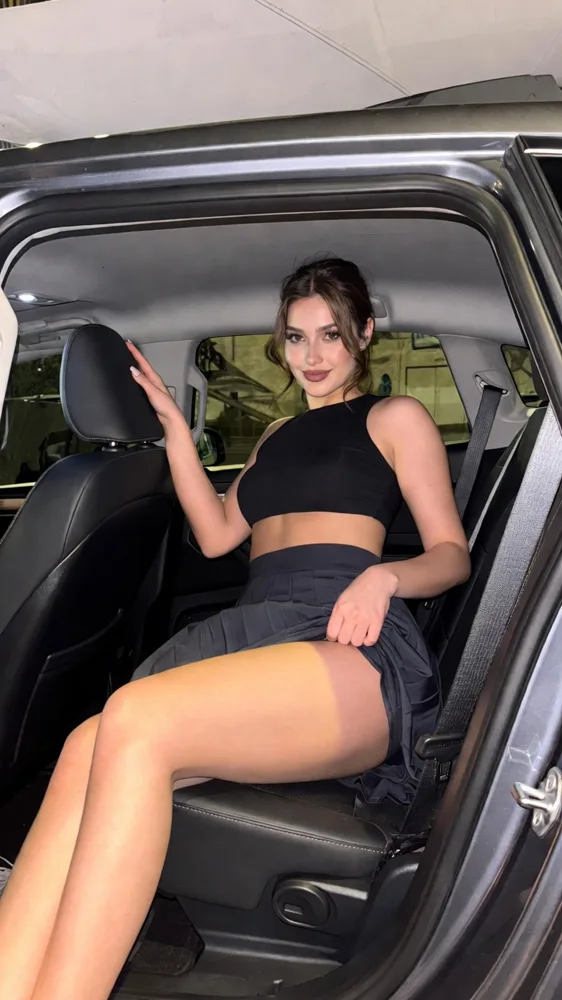
A public SpicyFrame example illustrating the guide. Results depend on the photo and prompt.
AI text to video NSFW means typing a scene and getting a short clip back, with no reference photo at all. On SpicyFrame, an 18+ studio powered by Seedance 2.5 from ByteDance, you can generate from a prompt alone: describe a fictional adult, an outfit, a place, one movement and a mood, and the studio renders a vertical 5, 10 or 30-second clip with native ambient audio, from $3.99. The result is NSFW-style, not explicit: lingerie-style editorials, bikini scenes, boudoir mornings, sultry dances and kisses between consenting adults. Nudity and sexual acts are against the terms, and the video provider’s safety checks, which apply to every request, can refuse them.
Prompt-only generation is the right choice when you do not want to use a photo of anyone, when you are inventing a character or when you are testing an idea before spending time on references. Because nobody’s photo is involved, you are creating a fictional adult rather than transforming a real person, which removes the main consent question. It is also fast to iterate: change one phrase, such as the light or the camera move, and compare the result. The trade-off is control over identity. Without a reference the model invents the face and body, so two prompts will not give you the same person. If you need the same face across several clips, use a reference photo instead, as explained in our guide to keeping the same face in AI videos.
Use one sentence with six parts: subject, one action, wardrobe and setting, one camera move, light and mood, and an optional sound cue. Template: “[an adult woman in her late twenties] [turns slowly toward the camera] in [a black satin slip dress] in [a candlelit hotel suite], [slow push-in], [warm low light], [confident, sultry], [soft jazz].” State that the subject is an adult and give an age-range phrase such as late twenties, so nothing ambiguous is left to the model. Describe clothing, gesture and atmosphere, never anatomy. Keep one action per clip: a single turn, step, glance or sway reads better than a sequence. A prompt needs at least 8 characters, but clarity beats length every time.
Boudoir: 1. “An adult woman in her late twenties in a silk robe sits on the edge of a hotel bed, morning light through sheer curtains, very slow push-in, soft smile, quiet room tone.” Lingerie-style: 2. “An adult woman in a black lace set leans against a velvet wall, red neon glow, slow push-in, sultry gaze, low synth hum.” 3. “An adult woman in a corset top looks back over her shoulder, violet light, slow motion, playful smirk.” Swimwear: 4. “An adult woman in a red bikini walks out of a pool and pushes back wet hair, golden hour, slow side track, distant music.” Glamour: 5. “An adult woman in a satin evening dress turns on a rooftop at night, city lights, slow orbit, light wind.” Dance: 6. “An adult woman sways slowly under a single spotlight, light haze, slow dolly-out, low bass.” Romance: 7. “Two adults share a slow kiss on a balcony at sunset, warm light, slow orbit, waves below.”
The words that make a clip feel spicy are about attitude and atmosphere. Mood words: sultry, confident, teasing, intimate, magnetic. Light words: candlelight, neon, golden hour, window light, low-key shadows. Fabric words: satin, silk, lace, velvet, wet fabric catching the light. Motion words: slow, lingering, glancing back, turning, swaying. Combine two or three of them in a prompt rather than stacking ten. A common mistake is to push the prompt toward explicit detail; the provider refuses it and you lose the attempt. Prompts built on atmosphere are accepted more reliably and also look better, because the model gets a clear visual direction instead of a vague one.
SpicyFrame does not offer explicit sexual content, whatever the prompt. Prompts for nudity or sexual acts are against the terms and can be refused by the video provider’s checks. The terms also forbid anything involving minors or anyone who looks underage, non-consensual intimate imagery, deceptive impersonations of real people, celebrities, harassment, illegal material and violations of privacy or intellectual property, and a prompt whose words point to a minor is refused. Do not type the name of a real person or a celebrity: recreating one is not allowed. The studio has no feature that removes clothing. Generation is moderated, so a prompt can be refused even when it looks harmless to you. When a render fails for a confirmed provider reason, piments are restored or a single-video payment is refunded.
This is not unique to SpicyFrame. Large AI providers publish rules against pornographic output. Adobe’s generative AI user guidelines prohibit creating pornographic material or explicit nudity, and Google’s generative AI prohibited use policy lists sexually explicit content created for the purpose of pornography or sexual gratification. Video models are served through providers with safety checks, and payment processors add their own rules. A text-to-video tool that promises explicit NSFW with no limits is either hiding its rules or will not last. SpicyFrame is not affiliated with these companies; the point is that suggestive, adult-themed content is a different category from explicit content, and the first is where a studio can responsibly operate.
Choose 5, 10 or 30 seconds. Five seconds is the right first test for a prompt; ten suits a walk, a turn or an orbit; thirty seconds is rendered in a single pass and suits a slow scene with a beginning, a middle and an end. Then pick Medium 480p, High 720p or Ultra High 1080p. Medium 480p costs $3.99, $4.99 or $11.99 for 5, 10 or 30 seconds; High 720p costs $4.99, $8.99 or $24.99. Ultra High 1080p costs $11.99, $23.99 or $70.99. You can pay for one video as a guest, with no subscription, or use piments at 100 per dollar. Optional weekly plans give 25% more piments for the money: Starter $9.99 for 1,249, Creator $19.99 for 2,499 and Studio $39.99 for 4,999. The price is shown before you pay, and the output is a vertical 9:16 MP4 with native ambient audio.
Start with a short test at 5 seconds in Medium 480p: “An adult woman in her late twenties in a black satin slip dress turns toward the camera in a candlelit hotel suite, slow push-in, warm low light, sultry, soft jazz.” If the pose and light work, keep the sentence and change one thing, such as the camera move from push-in to orbit. If the person is not the type you imagined, add two visual traits, for example “dark wavy hair, subtle gold earrings”. Once the look is right, render the same prompt at 10 seconds, then at High 720p for the version you will keep. Testing in this order costs a few dollars and avoids paying for a long, sharp render of a prompt that was never quite right.
Once a prompt works, you can raise control by adding references. Upload one photo, or up to 12 JPG, PNG or WEBP files under 10 MB each, and name them @Image 1, @Image 2 and so on in the prompt. For example: “@Image 1 in the outfit from @Image 2 turns toward the camera in the room from @Image 3, slow push-in, warm lamp light, keep face unchanged.” Use only images you own or may use, showing adults who agreed to the transformation. Our NSFW image to video guide covers this workflow in detail. Guest videos stay available through a temporary link for 24 hours after completion, so download your clip as soon as it is ready.
If a prompt is refused, remove any anatomical or explicit wording, replace it with wardrobe, light and mood, and try again. If the clip looks generic, add a specific location and one light source. If the motion is chaotic, cut the prompt to one action and one camera move. If the person looks different from what you imagined, add two or three visual traits such as hair colour and style, or switch to a reference photo. If the clip feels flat, add a sound cue, since the model generates native ambient audio. Test at 5 seconds in Medium 480p before paying for a longer, sharper render.
| Prompt element | Good example | Avoid |
|---|---|---|
| Subject | An adult woman in her late twenties | Real names, celebrities, vague or youthful wording |
| Wardrobe | Black satin slip dress, lace set, bikini | Anatomy, nudity, “nothing on” |
| Action | Slow turn, glance over the shoulder | Several actions in one clip |
| Camera | Slow push-in, slow orbit | Five camera moves at once |
| Light and mood | Candlelight, red neon, sultry | Explicit adjectives |
| Sound | Soft jazz, rain, low bass | Copyrighted song names |
| Length | 5 s test, then 10 or 30 s | Starting at 30 s without testing |
You can make an NSFW-style clip from a prompt alone: lingerie-style, bikini, boudoir, dance or kiss scenes with adult subjects. Explicit content is not offered, and prompts for nudity are against the terms.
No. SpicyFrame supports prompt-only generation. Add reference photos only when you want a specific face, outfit or place.
No. Without a reference the model invents the person, so each prompt can give a different look. Use a reference photo for consistency.
No. SpicyFrame is NSFW-style, never explicit, and the provider’s safety checks apply to every request.
No. Impersonation of real people and celebrities is not allowed under the terms.
From $3.99 for 5 seconds in Medium 480p up to $70.99 for 30 seconds in Ultra High 1080p. The price is shown before you pay.
No. You can pay for a single video as a guest; the link is available for 24 hours after completion. Signing in keeps your piments and videos.
Confirmed provider failures restore piments, and a confirmed failure on a single-video payment is refunded.
External pages, opened in a new tab. Rankings reflect the time of writing.