Pay as you go
One scene?
Start with piments.
Top up your wallet once. Use piments when you want. No subscription required.
Create from 399 piments ↗ SPICYFRAME
18+ · Image to video AI with sound
Photo to video AI turns a picture you already have into a short film: upload the photo, write one sentence about what should move, and SpicyFrame generates a vertical 5, 10 or 30-second clip with sound using Seedance 2.5. It is an 18+ studio with a spicy side — nights out, fashion, beach and glamour photos of consenting adults — and it never makes explicit content.
Select one or more models for a duo or group video. Describe who appears in your prompt.
Type @ to mention an image in your scene.
Choose an idea to add it. Your existing text is kept.
If generation fails, you get refunded.
One payment, no subscription required. Piments are deducted once and your balance is saved to your account. Guest videos are never added to a library; previously saved files can be deleted in Settings.
Generated with Seedance 2.5 by ByteDance: strong face, outfit and style consistency with your reference photos.
Upload your references, describe the scene and choose your length. Your clip appears right here.
Your videos will appear here after checkout or generation. Keep creating while they render.
Signed-in orders are available across devices. Guest orders need this browser’s session. Rendering time varies; no fixed countdown is promised.
Each pair shows a reference photo and the clip SpicyFrame generated from it with Seedance 2.5. They are the kind of pictures people actually have — a saved post, a flash photo at dinner, a phone shot from behind, a night photo by a car. The model keeps the face, outfit and setting and adds movement, camera and ambient sound; an exact likeness is never guaranteed.
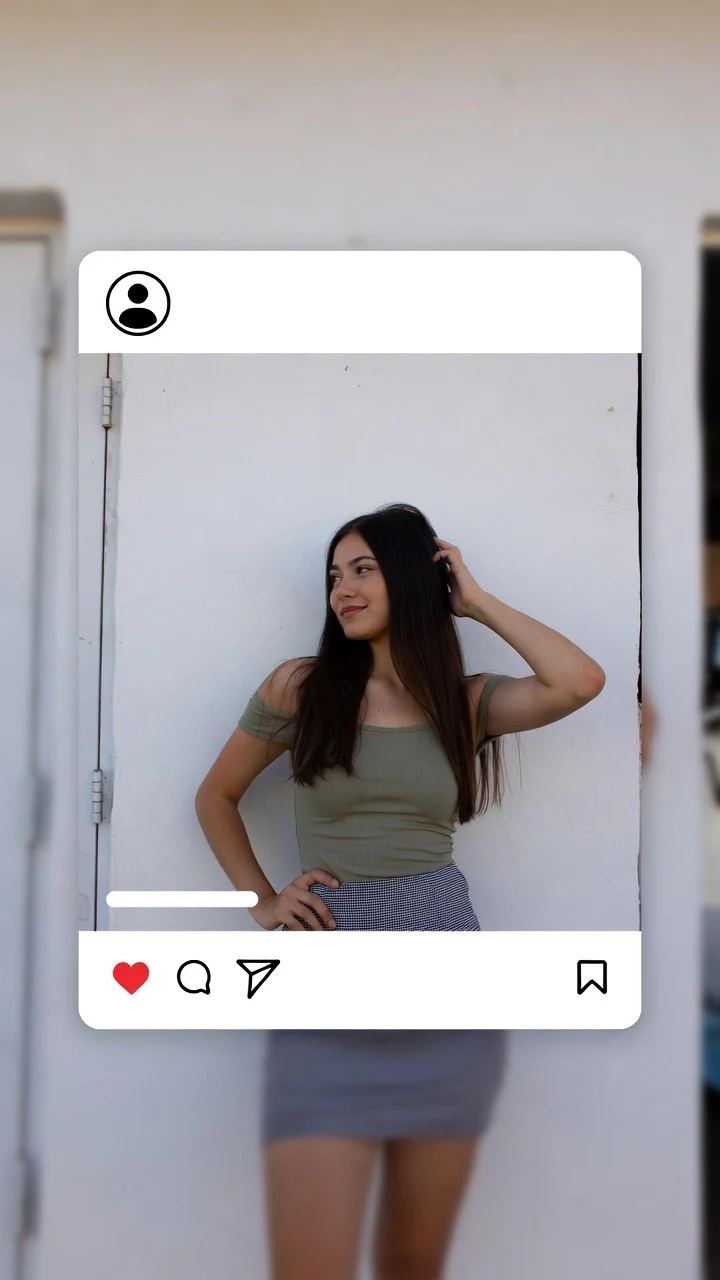 PhotoAI video
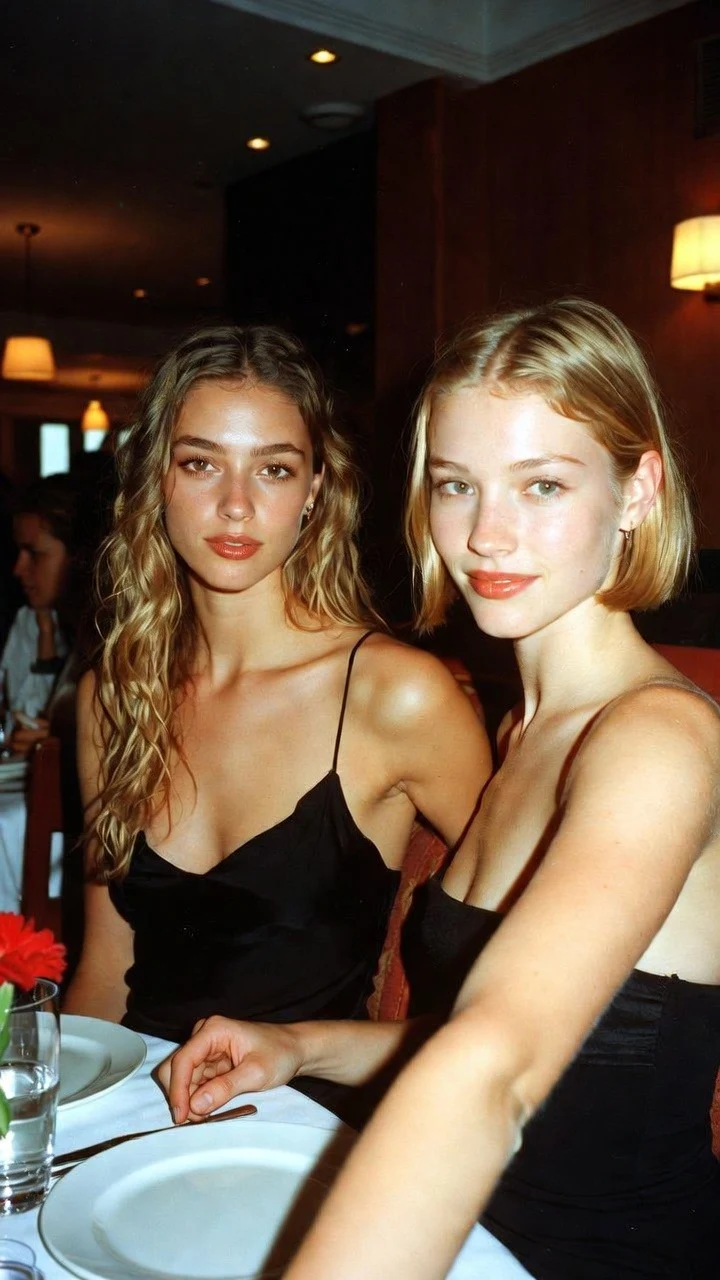 PhotoAI video
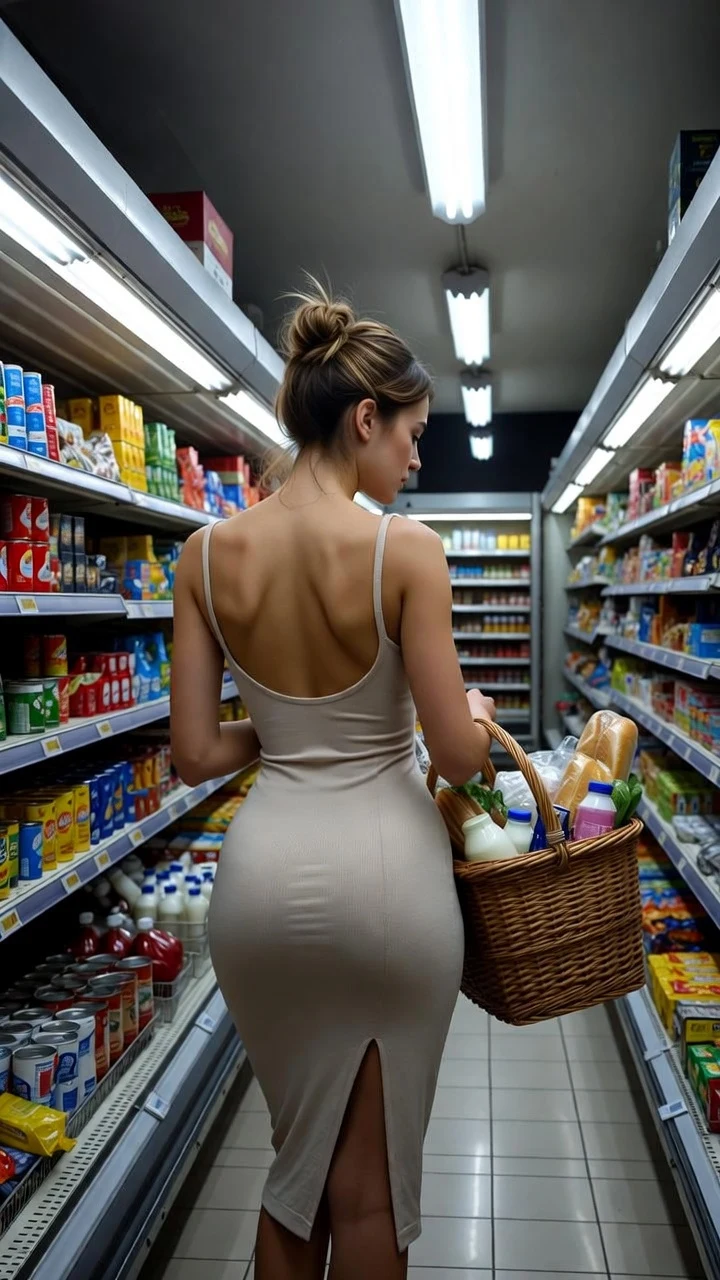 PhotoAI video
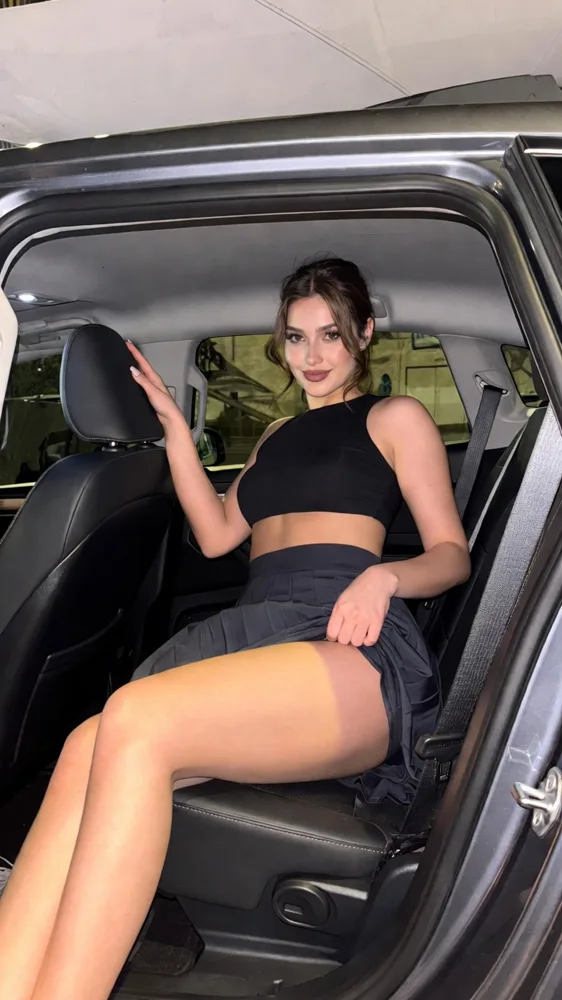 PhotoAI video
The studio is at the top of this page. The exact price is on the button before anything is charged.
Upload a sharp photo you own or may use, showing adults only: a camera-roll picture, a selfie, a saved post or an AI image. More references help only when each one has a job, such as a second angle of the face or a full-length shot of the outfit. No photo of your own? Pick a fictional adult model from the studio library, or write a prompt alone.
Type @ to insert @Image 1, then describe one action, one camera move, the light and a sound: “@Image 1 turns toward the camera and smiles, warm evening light, slow push-in, quiet street noise.” The photo already shows what everything looks like; the prompt only has to explain the motion.
Choose 5, 10 or 30 seconds and Medium 480p, High 720p or Ultra High 1080p, confirm your image rights and check the price. Pay for this one video as a guest or with piments, follow the render, then watch the whole clip before you download the MP4.
An image-to-video model does not slide, warp or zoom the original pixels, and it does not drop your photo into a template. It reads the picture for appearance, composition and light, then generates new frames that follow your prompt: a head turn, two steps, hair in the wind, a slow push-in. Anything the photo does not show — the back of a jacket, a hidden hand, the far side of a face — has to be invented.
That is why the choice of photo and the size of the movement decide most of the result. A small, believable action on a clear photo looks natural; a big spin on a cropped, blurry picture leaves the model too much to guess. The clip is a new synthetic scene, not a recording of something that happened, so present it that way when you share it and use the platform’s AI label where one exists.
Check the photo before you pay for a render. These points matter more than resolution or a longer prompt:
If a photo has one of these issues, choose another or ask for a smaller movement. The guide to the best photos for AI video shows each case in more detail.
The same prompt does not suit every picture. Start from the type of photo you have, then test small before you go long:
| Your photo | Movement that works | A first test |
|---|---|---|
| Close portrait or selfie | A blink, a small smile, a gentle head turn | 5 s in Medium ($3.99), very slow push-in |
| Full-body or outfit photo | Two slow steps, a half turn, fabric in a breeze | 5 s in Medium, then 10 s once the walk looks right |
| Night out or flash photo | A glance, a laugh, hair moving, lights flickering behind | 5 s in Medium, locked camera |
| Two adults in one photo | One shared, simple action: a laugh, a toast, walking side by side | 10 s in Medium ($4.99), both faces large in frame |
| Travel or landscape photo with a person | Clouds, water or mist move while the person stays mostly still | 10 s in Medium, slow camera move |
| AI image or illustration | Movement in the scene around the character, style unchanged | 5 s in Medium, locked camera |
Ten seconds lets an action start and settle. Thirty seconds needs a beginning, a middle and an end, not just more of the same movement.
Each button loads the prompt into the studio above. Adjust the action to what your photo really shows, and keep one main action per short clip.
@Image 1 blinks, then smiles softly at the camera. Window light, very slow push-in. Keep the hairstyle, outfit and background unchanged.
@Image 1 takes two slow steps toward the camera and stops. Backward tracking shot, soft daylight, footsteps on pavement. Keep the outfit unchanged.
@Image 1 laughs and glances over the shoulder at the camera, city lights glowing behind, light breeze in the hair, handheld camera, busy street ambience.
The two adults in @Image 1 laugh and raise their glasses at the table. Static camera, warm restaurant light, clinking glasses and soft chatter. Keep both faces and outfits unchanged.
Both people must be adults who agreed to the AI transformation.
@Image 1 turns slowly toward the camera under warm golden backlight, hair moving in a light breeze, confident smile, slow push-in.
@Image 1 stands at the railing as the sea glitters below, sea breeze in the hair, slow orbit around the subject, gentle waves.
If a face changes during the clip, first reduce the movement and avoid big turns. For bent or melting hands, use a photo where the hands are visible and ask for a simpler gesture; a higher quality setting alone does not fix them. If the background jumps, try a locked camera and remove conflicting light changes from the prompt.
Change one thing per attempt so you can tell what helped, and review the beginning, middle and end of the clip before you share anything. The guide to fixing image-to-video artifacts and the guide to keeping the same face go through each problem in more detail.
You pay per video. The number of photos does not change the price; only the length and the quality do:
| Length | Medium · 480p | High · 720p | Ultra High · 1080p |
|---|---|---|---|
| 5 seconds | $3.99 | $4.99 | $11.99 |
| 10 seconds | $4.99 | $8.99 | $23.99 |
| 30 seconds | $11.99 | $24.99 | $70.99 |
Both pages open the same studio, with the same prices and the same rules. This page is for making a photo you like move naturally: a portrait, a night out, a trip, an outfit. If your photo is a lingerie, swimwear or boudoir shot and you want a sultrier scene, NSFW image to video explains what is possible there and where the line sits.
If you would rather learn the method before creating, how to animate a picture walks through the same steps in detail, with more prompts. For a selfie in particular, selfie to video AI focuses on that one kind of photo, and Seedance 2.5 image to video presents the model behind every clip.
SpicyFrame is not a family-photo or memories app. It is an 18+ studio: photos of children are never allowed, including old family pictures, and every identifiable real person must be an adult who agreed to the AI transformation. There are no memory templates, greeting cards or slideshow effects.
The output is always one vertical 9:16 scene: no 16:9 or square export, no 4K (Ultra High is 1080p), no uploaded music or voice, and no editing of several clips into one. For captions, an exact logo or a soundtrack, download the MP4 and finish it in your editor. And SpicyFrame is not free: every clip runs on a paid video model, so each one is priced before you create it.
From the terms of use: the same rules apply to every photo, length and quality.
You confirm these rights before each video, and the declaration is recorded with the order. Before uploading you also choose whether new photos and videos are kept: with storage off, nothing new is saved to your library or browser draft, but each photo is still sent to the video provider to generate the clip, as the privacy terms explain.
Yes. An image-to-video model uses your photo as a visual reference and generates new frames from a short prompt. SpicyFrame does it with Seedance 2.5 and delivers a vertical 9:16 MP4 of 5, 10 or 30 seconds with native ambient sound, in 480p, 720p or 1080p.
Not here. SpicyFrame is not free: you pay per video, from $3.99 for five seconds in Medium, and the price is shown before you pay. No subscription is required. If you try a free app elsewhere, check whether it asks for a card, renews automatically and what it does with your uploaded photos.
Yes. Upload the photo and pay for that one video by card as a guest, with no account. The clip stays available through a temporary link for 24 hours after completion, so download it in time. An account keeps your piments, references and videos across devices.
Only if everyone in it is an adult who agreed to the AI transformation; photos of children are never allowed, even old ones. Scanned prints often lack detail, so expect softer faces and keep the movement small, such as a blink or a slight turn.
You can add up to 12 photos, but they guide one continuous scene; they do not play one after another like a slideshow. Give each a role in the prompt, such as “@Image 1 for the face, @Image 2 for the outfit”. To show several photos in sequence, make one clip per photo and join them in an editor.
Seedance 2.5 keeps faces, outfits and style strongly consistent with the references, but no image-to-video model guarantees an exact likeness. Big turns, fast camera moves, distant faces and long clips increase drift; a smaller movement and a larger face in frame help most.
No. Every clip is vertical 9:16, ready for TikTok, Reels and Shorts. Ultra High is Full HD 1080p, not 4K, and writing “4K” in the prompt does not change the output. Cropping a vertical clip to 16:9 cuts away most of the picture.
Rendering time depends on the video provider and its current load, and no fixed countdown is promised. The length you choose is the length of the clip, not the waiting time. You can follow the status in the studio and prepare another scene meanwhile.
Go further with the method, the photo and the prompt.
Page reviewed by the SpicyFrame team · Updated · Terms · Privacy · Data controls
Create your way
100 piments = $1. Weekly plans keep the same video prices and give you 25% more piments.
Top up your wallet once. Use piments when you want. No subscription required.
Create from 399 piments ↗Automatically renews every week. Cancel anytime before renewal. Unused piments stay available. Piments use the same published video prices. The 20% comparison is rounded to the nearest cent.
18+ · Adults only
You must be 18 or older to enter. Use only images you own or have permission to transform, featuring adult subjects and, for identifiable real people, their consent. Deepfakes of real people without their consent are strictly forbidden.
Privacy · Terms of use