Can AI video keep a face exactly the same?
No model can guarantee an exact, unchanged identity in every generated frame. Clear references, restrained motion and short tests improve the chance of a consistent result.
SPICYFRAME · PRACTICAL GUIDES
Keep the same face in AI video with stronger references, controlled motion, short tests and frame checks—without promising perfect identity preservation.
5 seconds · 480p · $3.99. Pay per video, no subscription required.
Updated
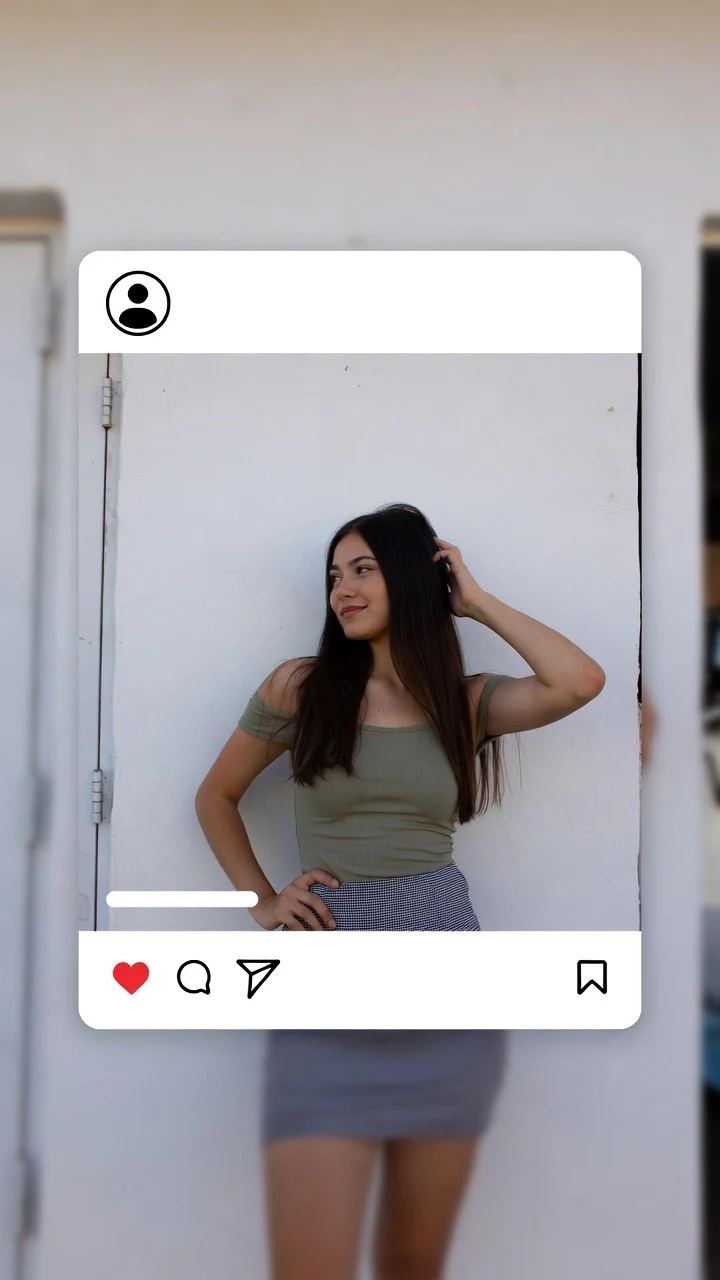
A public SpicyFrame example illustrating the guide. Results depend on the photo and prompt.
SpicyFrame keeps a face more consistent when you start from a sharp, front-facing portrait, add only compatible reference angles, request one restrained movement and test five seconds first. Keep the face large enough to inspect and review the full clip frame by frame. No image-to-video model can guarantee an exact, unchanged identity.
An image-to-video model does not simply move the original pixels. It generates new frames that must infer how a face looks as expression, angle, light and distance change. A single photograph provides strong evidence for the visible view but little information about the far cheek, ear, teeth or profile. Research presented at CVPR 2026 describes this single-view limitation as a cause of appearance drift and geometric distortion. Human viewers are also unusually sensitive to small identity changes, so a result can feel like a different person even when hair, clothing and background remain plausible. The practical goal is therefore to reduce uncertainty: provide clearer identity evidence, ask for less extreme transformation and reject clips whose face no longer matches the approved source.
Use the camera-roll original rather than a screenshot, compressed social download or heavily filtered copy. The face should be in focus, reasonably large in the frame and lit without deep shadows across the eyes or mouth. A front or gentle three-quarter angle usually gives more useful facial geometry than a distant full-body photograph. Avoid sunglasses, hair covering half the face, extreme beauty filters, motion blur and cropped chins. Keep the expression close to the action you intend to request: a neutral portrait is weak evidence for a wide laughing mouth. SpicyFrame accepts JPG, PNG and WEBP files under 10 MB. The best lead image is not necessarily the prettiest photograph; it is the one that makes the person easiest to recognize and inspect.
SpicyFrame accepts up to 12 references, but quantity is not the same as identity control. Begin with the lead portrait, then add a compatible three-quarter view, profile or full-body image only when the planned shot needs that information. Use the same adult, age presentation, hair, makeup, facial hair and general lighting family. Do not mix old and recent appearances or several retouched versions of the face. Assign each file a job in the prompt, such as “@Image 1 for facial identity, @Image 2 for the right profile, @Image 3 for the outfit.” Conflicting references force the model to average incompatible evidence. Two or three deliberate images can therefore be more useful than 12 near-duplicates or a folder collected from different years.
Identity becomes harder to preserve and harder to review when a face occupies only a small part of the frame. A distant walk, fast pull-back or wide environmental shot asks the generator to describe the same face with far fewer pixels. The 2025 IPRO research paper specifically notes that identity preservation becomes more difficult when the human face is a small fraction of the image. For a first test, use a portrait, waist-up composition or gentle medium shot. If the final concept needs a wide view, validate the identity in a closer shot first, then supply a full-body reference and limit the camera movement. Do not confuse 720p output with facial certainty: more output pixels cannot recover identity evidence that was absent or ambiguous in the source.
Large head turns, rapid dancing, hands crossing the face, hair whipping over the eyes and strong lighting changes all create new views the model must invent. Start with a blink, small smile, breathing motion, gentle head turn or slow step. Use one camera instruction—locked frame, slow push-in or restrained side track—rather than an orbit combined with zoom and handheld shake. If the face changes, simplify the action before adding more adjectives. Prompt length is not identity memory. A concise instruction that names the reference and preservation goal is easier to test: “@Image 1 for facial identity, subtle head turn toward camera, natural blink, locked soft light, slow push-in, preserve facial proportions, eye colour, hairline and age.”
A five-second Medium 480p render is the practical SpicyFrame test for facial identity, expression and camera direction. Ten seconds gives an action more time to develop, while 30 seconds asks the system to keep the face stable across many more generated frames. Medium costs 399 piments for five seconds; High 720p costs 499 piments and Ultra High 1080p 1,199, with 100 piments corresponding to US$1 for reference. The exact price is shown before generation. Approve the short motion first, then order the chosen duration and quality. High resolution can make a face easier to inspect, but it does not repair a different jawline, changing eye shape or inconsistent teeth. Each new creative attempt is a separate paid generation, so change one variable at a time.
Watch the whole MP4 at normal speed, then pause the first frame, one-quarter point, midpoint, three-quarter point and final frame. Compare facial width, eye spacing, eyebrow shape, nose, lips, hairline, ears, teeth and distinctive marks against the approved source. Check the neck and skin tone as well; an apparently stable face can still detach visually from the body. Look for a single-frame change that normal playback hides. Separate identity problems from other artifacts such as extra fingers or background warping so the next prompt addresses the right issue. Save the accepted reference set and prompt with the final export. A technically completed generation is not proof that the likeness is accurate enough for publication or client approval.
SpicyFrame does not train or save a permanent character identity between generations. Reuse the same approved lead portrait and supporting angles for every clip, keep the stable facial description identical and change only location, movement or wardrobe instructions that the new shot requires. Maintain a simple character sheet outside the generator with the approved reference files, unchanging traits and rejected failure patterns. Do not write “same person as the previous video” and assume the model remembers an earlier order. For a multi-shot sequence, choose the most recognizable output from each generation and edit the clips together afterwards. If persistent identity across a long film is essential, compare dedicated character-training or production tools rather than treating independent image-to-video requests as a trained identity system.
Use only images you own or are authorized to transform, showing consenting adults. A public profile photo is not permission to animate a person, imitate a creator or create an endorsement. Do not use face swapping to disguise a failed generation or place someone into an action they did not approve. Keep consent, source rights, prompts and accepted exports together. Disclose realistic AI alteration when the destination platform or context requires it, and preserve Content Credentials when available. Provenance metadata can support transparency but may be removed during export or reposting. SpicyFrame blocks explicit, deceptive and non-consensual uses; technical face consistency never overrides a person’s rights, platform rules or the need for human review.
Choose SpicyFrame when you already have authorized portraits and want one short vertical 9:16 glamour, fashion, lifestyle or creator scene with native ambient audio. Its one-to-12 reference workflow, 5, 10 or 30-second durations and pay-per-video checkout suit controlled image-to-video tests. Choose a saved-character platform or model-training workflow when the same fictional identity must appear across many unrelated scenes. Choose a consent-based avatar product when exact scripted speech and lip sync matter. Use filmed footage when a real performance, testimonial or event must be proven. No buyer should select a generator on “perfect consistency” claims alone: test a difficult source, inspect the downloadable result and judge cost per approved clip rather than cost per request.
| Choice | Likely effect on consistency | Best use |
|---|---|---|
| One sharp close portrait | Strong identity evidence for the visible angle | First five-second portrait or waist-up test |
| Two or three compatible angles | Adds profile and body information without overwhelming the brief | Turns, walks and wider framing |
| Many mixed or retouched photos | Can introduce conflicting age, styling and facial geometry | Avoid; curate the set first |
| Small motion and slow camera move | Reduces new facial views the model must invent | Identity-sensitive creator clips |
| Fast action, orbit or distant face | Raises drift risk and makes defects harder to inspect | Use only after simpler tests pass |
| High 720p output | Improves inspection detail but cannot correct identity drift | Final version of an approved direction |
No model can guarantee an exact, unchanged identity in every generated frame. Clear references, restrained motion and short tests improve the chance of a consistent result.
Start with one sharp lead portrait. Add a compatible three-quarter view, profile or full-body reference only when it provides information needed by the planned movement.
A source photo contains limited evidence about hidden angles. The model must infer the far cheek, ear, jaw and profile, which can produce appearance drift.
Not automatically. A concise prompt naming the identity reference, one movement and stable traits is usually easier to test than a long list of competing instructions.
Higher resolution makes details easier to see but does not repair a changed identity. Test the action first, then use 720p for an approved final direction.
Yes. Five seconds limits the amount of generated motion and is the most economical SpicyFrame duration for checking face, expression and camera direction.
No. SpicyFrame does not train or save a persistent character identity. Reuse the same authorized reference set and stable prompt details for every separate clip.
External pages, opened in a new tab. Rankings reflect the time of writing.