Can higher resolution repair a different-looking face?
More pixels can show more detail, but they do not establish the correct facial proportions or recover a lost identity.
SPICYFRAME · PRACTICAL GUIDES
Diagnose face drift in authorized adult glamour video by checking portrait angles, makeup, hair occlusion and the moments when identity changes.
5 seconds · 480p · $3.99. Pay per video, no subscription required.
Updated

A glamour portrait places unusually close attention on eyes, lips, makeup and expression, so small changes can make the same adult appear to become another person. Start with an authorized image of an adult and compare the generated face with the approved reference. Separate a different expression from altered facial structure: a smile changes cheeks, while a jumping eye position or changing jawline needs closer review. Record the first affected moment and whether it follows a head turn, moving hair or a hand near the face. Here, NSFW-style means permitted, non-explicit adult fashion imagery. It does not change the identity standard or authorize depicting a real person without permission.
A full-length eveningwear photograph can still contain a very small face. Inspect the actual facial region at a comfortable viewing size and look for focus, compression blocks, motion blur and strong beauty filtering. Dramatic red side lighting can conceal one eye or the cheek outline that a new angle would reveal. Choose an authorized photograph with recognizable facial structure and an angle close to the planned shot. Avoid sharpening a poor source until artificial edges become its most prominent detail. If another photograph already shows the required view clearly, it is usually more informative than an aggressive enhancement. The source photo checklist helps evaluate composition before another render.
Watch whether the drift begins when the head rotates, tilts or moves close to the lens. A photograph shows one view; a large turn asks the generated sequence to depict regions that may not be visible in it. Treat that mismatch as a planning risk, not a guaranteed explanation of a particular failure. Try a smaller head movement while keeping the same framing. If the face remains recognizable until an extreme angle, a shallower turn may satisfy the creative brief. If the face differs throughout the clip, examine the source and reference roles first. Adding a demand for perfect identity does not provide missing visual evidence.
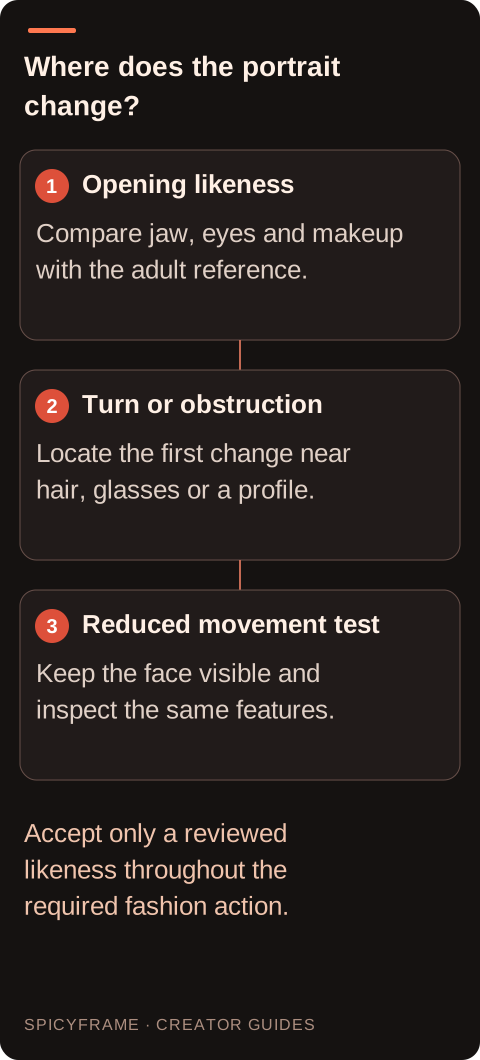
Long hair, statement sunglasses, a raised hand and another person's shoulder can all cover important features. Inspect the reappearance, not just the covered frames. Does the mouth shift after the hand leaves? Does the eye shape change when hair moves away? A useful revision keeps the relevant features visible for more of the action: a hand can remain beside the face, or hair movement can be reduced. Preserve the purpose of the shot while removing the hardest overlap. If the obstruction is essential, consider a different composition or separate shots. SpicyFrame has no built-in masking tool that can lock a face while other pixels move independently.
Several images are helpful only when they contribute compatible information. An approved beauty portrait and a similar three-quarter fashion portrait can clarify the same appearance; different makeup sessions, strong filters and inconsistent hairstyles introduce ambiguity. SpicyFrame accepts up to 12 authorized JPG, PNG or WebP references, each under 10 MB, but using every slot is not a quality requirement. Explain which photograph supplies the main identity and which supplies a supporting view. Remove unrelated people and unnecessary reference roles from the test. For a deeper planning approach, read keeping the same face across a clip, then judge the actual generated frames rather than assuming references enforce an identity lock.
Imagine an authorized photograph of an adult model in a velvet evening jacket, with a clear face and dark background. A ten-second result preserves the face initially but changes the jaw after a large profile turn and a movement of sunglasses. Save the original, then test a smaller glance with hands remaining below the shoulders. A permitted direction is: “The adult model in the velvet jacket makes a slight glance toward the window, face clearly visible, calm expression, steady portrait framing.” Compare the eye spacing, jaw and makeup through the turn. This is a hypothetical diagnostic exercise, not a tested success or a promise of exact likeness. If the profile is essential, seek an authorized reference that clearly shows it.
If the usable opening contains the full intended message, trimming before the identity change in a separate editor may be sufficient. Watch the proposed last frame long enough to ensure the cut does not freeze on a distorted expression. If the drift occurs during the essential action, hiding it with a quick crop or blur may distract more than a fresh take. A cutaway can work when the story naturally supports it, such as switching from the adult portrait to an approved detail of the jacket. These are external editing choices. The studio does not provide a timeline or facial repair brush, and increasing output resolution is not a reliable correction for altered facial structure. Treat makeup continuity as a separate line in the portrait review. A red lip edge, winged eyeliner or high-contrast cheek highlight can alter the perceived expression without changing the underlying face. Compare those details with the approved reference and note whether the apparent identity shift disappears when attention moves to the jaw and eye spacing. Do not dismiss the makeup change as harmless if it materially alters the adult's agreed appearance. For a beauty-led fashion clip, the styling itself may be the product. Also inspect statement earrings and the hairline, because changes beside the face can make the portrait seem unfamiliar. A useful review sequence is to check stable anatomy first, styling second and expression third, then watch all three together in motion. This avoids calling every difference a single identity failure and supports a more focused revision. If the adult's likeness must be especially faithful, seek their review of the generated movement rather than relying solely on a team member's impression. The relevant standard is the approved representation of this person, not a generic measure of whether the face looks plausible or attractive.
Inspect the opening, the largest turn, every occlusion and the ending. Then watch at normal speed without stopping; a technically plausible still can still feel inconsistent in motion. Compare the result with the approved source on the same display, avoiding changes in screen brightness that make skin tone comparisons misleading. Ask whether the depicted person remains recognizable, whether teeth or eyes jump, and whether any retouching created a new distraction. Record which test changed the outcome, while recognizing that separate generations can differ. The broader artifact troubleshooting guide is useful if the face issue appears alongside changing clothing or background geometry. Before approving the final glamour clip, compare eyebrows, eye spacing, jaw shape and visible makeup against the agreed adult reference. Also check whether altered lipstick edges or disappearing earrings merely make the face seem different. Have the person or authorized creative reviewer assess the actual video when appropriate; approval of a photograph is not proof they approve every generated representation. Keep the accepted reference and prompt with the final result. Stop retrying if the concept requires a profile or expression the available image does not describe clearly. The portrait workflow provides broader composition advice, but neither more references nor a resolution upgrade guarantees a frame-perfect likeness.
| Observation or goal | Recommended next step | What to verify |
|---|---|---|
| Wrong face from the opening | Review the lead reference and its role | Recognizable proportions before movement |
| Change during a large turn | Try a smaller angle | Jaw and eye consistency at the turn |
| Change after a hand passes | Keep the face visible | Features when the hand moves away |
| Only the final moment fails | Consider an external trim | A natural final expression |
| Important action contains drift | Revise the shot and regenerate | Identity throughout the required action |
More pixels can show more detail, but they do not establish the correct facial proportions or recover a lost identity.
Only if each is useful and consistent. A small, clear set is easier to evaluate than many conflicting photographs.
The timing identifies an occlusion-related problem to investigate; it does not establish a verified internal cause for that generation.
There is no built-in frame repair or masking control. Trim or repair in a separate editor, or generate another take.
No. Compare stable structural features and the motion sequence; a natural expression can change the mouth and cheeks without changing identity.
Choose the strongest observed issue: improve a weak source, reduce a large turn, or remove an obstruction, then reassess the result.