Does hiding the hands always solve the problem?
It removes visible hand anatomy, but may weaken the scene. Use that approach only when the gesture is not essential.
SPICYFRAME · PRACTICAL GUIDES
Fix hand problems in adult glamour AI video with readable fashion poses, fewer overlapping fingers and careful checks of cuffs, bags and contact.
5 seconds · 480p · $3.99. Pay per video, no subscription required.
Updated

In an adult glamour clip, a hand at the waist, beside a lapel or around a clutch can define the whole pose. If fingers merge or the wrist bends unnaturally, the image may look wrong even when the face stays consistent. Watch the gesture at normal speed, then inspect the hand before, during and after its movement. Distinguish a hidden finger from an extra one, and a dark glove from a fused hand. Use authorized adult fashion references and keep the scene non-explicit. The useful diagnostic question is whether anatomy, garment boundaries and object contact remain coherent together; counting fingers in one partly obscured still is not enough.
Look closely at the wrist, finger spacing and the boundary between the hand and a dark sleeve or glove. A tiny hand at the edge of a photograph may offer little useful structure, particularly if it is already cropped, blurred or heavily retouched. Choose a source in which the intended resting position is understandable. If the planned fashion shot requires holding a clutch, a clear photograph of that hold can be more useful than a photograph with both hands hidden behind the outfit. Use only authorized references and preserve enough surrounding arm to establish the pose. The photo selection guide explains why readable structure matters more than simply uploading a larger image file.
Picking up an object, rotating it, passing it between hands and placing it down involves several different contact relationships. If all of them must occur in a short clip, the viewer has many opportunities to notice inconsistency. Retain the one relationship that tells the story. An adult already holding a clutch can make a small movement without also reaching, grasping and releasing. An object can remain on a table while the person gestures beside it. This does not guarantee correct anatomy, but it gives you a more focused result to evaluate. Write the desired visible action plainly rather than stacking a long list of finger-specific instructions that may compete with the broader scene.
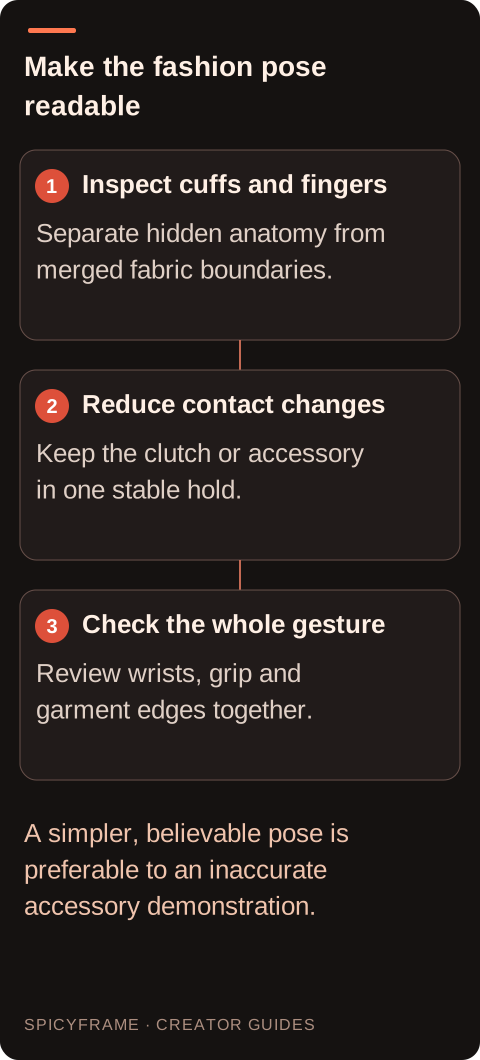
Crossed fingers, clasped hands and overlapping wrists can be difficult to read even in real photographs. For a presentation shot, separating the hands and keeping them away from the face may improve readability. For an object demonstration, choose an angle that exposes the contact surface without hiding the item. Do not automatically crop all hands out if their action is the point of the scene. Instead, make a deliberate decision about whether the gesture needs a medium shot, a closer view or a different pose. If a crop is the chosen remedy, verify the moving wrist remains inside a comfortable boundary throughout the clip, not only in the opening image.
Describe the visible arrangement: “The adult model holds the clutch steadily at waist height while the other hand rests beside the jacket.” That is easier to evaluate than a demand for flawless fingers without a defined action. If a gesture is needed, choose a small open-hand movement beside the outfit and keep the accessory in one place. Avoid simultaneous lapel adjustment, bag transfer and face touching during a short test. The prompt examples guide helps structure a concise scene. SpicyFrame has no negative-prompt or seed controls, and a long anatomy checklist cannot guarantee exact hand structure. Inspect the actual result, especially where dark fingers meet dark fabric.
Imagine an adult model in a structured evening suit holding a metallic clutch with both hands. A generated turn adds an apparent finger beside the clasp and makes the clutch edge pass through a thumb. First decide whether the turn and hand transfer are necessary. A simpler five-second test keeps the clutch at the waist with a slight shoulder shift and no transfer. Compare the clasp, both thumbs and sleeve edges during the movement. This hypothetical revision is not a tested repair. If the concept needs the bag opened, consider a separate conventional detail shot or a simple authorized still rather than presenting an unreliable generated manipulation as accurate.
A brief external trim can remove a flawed reach if the object is already held convincingly afterward. A cut to a detail shot can replace a grip change, provided the resulting sequence still explains what happened. Blurring the entire hand may be acceptable for an incidental background gesture but is unlikely to help a close product demonstration. A repair tool in another application may alter neighboring frames or the object itself, so inspect the whole repaired passage. SpicyFrame has no built-in timeline, hand mask or local anatomy correction. If the core interaction remains wrong, regenerate a simpler shot rather than assuming a higher resolution will make the contact physically coherent. Pay attention to the fashion accessory's weight and support cues without claiming a physically measured simulation. A clutch held at one corner, a handbag hanging from two fingers and a hand resting on a lapel create different visible contact expectations. The viewer should be able to understand what supports the object and where the wrist leads into the sleeve. If a dark glove and dark bag merge into one patch, a clearer source angle may help more than asking for additional finger detail. Check whether a ring remains attached to the same finger and whether a bracelet crosses the wrist naturally during a small turn. These details can reveal a contact problem before the whole hand looks obviously wrong. For a romantic fashion scene with two authorized adults, keep hand interactions simple and non-intimate, and obtain the relevant permission for both people. A brief shared hold or adjacent pose still needs clear anatomy for each person. If overlap makes ownership of the hands ambiguous, separate the pose rather than trying to rescue the scene through a longer list of instructions.
Review the wrist angle, palm orientation, finger visibility and object position together. Check the shadows at contact points and watch whether a handbag handle changes shape as the fingers move. Inspect a few frames before and after the most complex moment, then play the sequence at its intended delivery speed. A quick motion can hide a small defect, but it can also create a visibly elastic hand. Avoid approving solely from a thumbnail. For a fashion accessory clip, verify that the interaction does not imply an unsupported feature or impossible use. The product video guide provides broader planning context for keeping a demonstration understandable and faithful to the reference. Some editorial actions require fine manipulation: fastening a bracelet, tying a ribbon or adjusting a small earring. If the exact movement remains visibly wrong, a still accessory close-up or conventional hand footage may communicate the styling more clearly. A cut to the adult model already wearing the accessory can also preserve the fashion story without pretending the fastening was shown accurately. Keep the consent and representation context of the original shoot intact. Save which movements were removed so later variants do not reintroduce the same problem. If hands, cuffs and face all change together, consult the general artifact guide and simplify the whole shot.
| Observation or goal | Recommended next step | What to verify |
|---|---|---|
| Hand already unclear in the source | Choose a clearer pose reference | Wrist and fingers can be read |
| Failure during an object transfer | Keep the object in one hand | A consistent grip through movement |
| Hands cross in front of the face | Separate the gesture from the face | Both anatomy and identity remain clear |
| Brief flawed reach before a good hold | Try an external trim | The action still makes sense |
| Exact manual instruction is required | Consider conventional footage | Every physical step is accurate |
It removes visible hand anatomy, but may weaken the scene. Use that approach only when the gesture is not essential.
No. Visibility depends on pose and occlusion, and text instructions do not guarantee correct anatomy in every generated frame.
Treat the merged boundary as a contact failure to investigate. Simplify the grip and inspect a clearer reference rather than assuming a specific internal cause.
Slow motion can expose defects that were less visible at normal speed. Review the slowed result before choosing it.
They may be less prominent, but cropping can make wrists and fingers awkward. Check the entire moving boundary.
SpicyFrame has no local hand repair control. Any masking or selective replacement would be a separate external editing process.