Pay as you go
One scene?
Start with piments.
Top up your wallet once. Use piments when you want. No subscription required.
Create from 399 piments ↗ SPICYFRAME
18+ · One hand, one loose strand
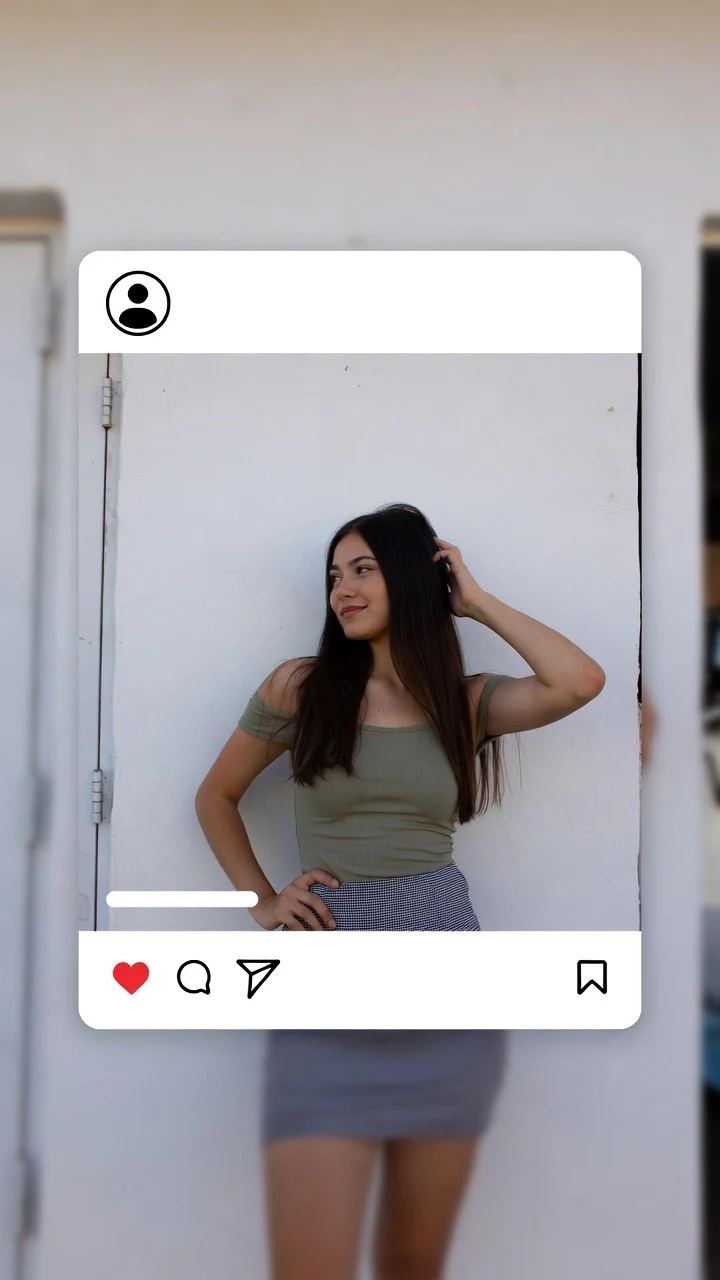
AI hair tuck video animates a small portrait gesture: an adult brings one hand beside the face, guides a loose strand toward the ear and lowers the hand. Use an authorized reference with that area visible or describe a fictional adult. The result is generated motion, so hair strands, fingers and earrings may change during the gesture.
Select one or more models for a duo or group video. Describe who appears in your prompt.
Type @ to mention an image in your scene.
Choose an idea to add it. Your existing text is kept.
If generation fails, you get refunded.
One payment, no subscription required. Piments are deducted once and your balance is saved to your account. Guest videos are never added to a library; previously saved files can be deleted in Settings.
Generated with Seedance 2.5 by ByteDance: strong face, outfit and style consistency with your reference photos.
Upload your references, describe the scene and choose your length. Your clip appears right here.
Your videos will appear here after checkout or generation. Keep creating while they render.
Signed-in orders are available across devices. Guest orders need this browser’s session. Rendering time varies; no fixed countdown is promised.
Choose a head-and-shoulders or chest-up reference with some space beside the face. The hand needs a plausible route into the frame, and the ear should not be cropped out. Loose hair near the cheek gives the model something to move. A tightly tied hairstyle may produce an invented strand rather than the exact grooming action you expect.
Use a simple background near the hair outline. Fine strands against detailed foliage or patterned wallpaper make changes harder to inspect. Soft side light can separate the hair from the cheek without hiding the ear in darkness. You do not need to add multiple almost-identical portraits; one clear starting view is often more useful than contradictory hairstyles.
The hand briefly covers the ear, so an earring may disappear, change shape or reappear differently. If the video is a personal portrait, a small stud is less visually demanding than a large patterned pendant. If the exact earring is the subject of an advertisement, this generation should not be treated as proof of product detail or fit.
Ask for the same hand to complete the motion and lower again. Five seconds can cover a short tuck and release. Ten seconds gives room for an initial glance and a relaxed finish. A thirty-second portrait should add pauses, not continuous grooming: repeated passes give fingers, hair and accessories more chances to change.
Choose a prompt that matches the visible side of the reference. Left and right instructions are requests, not a guarantee of side consistency.
The consenting adult in @Image 1 raises one hand beside the visible ear, gently guides a loose strand of hair behind it and lowers the hand. Keep the face nearly still, chest-up portrait, fixed camera, soft window light, quiet room ambience.
Pick a photograph with space beside the cheek and shoulder.
The consenting adult in @Image 1 glances toward the camera, slowly tucks a loose strand toward the visible ear with one hand, then rests the hand and smiles naturally. Head and shoulders remain in frame, steady camera, diffused daylight, faint indoor ambience.
Ten seconds allows the hand to settle after the tuck.
A fictional adult in their thirties with shoulder-length hair and simple stud earrings sits near a window. They move one loose strand behind the ear, lower the hand and look calmly past the camera. Chest-up three-quarter portrait, stationary camera, gentle daylight, soft room tone.
This prompt describes a fictional adult without requiring an uploaded image.
Review the whole result before deciding what to change. These are composition suggestions, not guarantees of a specific movement.
| Result to check | Possible reason | Next test |
|---|---|---|
| The hand passes through the cheek | The face and hand overlap ambiguously | Use a wider starting crop and a smaller movement beside the visible ear. |
| The earring changes after being covered | The accessory must be reconstructed after occlusion | Test with simple jewelry and do not rely on exact product preservation. |
| The hairstyle changes rather than one strand | The reference has no loose strand to tuck | Choose a hairstyle that already supports the action. |
| The hand remains beside the face | The prompt ends at the tuck | Include lowering the hand as the final beat and allow time for it. |
Choose the shortest duration that includes the hand returning to rest. Inspect the movement before buying a more detailed version.
| Duration | Medium · 480p | High · 720p | Ultra High · 1080p |
|---|---|---|---|
| 5 seconds | $3.99 | $4.99 | $11.99 |
| 10 seconds | $4.99 | $8.99 | $23.99 |
| 30 seconds | $11.99 | $24.99 | $70.99 |
Create fictional adult scenes or use photographs of adults who agreed to this particular AI transformation. The terms of use apply.
A natural-looking grooming gesture is still an AI transformation. Do not present it as footage of someone who never agreed to the recording or the generated performance.
No. Hair is generated through the movement and can change shape or texture. Use the result as an animated portrait rather than a precise record of an individual hairstyle.
The model may invent longer strands to satisfy the prompt. Choose a reference with a visible loose strand, or use a different facial expression that fits the existing hairstyle.
Leave room beside the ear and below the shoulder. A very tight crop makes the hand appear suddenly and gives less context for the arm movement.
You can specify the hand and side, but the model may interpret them differently. Review the full clip, especially when the hand crosses the face.
Only if you independently verify that the product is represented accurately. Generated motion can change accessories; the tool does not certify jewelry shape, materials or fit.
Yes. Select a clearly adult fictional reference or describe an adult character in words. Any real person used as a reference must agree to the animation and intended sharing.
Page reviewed by the SpicyFrame team · Updated · Terms · Privacy · Data controls
Create your way
100 piments = $1. Weekly plans keep the same video prices and give you 25% more piments.
Top up your wallet once. Use piments when you want. No subscription required.
Create from 399 piments ↗Automatically renews every week. Cancel anytime before renewal. Unused piments stay available. Piments use the same published video prices. The 20% comparison is rounded to the nearest cent.
18+ · Adults only
You must be 18 or older to enter. Use only images you own or have permission to transform, featuring adult subjects and, for identifiable real people, their consent. Deepfakes of real people without their consent are strictly forbidden.
Privacy · Terms of use