How do I animate a picture with AI?
Upload a sharp photo, write a short prompt with one action and one camera move, choose 5, 10 or 30 seconds and a quality, then review the clip and adjust one thing at a time.
SPICYFRAME · PRACTICAL GUIDES
How to animate a picture with AI in five steps: choose the right photo, write a motion prompt, pick 5, 10 or 30 seconds and check prices from $3.99.
5 seconds · 480p · $3.99. Pay per video, no subscription required.
Updated
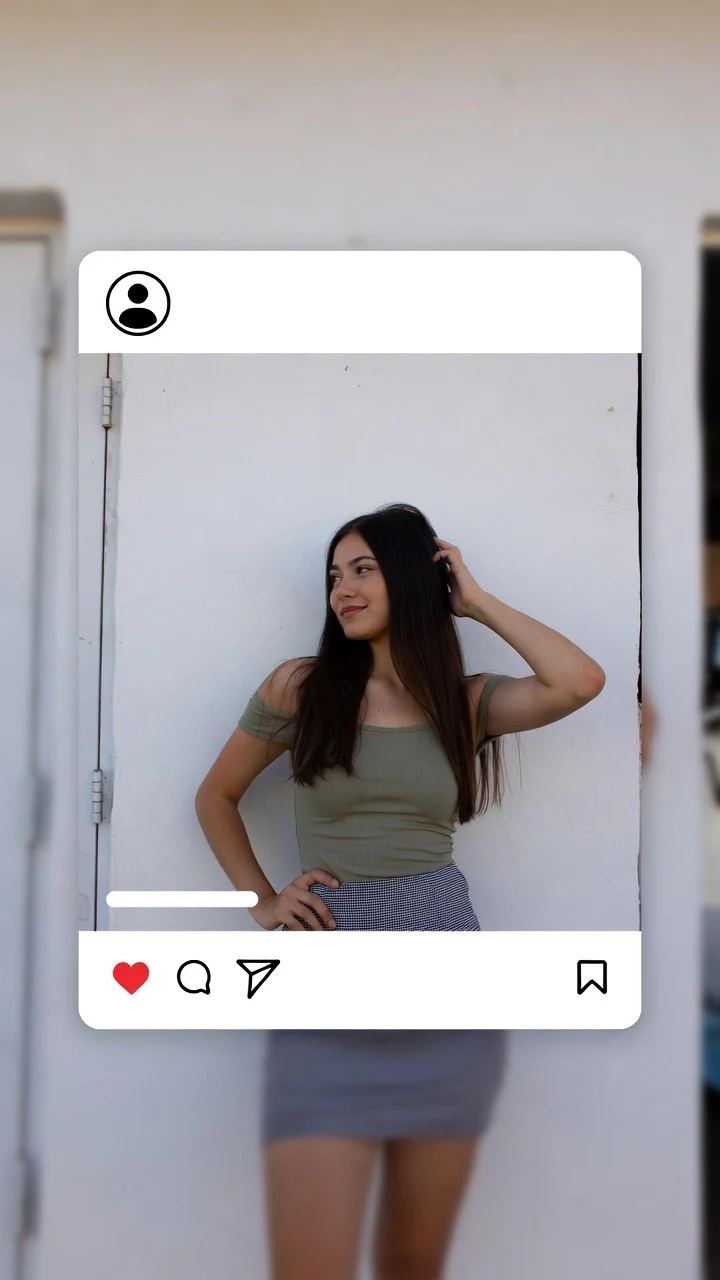
A public SpicyFrame example illustrating the guide. Results depend on the photo and prompt.
How to animate a picture with AI comes down to five steps: choose a sharp photo, upload it, describe one movement and one camera move in a short prompt, pick the length and quality, then review the clip and adjust. On SpicyFrame, that produces a vertical 9:16 video of 5, 10 or 30 seconds with native ambient audio, rendered with Seedance 2.5, from $3.99 for a five-second test. The rest of this guide explains each step, with prompts you can copy; to start right away, the photo to video AI page opens with the studio at the top.
The photo decides most of the result. Pick one that is sharp, well lit and shows the subject clearly: a visible face, visible hands and some space around the body so a turn or a step has room. Avoid heavy beauty filters, faces that are tiny in the frame, hands crossing the face and busy backgrounds full of straight lines, which can bend during motion. A vertical photo suits a vertical clip. Use the original file rather than a screenshot of a screenshot. SpicyFrame accepts JPG, PNG and WEBP images under 10 MB: camera-roll photos, saved social posts, screenshots or AI images you have the right to use.
One photo is enough to animate a picture. If you want more control, add up to 12 references and name them in the prompt: @Image 1 for the person, @Image 2 for the full outfit, @Image 3 for the place. That way the model knows which image sets the face and which sets the wardrobe or the background. Before uploading, you can choose whether new photos and videos are kept; turn storage off and nothing new is saved to your library or browser draft. If you tried this in Grok first, Grok image to video explains how its version works and where it stops.
An AI animate image prompt should describe what changes, not what the picture already shows. Use a simple formula: subject, one action, one camera move, light, mood and, if you like, a sound. Template: “@Image 1 [action], [camera move], [light], [mood], [sound].” Example: “@Image 1 turns slowly toward the camera and smiles, slow push-in, warm window light, relaxed mood, quiet room tone.” Add “keep face and outfit unchanged” when identity matters. Avoid long lists of actions, quality tags such as “8K masterpiece” and vague requests like “make it cinematic,” which give the model room to change the person.
Portraits: 1. “@Image 1 blinks naturally and smiles, locked camera, soft daylight, calm mood.” 2. “@Image 1 turns the head toward the window, very slow push-in, golden backlight.” 3. “@Image 1 brushes hair behind the ear and laughs, shallow depth of field, cosy room ambience.” Full body: 4. “@Image 1 walks toward the camera, steady tracking shot, city street at dusk, distant traffic.” 5. “@Image 1 makes a slow half turn so the dress flares gently, side tracking shot, terrace at sunset.” Outdoor: 6. “Wind moves through the hair and jacket of @Image 1, static camera, overcast light, soft wind sound.” 7. “@Image 1 sits on the pool edge as the water ripples, slow push-in, bright afternoon, distant splashes.” Glamour: 8. “@Image 1 leans against a doorway under red neon, slow push-in, confident smile, low club bass.” 9. “@Image 1 sits by a tall window in a silk robe, morning light, playful glance.” Scenery: 10. “Clouds drift and light shifts across the landscape in @Image 1, slow pan right, birdsong.”
Five seconds holds one gesture and is the right first test. Ten seconds suits a walk, a turn or a slow orbit. Thirty seconds, rendered in a single pass, suits a calm scene with a beginning, a middle and an end; describe the whole path, because long clips give faces and hands more time to drift. Medium 480p is cheaper and fine for checking motion; High 720p keeps fabric, hair and skin texture sharper for the final version. Every SpicyFrame clip is a vertical 9:16 MP4, ready for Reels, TikTok and Stories.
Prices are shown before you pay. Medium 480p costs $3.99 for 5 seconds, $4.99 for 10 and $11.99 for 30. High 720p costs $4.99, $8.99 and $24.99. Ultra High 1080p costs $11.99, $23.99 or $70.99. You can pay for a single video without an account or subscription, or top up piments at 100 piments per dollar. Optional weekly plans give 25% more piments for the money: Starter at $9.99 for 1,249 piments, Creator at $19.99 for 2,499 and Studio at $39.99 for 4,999; they renew weekly and can be cancelled before renewal. A cheap workflow is to test in Medium five seconds, then render only the keeper in High.
Watch the clip once at full screen, then scrub slowly through the start, middle and end. Check the face, the hands, the outfit and the background lines. If the face drifts, keep the face larger in frame, shorten the clip and add “keep face unchanged.” If hands look strange, keep them still or resting on a surface. If the background warps, slow the camera or lock it. If the outfit changes, add a full-body reference as @Image 2. Change one thing at a time so you know what fixed it. Confirmed provider failures restore your piments, and a confirmed failure on a single-video payment is refunded.
Animate pictures you own or have permission to transform. Any identifiable real person must be 18 or older and must have agreed to the AI transformation and to how the clip will be shared. SpicyFrame is an 18+ studio: glamour, fashion, lingerie-style, swimwear and NSFW-style scenes of adults are welcome, but it does not produce explicit sexual content, has no feature that removes clothing, and its rules forbid animating celebrities or anyone without consent. The provider’s safety checks apply to every request, so a prompt can be refused; rewrite it around wardrobe, light and camera work.
| Length | Best for | Medium 480p | High 720p | Ultra High 1080p |
|---|---|---|---|---|
| 5 seconds | One gesture, a first test | $3.99 | $4.99 | $11.99 |
| 10 seconds | A walk, a turn or an orbit | $4.99 | $8.99 | $23.99 |
| 30 seconds | A slow scene with a clear arc | $11.99 | $24.99 | $70.99 |
Upload a sharp photo, write a short prompt with one action and one camera move, choose 5, 10 or 30 seconds and a quality, then review the clip and adjust one thing at a time.
A sharp, well-lit picture with a visible face and hands, a simple background and some space around the subject for movement.
Ask for one small, slow movement such as a turn, a blink or wind in the hair, pair it with a slow camera move and keep the first test to five seconds.
Yes, if you have the right to use it. Sharper files animate better, and any real, identifiable person in it must be an adult who agreed.
On SpicyFrame, 5, 10 or 30 seconds in a single pass, as a vertical 9:16 MP4 with native ambient audio.
From $3.99 for five seconds in Medium 480p up to $70.99 for 30 seconds in Ultra High 1080p, with the price shown before you pay.
No. You can pay for a single video as a guest; the video link is available for 24 hours after completion. Weekly plans are optional.
No. SpicyFrame supports glamour and NSFW-style aesthetics of consenting adults, but explicit sexual content is not produced.