Does uncensored mean a tool has no rules?
No. Treat it as a claim that needs checking against official content rules, technical limits, commercial terms and the destination's publication requirements for your actual project.
SPICYFRAME · PRACTICAL GUIDES
Evaluate uncensored AI image claims for non-explicit adult glamour, separate marketing from documented rules, and prepare an authorized still for video.
5 seconds · 480p · $3.99. Pay per video, no subscription required.
Updated

An uncensored AI image generator search does not define a reliable product category. The word may describe a marketing position, a narrow style option or a user's expectation, while the actual service still has rules, technical limits and publication conditions. For a non-explicit adult glamour project, ask a more useful question: does the documented workflow support the specific fashion image you want to create? This guide covers authorized adult portraits, eveningwear and cinematic styling. It does not identify pornography services or explain how to bypass filters. A tool's broad slogan cannot replace a concrete statement of permitted use, and it does not supply permission to transform someone else's photograph or likeness.
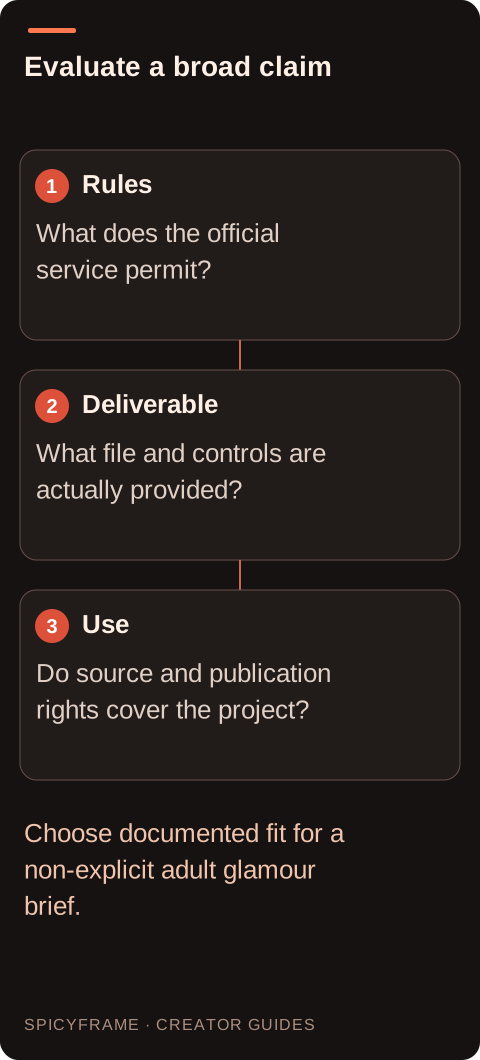
Content rules govern what a service permits. Technical limits govern formats, dimensions, duration and available controls. Commercial terms govern how outputs may be used. Publication rules govern where the final image or video may appear. A claim about one does not settle the others. A tool might support a non-explicit glamour look while offering only a limited export size, or allow a downloadable image without resolving rights in the reference. Write these categories separately when comparing options. The NSFW-style guide explains the aesthetic scope relevant here. Keeping the categories distinct prevents a vague promise of freedom from hiding a practical constraint that matters more to your actual campaign.
Look for official documentation tied to the service and account type you plan to use. A developer API page may describe different capabilities from a consumer app, and a paid plan may have different export conditions from a trial. Record the date and the applicable plan when saving a useful policy excerpt. If a claim appears only in an affiliate article or an old screenshot, treat it as unverified. Do not infer present access from a past example. For a glamour still that will later become video, check both stages: permission to use the source image and the rules of the animation service. Rights and restrictions do not automatically transfer unchanged between separate products.
A useful brief identifies a clearly adult subject, an outfit, a setting and a visual mood. For example, a fictional adult fashion character in a structured evening jacket under soft red studio light communicates a specific non-explicit image. Calling the same brief “uncensored” adds no information about composition or garment design. If a source photo is involved, preserve the person's intended presentation and use proper authorization. The glamour prompt guide offers scene vocabulary centered on style and atmosphere. A clear brief also helps you recognize when a tool's documented scope is a poor match, without turning rejection into a challenge to evade the service's controls.
A striking generated portrait may contain inconsistent jewelry, unreadable text or clothing that only works from one angle. Check those details before using it as a video reference. A wide turn can expose ambiguity that was hidden in the still, while a close camera move can magnify invented texture. Prepare a compatible JPG, PNG or WebP externally if needed and keep an untouched copy of the source. SpicyFrame accepts authorized references under 10 MB each, with up to 12 images, or can start from text alone. The best photo guide helps evaluate readable structure rather than relying on the source generator's branding as a proxy for visual quality.
Suppose a site advertises unrestricted image creation, but you only need a tasteful adult fashion portrait for a red themed campaign. A careful plan is to check its official rules, verify the relevant export and use terms, and see whether the specific clothed scene fits. If documentation is missing, that uncertainty remains unresolved even if the gallery looks appealing. If you already have an authorized usable still, an image generator may not be necessary at all. You could prepare it for a short video instead. This example is a decision process, not a tested provider comparison. It shows why a narrow, documented fit can be more informative than a sweeping claim that is impossible to verify from a slogan.
SpicyFrame is an independent video workflow for non-explicit adult glamour, not an unrestricted still-image generator or photo editor. It produces one vertical 9:16 MP4 with ambient sound in 5, 10 or 30 seconds. Delivery options are Medium 480p, High 720p and Ultra 1080p; there is no 4K generation claim. A five second Medium clip costs $3.99, while a ten second High clip costs $8.99. These are concrete output choices rather than evidence that any possible prompt will be accepted or rendered faithfully. The pay-as-you-go guide explains the purchase model. Keep external image preparation and external video finishing separate from features actually available in the studio.
Before committing to a workflow, keep the source permission, relevant terms, chosen brief and planned publication destination together. Confirm that the adult glamour concept remains non-explicit throughout the output, not only in its first frame. Review whether the final asset still represents the subject and clothing as intended. If a tool refuses a request, use its official explanation or support route and choose a genuinely permitted concept; do not seek hidden settings or alternate phrasing to defeat the restriction. A useful selection result may be a different workflow or no generation at all. The practical goal is a suitable, authorized asset with clear conditions, not proving that a marketing label means an absence of boundaries.
| Requirement | Decision | Evidence to check |
|---|---|---|
| Marketing promises no limits | Read official rules and terms | Claim matches the actual workflow |
| Only a fashion portrait is needed | Define the non-explicit scene | No broad label substitutes for detail |
| Still will become video | Check both services' conditions | Source use and animation are authorized |
| Documentation covers an API | Verify consumer-app relevance | Capabilities are not transferred by assumption |
| Request receives a refusal | Use official explanation or support | No evasion is introduced |
No. Treat it as a claim that needs checking against official content rules, technical limits, commercial terms and the destination's publication requirements for your actual project.
No. It is a video workflow for non-explicit adult glamour, using authorized references or a text prompt. Its output and content scope should be described concretely.
No. Examples and screenshots may reflect earlier terms or another product surface. Check the official information that applies to the present workflow and account type.
Read the official explanation and use an allowed concept or the support route. Do not treat refusal as an invitation to search for bypasses or hidden controls.
Only when you are entitled to use it and it meets the input requirements. Inspect visual quality and verify the applicable terms before transferring it to another service.
A clear adult fashion brief, reliable source permissions, suitable output, readable garment details and documented conditions. Those requirements determine whether the workflow fits the intended use.