5 seconds · 480p · $3.99. Pay per video, no subscription required.
Updated
AI-generated editorial illustration: an adult fashion look in red city light. This is a styling reference, not a video-generation result.
What Leonardo's terms establish about NSFW content
Leonardo AI NSFW questions should be answered from the current Terms of Service, not from assumptions about an image filter or a gallery setting. The official terms reviewed on October 8, 2026 prohibit generating explicit pornography, sexual abuse or violence, non-consensual acts, child exploitation, and other specified harmful content. They also prohibit misleading or defamatory impersonations and reserve discretion over unsuitable or obscene material. That supports a clear boundary without inventing a promise that every non-explicit glamour image is accepted. This guide focuses on permitted non-erotic adult fashion artwork and its preparation for animation. It does not describe a live test, a hidden adult mode, or a way to bypass moderation. The starting point is a lawful, authorized, clearly adult editorial concept.
Keep the artwork's purpose on fashion design
A strong reference brief identifies the garment, materials, silhouette, lighting, and composition. For example, an adult fashion character can wear a lined evening dress against a studio backdrop, with the camera showing the construction and overall styling. Avoid sexualized body descriptions or directions that turn a clothing presentation into an erotic scene. The distinction is about the actual depicted content, not a euphemism in the prompt. If a concept is outside the current service rules, change the concept itself. Our fashion-video guide explains how to define a shot around garment movement and brand presentation. This approach also produces a more useful animation reference because the model receives clear visual evidence of the outfit rather than conflicting instructions about pose and exposure.
Review real-person likeness and source permissions
Leonardo's terms address impersonations of real people and misleading or defamatory portrayals. If you use a real adult's image as a reference, establish permission for the transformation and intended publication, as well as rights in the photograph. Do not assume that calling the output fictional makes an obvious unauthorized likeness acceptable. For a wholly fictional adult fashion character, avoid mixing references that imply a celebrity endorsement or a real person's identity. Keep the source list and any licenses with the project. The safety guide gives a broader framework for consent and depiction. These decisions remain relevant when the still image later moves to another animation tool; a new service does not reset the rights attached to the original artwork or source photograph.
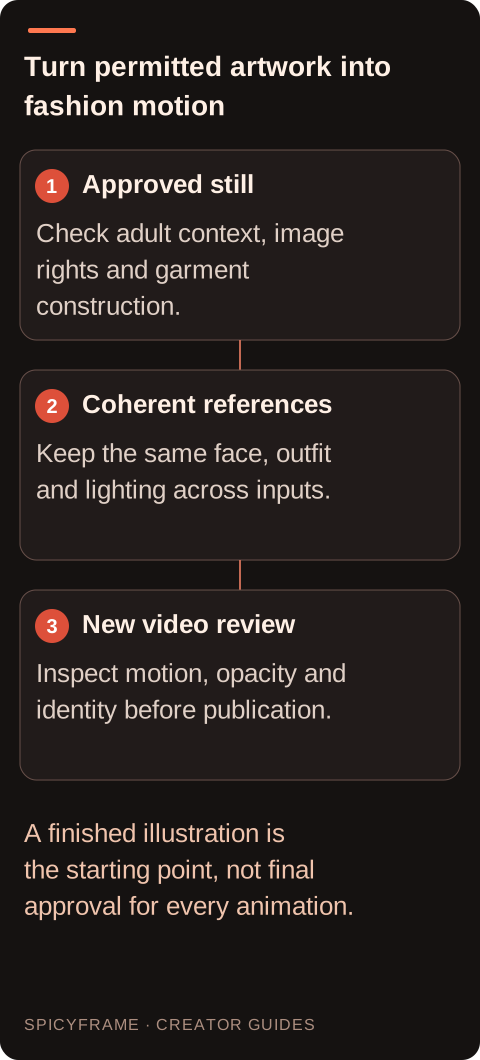
Approved still: Check adult context, image rights and garment construction.. Coherent references: Keep the same face, outfit and lighting across inputs.. New video review: Inspect motion, opacity and identity before publication.. A finished illustration is the starting point, not final approval for every animation.
Inspect the still before spending on motion
Animation can amplify flaws that are easy to miss in a static image. Check both hands, garment edges, closures, jewelry, face symmetry, and any lettering before approving the reference. For lace or satin, confirm that the intended opaque lining is visible and that highlights do not already resemble holes or transparent areas. Look at the image at a practical viewing size as well as close up. A highly polished portrait can still contain an impossible sleeve or a seam that merges into the background. Use the reference-photo checklist to decide whether the source is ready. Correct the artwork or choose a better reference first; asking a video model to repair several unrelated defects while also animating the scene makes the result harder to predict.
Build a coherent adult character reference set
If you plan several fashion clips, establish a small set of consistent adult references: the same face, hairstyle, garment, accessories, and light direction. A front view and a compatible three-quarter view can communicate more than a large set of unrelated pictures. Record which details are fixed and which may change between scenes. Do not imply that a reference set guarantees exact identity across every generated frame. The AI-art animation guide explains the transition from a finished still to a motion brief. When using SpicyFrame, up to 12 authorized JPG, PNG, or WebP files under 10 MB each are supported, but the maximum is not a target. Add a reference only when it resolves a real visual ambiguity without introducing a competing outfit or face.
Separate Leonardo's terms from the next tool's features
Leonardo's current terms describe a platform for image and video creation, but that does not establish every feature or quota of the particular model you select. Verify those options in the current product documentation or purchase flow. If you export permitted artwork to SpicyFrame, its generation stage uses Seedance 2.5 through Segmind and outputs vertical 9:16 MP4 with ambient audio. Durations are 5, 10, or 30 seconds, with 480p, 720p, and 1080p choices. SpicyFrame does not offer a timeline editor, 4K output, seed field, or negative-prompt field. Treat this as a separate production step with its own rules and pricing, not an automatic extension of Leonardo's account allowance. Keep the rights record attached to the file as it moves between services.
Handle moderation and errors accurately
If Leonardo blocks a request, distinguish the content message from a technical failure and consult the current support guidance. Its terms prohibit circumventing authentication or security and include broad content restrictions; this guide does not offer ways to evade moderation. For a clearly ordinary adult fashion concept, ask for clarification or revise the actual artwork to fit the permitted scope. Do not assume that a hidden image, a paid plan, or a successful generation proves the request is allowed. Likewise, do not apply one service's refund rule to another. If the later SpicyFrame generation has a confirmed failure, refunds or credits apply; disliking a completed render is not automatically a failure. Preserve the relevant job details and provider identity so a support question reaches the correct service.
Approve the final asset as a new work
The final video deserves its own review even when the source illustration was already approved. Motion may change the face, dress length, fabric opacity, or implied behavior. Watch the complete clip and compare the beginning, middle, and end with the approved character sheet. Review ambient sound and any accidental text before publication. For a commercial campaign, confirm that source permissions, provider terms, and the intended destination all support the use. Do not present invented garment behavior as an exact product demonstration. A fictional fashion character can be useful for mood and styling, while a real catalog item may require stricter accuracy. Document which purpose the asset serves and keep the final approved file distinct from exploratory drafts so that an unsuitable version is not published by mistake.
Leonardo artwork preparation for adult fashion motion
Stage
Inspect or establish
Why it matters
Content brief
Non-erotic adult fashion purpose
The actual scene must fit current terms
Likeness
Source rights and appropriate permission
Fictional labels do not erase real-person concerns
Still quality
Hands, seams, lining and accessories
Motion can amplify existing defects
Reference set
Same adult character and garment
Conflicting pictures weaken continuity
Final video
New visual and publication approval
Animation can introduce new errors or implications
AI image-to-video questions answered
Does Leonardo permit explicit pornography?
The official terms reviewed for this guide prohibit generating explicit pornography and other specified sexual harms. This article covers permitted non-erotic adult fashion artwork rather than explicit content.
Does a private image setting override Leonardo's rules?
No such exemption is established here. Visibility and content permission are different questions, so read the current terms independently of any gallery or account setting.
Can I use an unauthorized celebrity likeness for a fashion character?
Do not assume that is allowed. Leonardo's terms address impersonation and misleading portrayals, and source rights and likeness permission remain relevant to the proposed use.
What should I fix before animating the artwork?
Inspect hands, face, seams, closures, jewelry, lettering, and garment opacity. A clean still with coherent clothing gives the animation stage a clearer starting point than an image containing several defects.
Does exporting to SpicyFrame transfer Leonardo credits?
No shared credit arrangement is claimed. SpicyFrame is a separate paid generation workflow using Seedance 2.5 through Segmind, with its own supported outputs and purchase options.
Why review the video if the still was approved?
Generation can change identity, garment construction, opacity, or behavior over time. The motion asset is a new deliverable and needs its own visual, rights, and publication review.
Sources
External pages, opened in a new tab. Rankings reflect the time of writing.