Does Midjourney have an NSFW mode for adult fashion?
The reviewed Community Guidelines say SFW content only. A fashion or glamour label does not authorize nudity, sexualized imagery, or other adult content prohibited by those rules.
SPICYFRAME · PRACTICAL GUIDES
Understand Midjourney’s SFW-only rules, private-mode limits and documented image-to-video workflow before preparing permitted adult fashion references.
5 seconds · 480p · $3.99. Pay per video, no subscription required.
Updated

Midjourney NSFW searches should not be read as evidence that the service offers an adult-content mode. Its official Community Guidelines, reviewed on October 8, 2026, say SFW content only and instruct users not to create or attempt to create adult content. The examples include nudity, sexualized imagery, and fetish content. For an adult fashion project, the workable scope is a genuinely safe-for-work editorial scene: opaque clothing, composed styling, and a nonsexual presentation. Calling an image glamour does not override the rule. This guide explains how to prepare permitted fashion artwork and understand the documented motion workflow without providing sexual prompts or filter-evasion advice. It is based on public documentation, not a claim that a particular prompt was submitted and accepted.
The Community Guidelines explicitly apply to content made in private servers, deleted or hidden images, Stealth Mode, direct messages with the bot, and Midjourney websites. A private workflow can affect who sees the work, but it does not create a different adult-content policy. This is particularly important when a client asks for a confidential fashion concept: confidentiality and permitted subject matter are separate requirements. Read the current privacy and plan documentation for visibility questions, and read the content guidelines for the scene itself. Do not promise that a paid tier or private server permits imagery that would otherwise violate the rules. The AI safety guide helps separate permission, depiction, and publication decisions so that a hidden project is not mistaken for an unrestricted one.
Build the image around a garment, lighting design, and editorial composition. An adult model in an opaque evening dress, a tailored jacket, or a structured fashion ensemble gives the scene a clear clothing-focused purpose. Use a neutral or confident posture rather than sexualized directions, and avoid exposing or transforming private body areas. Inspect the still image before animation for ambiguous age cues, accidental transparency, malformed hands, and inconsistent accessories. If the source fails the intended safe-for-work standard, correct the actual artwork or choose another reference. Do not use motion as a way to make a disallowed source less obvious. The fashion guide provides a broader brief structure that keeps attention on silhouette, texture, and presentation rather than provocative content.
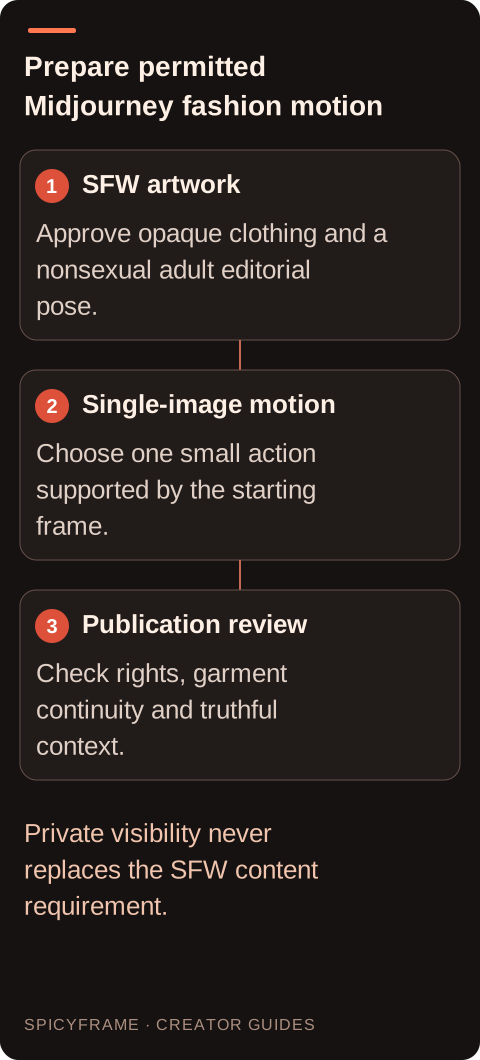
Midjourney's official Video documentation describes turning a single image into a five-second video, using the image as the first frame and an optional text prompt. That is a specific image-to-video workflow, not a guarantee of arbitrary long-form editing or every control available in other generators. The same documentation discusses plan and mode differences, so check the current account options before estimating cost or access. This guide does not invent a free quota or assume that a past subscription allowance remains unchanged. For a fashion test, begin with an already approved still and ask for one modest motion, such as a slight camera approach or a small composed turn. Keep the request within the safe-for-work rules that apply to both the reference and the generated sequence.
Midjourney's video documentation warns against abusive uses of external images, including sexualized deepfakes, and states that violations can lead to suspension or banning. Before uploading a real person's portrait, obtain the necessary image rights and permission for the proposed animation and publication. A reference supplied by a client still deserves a rights check. If the project uses fictional adult artwork, make sure it does not intentionally imitate a real person's likeness in a misleading context. Our animate-AI-images guide discusses preparing generated artwork for motion, but a technical workflow cannot grant rights that are absent from the source. Keep the original image, license, and approval together so the later video remains connected to the material that authorized its creation.
A single fashion image contains limited evidence about hidden fabric, unseen limbs, and the back of a garment. A large orbit or dramatic pose change forces the model to invent more than a small movement does. For a reliable first draft, use one gentle action and stable light. A full-length opaque dress can sway slightly while the camera remains level; a headshot can hold a calm expression with a subtle change in gaze. These are ordinary editorial motion ideas, not promises of exact output. The prompt examples guide explains how to describe subject action and camera movement clearly. Judge the entire clip, because an attractive first frame can hide later seam drift, face changes, or accidental transparency that makes the result unsuitable for the brief.
Midjourney's guidelines state that an input not being automatically blocked does not necessarily mean it is allowed. Its video documentation also notes that seemingly innocent prompts may encounter moderation friction. Both points matter: a block is not a complete legal judgment, and successful generation is not a permission certificate. If a safe-for-work request is blocked, read the current support guidance and seek clarification where appropriate. Do not repeatedly disguise a prohibited scene with alternate spellings or hidden instructions. Change the actual concept if it falls outside the rules. The reviewed Video documentation says blocked jobs do not cost credits and GPU time is deducted when results appear, but check current terms for the specific event rather than extending that statement to every possible account or billing issue.
Once a still is genuinely permitted and authorized, compare animation routes on delivery needs. SpicyFrame can animate authorized references through Seedance 2.5 via Segmind, producing vertical 9:16 MP4 clips with ambient audio in 5, 10, or 30 seconds. It accepts JPG, PNG, or WebP files under 10 MB each, up to 12 references. That does not mean Midjourney's terms stop mattering for artwork created there, nor does it make prohibited content acceptable elsewhere. SpicyFrame supports non-explicit adult glamour, not explicit sexual content, and does not guarantee likeness or exact garment reproduction. Keep the original rights and content decisions intact as the asset moves between tools. Finish with a final review of wardrobe, face, sound, and publication context before delivering the motion asset.
| Question | Official documentation context | Practical choice |
|---|---|---|
| Adult-content scope | SFW-only community rules | Use nonsexual, opaque adult fashion styling |
| Private mode | Guidelines still apply in private settings | Separate visibility from content permission |
| Video input | One image starts a five-second video | Approve the still before animating |
| External likeness | Abusive external-image use is prohibited | Keep source rights and subject permission |
| Moderation result | No automatic block does not imply permission | Review the rules independently of acceptance |
The reviewed Community Guidelines say SFW content only. A fashion or glamour label does not authorize nudity, sexualized imagery, or other adult content prohibited by those rules.
No. Midjourney's guidelines explicitly apply in Stealth Mode, private servers, direct messages, hidden or deleted images, and its websites. Visibility choices do not create a separate content policy.
Its official Video documentation describes using one image as the first frame of a five-second video, with an optional prompt. Check current plan and mode availability before purchasing access.
No. The guidelines specifically say that an input not being automatically blocked does not necessarily mean it is allowed. Users remain responsible for following the current rules.
Use an approved safe-for-work adult image with opaque clothing, stable light, and one small action. Inspect the full result for garment, face, and transparency changes before publication.
Only when you have the relevant rights and comply with the applicable terms. Moving the file does not erase source obligations or make prohibited content acceptable under another service's rules.
External pages, opened in a new tab. Rankings reflect the time of writing.