Can SpicyFrame make a seamless loop automatically?
No. SpicyFrame generates a single clip and does not include a loop editor. Generate gentle repeatable motion, then trim and join the ends in a video editor.
SPICYFRAME · PRACTICAL GUIDES
Make a looping AI video from a photo: pick motion that repeats, copy loop prompts, find the loop point in an editor and hide the join in picture and sound.
5 seconds · 480p · $3.99. Pay per video, no subscription required.
Updated
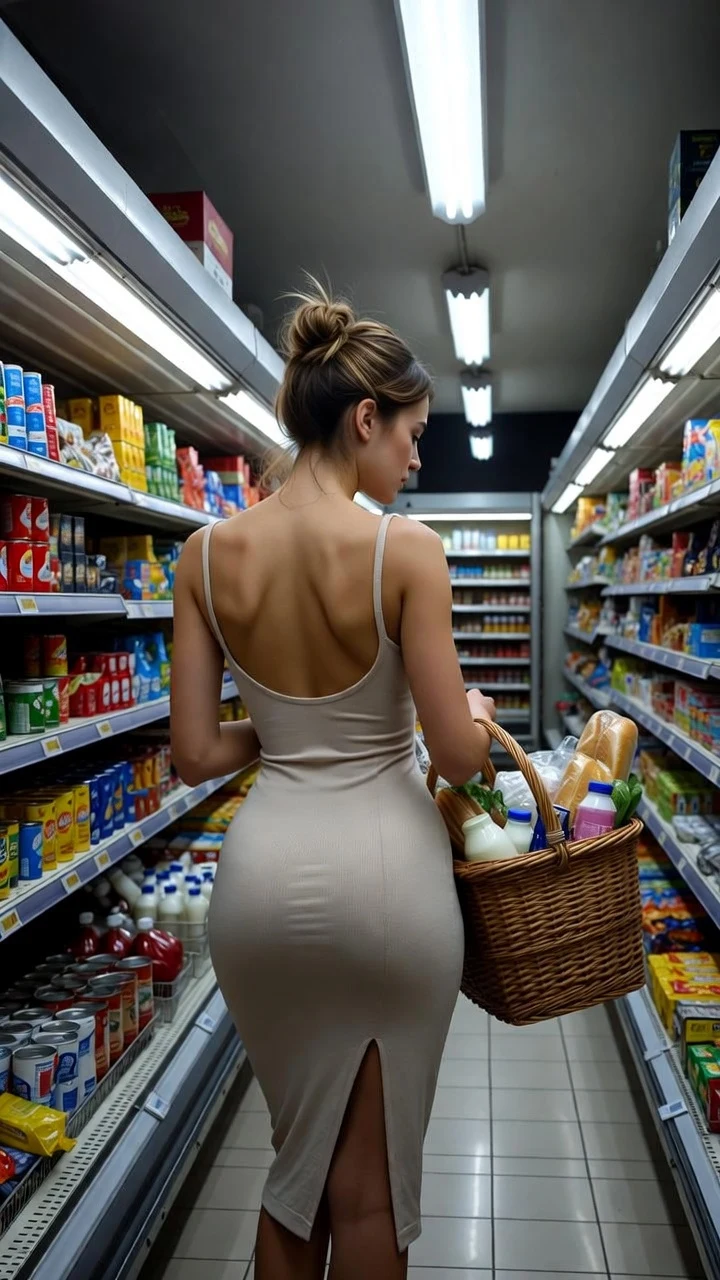
A public SpicyFrame example illustrating the guide. Results depend on the photo and prompt.
To make a looping AI video from a photo, generate a short clip with a locked camera and gentle, repeatable motion such as hair or fabric in a breeze, then trim it in a video editor between two frames that look alike and join the ends with a hard cut, a short crossfade or a forward-and-reverse edit. SpicyFrame does not include a seamless-loop editor and cannot guarantee that the first and last frames match, so the loop is finished in editing. A five-second Medium 480p clip, at 399 piments, is the most practical starting point.
Good loop motions are cyclical or continuous and return to a similar state: hair and fabric moving in a breeze, a curtain swaying, candlelight flickering softly, rain on a window, steam rising, water rippling, slow breathing, a gentle sway, light reflections sliding across a surface. Poor loop motions have a clear beginning and end or travel somewhere: walking out of frame, a camera travelling through a room, a turn from profile to front, picking up an object, a sunset that gets darker. If the end state differs from the start, the join will show. Choose one main movement before you write the prompt.
Pick a photo where the moving element is clearly visible and has room to move: loose hair with clean edges, a dress or scarf that is not cropped, a curtain with space around it. A simple, evenly lit background makes the join easier to hide, because there are fewer details that can drift between the start and the end. Avoid busy patterns, crowds and mirrors. Keep the subject centred in the vertical 9:16 frame. Use only images you own or may transform; identifiable people must be adults who agreed to the transformation.
1. Fabric breeze: “Locked camera, @Image 1 remains in place while a soft breeze moves the hair and dress, constant soft light, subtle continuous movement, no scene change.” 2. Breathing portrait: “@Image 1 breathes slowly with a calm expression, static shot, steady window light, quiet room tone.” 3. Candlelight: “@Image 1 sits still in warm candlelight, flames flicker gently, locked camera, steady overall exposure.” 4. Rainy window: “Rain runs down the glass in front of @Image 1, who stays still, locked camera, cool constant light, continuous rain ambience.” 5. Neon glow: “@Image 1 sways gently in place under steady blue and pink neon, static shot, light haze drifting.” 6. Product shimmer: “@Image 1 remains centred and unchanged, a soft highlight slides slowly across the surface, locked camera, constant light.” Short dance grooves loop well too; the AI twerk video page starts every idea with a five-second test.
Before: “Make a perfect seamless loop of her walking on the beach at sunset.” Walking travels, the sun moves, and the words “perfect seamless loop” do not control the first and last frames. After: “Locked camera, @Image 1 stands on the beach at golden hour, hair and dress move gently in a steady sea breeze, waves roll in the background, constant warm light, continuous wave ambience.” The rewrite removes travel, fixes the camera and keeps the light constant, so the subject ends close to where it started. Describe visible, steady motion rather than asking for a loop by name.
Five seconds is usually the best length for a loop: less time for the scene to drift, and more frames that resemble each other. It costs 399 piments in Medium 480p, 499 in High 720p or 1,199 in Ultra High 1080p, with the price shown before checkout. Review the test for camera drift, exposure changes and subject movement. If the camera moves, add “locked camera”. If the subject travels, describe it staying in place. Once the motion repeats convincingly, render the final in High if you need more detail. Ten seconds (499, 899 or 2,399 piments) gives more choice of loop points but also more room for drift.
Import the downloaded MP4 into any video editor and step through it frame by frame. Pick an in-point after the first second, since the first moments often settle in, and look for a later frame where the pose, hair, fabric and light closely match it. Mark those two frames and trim the clip between them. Place two copies back to back and play the join repeatedly at normal speed. Small differences in hair or fabric are usually invisible in motion; differences in framing, exposure or the position of the face are not. Try several candidate pairs before settling.
A hard cut works when the two frames already match closely; it is invisible when done well and leaves no ghosting. A short crossfade of a few frames softens a small mismatch in fabric or light, but if the subject has moved, it creates a doubled outline. A forward-and-reverse edit, sometimes called ping-pong or boomerang, plays the clip forward then backward, so the ends always match; it works for breeze, water, candlelight and abstract motion, but looks unnatural for walking, speech, blinking, falling objects or rising steam. Keep an unedited copy so you can try another method later.
Every SpicyFrame clip includes native ambient audio, and a visual loop with a click or a cut in the sound still feels broken. Steady sounds such as rain, sea, room tone or wind loop more easily than footsteps or single events, so name a continuous sound in the prompt. In the editor, apply a short audio crossfade at the join, or replace the generated sound with a longer ambient bed that loops cleanly. For a forward-and-reverse edit, reversed audio often sounds odd; mute it and use a separate ambient track. Use only music you have the right to use.
If the frame shifts at the join, the camera drifted: regenerate with “locked camera” or crop slightly in the editor to stabilise. If the brightness jumps, remove lighting changes from the prompt and pick loop points with matching exposure. If the face changes between the ends, choose a closer pair of frames or reduce the movement. If a crossfade creates a ghost, switch to a hard cut on better-matched frames. If the motion simply never returns to its start, the action is not cyclical; choose a breeze or breathing motion instead of a gesture.
Loops suit social posts that replay automatically, profile and link-in-bio videos, website hero backgrounds, digital signage and the opening seconds of a longer edit. Playing a clip on repeat does not make it seamless by itself, so check the loop on the destination at normal speed several times. Keep file size and length short for web use. Label realistic AI-generated media where the platform requires it, and remember that a loop of an identifiable person still needs that person’s consent.
Similar opening and closing poses do not guarantee a seamless loop. Earrings can swing in opposite directions, fabric can reset and the camera can arrive at a different speed. The glamour loop seam diagnosis separates these motion problems so you can decide whether an external edit or a new render is more useful.
| Technique | How it works | Works best for | Watch out for |
|---|---|---|---|
| Hard cut | Trim between two closely matching frames | Steady breeze, breathing, candlelight | Any shift in framing or exposure |
| Short crossfade | Blend the last and first frames over a few frames | Small mismatches in fabric or light | Doubled outlines if the subject moved |
| Forward and reverse | Play the clip forward, then backward | Water, drifting haze, abstract motion | Unnatural walking, blinking or speech |
| Longer ambient bed | Replace generated sound with a loopable track | Clips whose audio clicks at the join | Music or sounds you lack the rights to |
No. SpicyFrame generates a single clip and does not include a loop editor. Generate gentle repeatable motion, then trim and join the ends in a video editor.
Five seconds. A short clip gives the scene less time to drift, so it is easier to find two matching frames. It costs 399 piments in Medium 480p.
Hair or fabric in a breeze, candlelight, rain, water, breathing and gentle swaying. Motions that travel, such as walking or a moving camera, loop poorly.
It does not control the first and last frames. Describe a locked camera, constant light and steady motion instead, then finish the loop in editing.
Ask for a continuous sound such as rain or room tone, add a short audio crossfade at the join or replace the sound with a longer ambient bed.
Only for gentle motion like hair in a breeze. Reversed walking, blinking or speech usually looks unnatural.