Can I make several different AI videos from the same photo?
Yes. Reuse the authorized source, but change only one creative variable—action, camera or lighting—per test so you can tell which instruction improved the result.
SPICYFRAME · PRACTICAL GUIDES
Try 12 practical AI video ideas from one photo, with adaptable scene prompts for portraits, fashion, products, travel and vertical social clips.
5 seconds · 480p · $3.99. Pay per video, no subscription required.
Updated
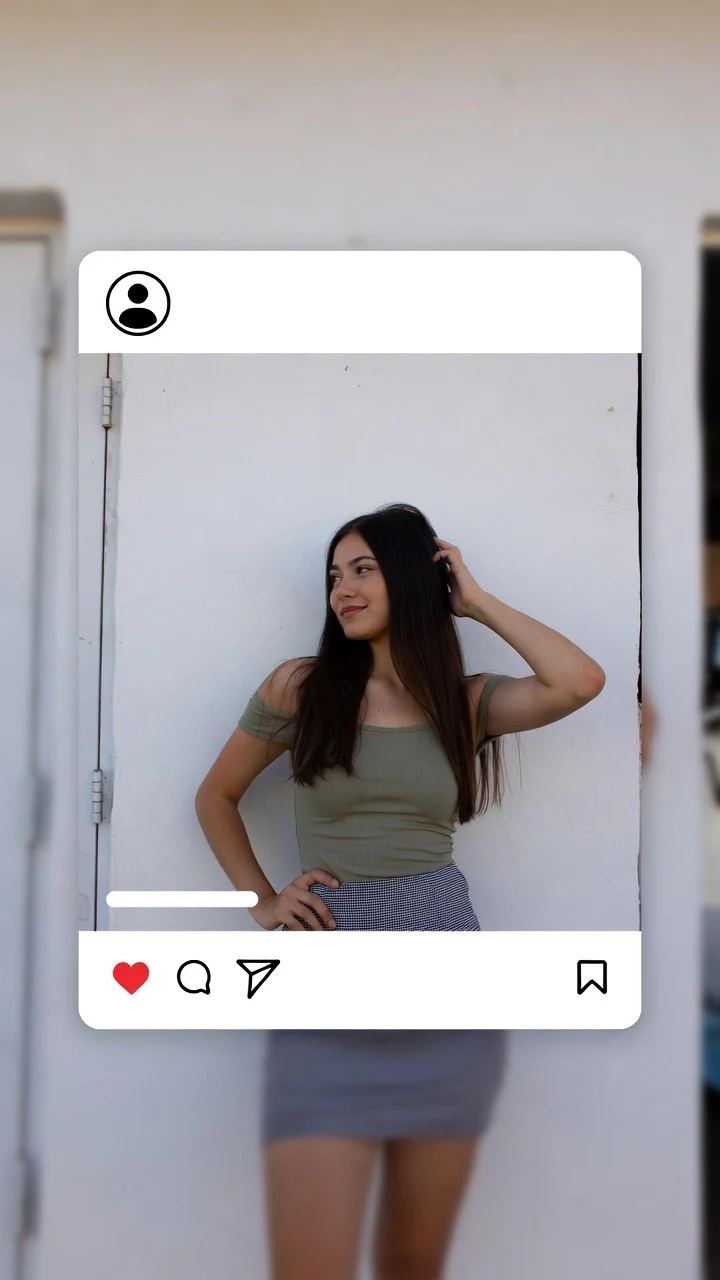
A public SpicyFrame example illustrating the guide. Results depend on the photo and prompt.
SpicyFrame can turn one approved photo into many distinct vertical AI video ideas by changing the movement, camera direction, lighting and mood—not the person’s identity. Start with a five-second test, choose one action per clip, and use these 12 scene ideas as practical briefs rather than promises of identical results.
Match the idea to information already visible in the photograph. A waist-up portrait supports a small turn or expression; a full-body image supports a step or outfit reveal; a product photo supports moving light and a restrained camera move. Replace @Image 1 with the main reference and keep its face, clothing, object shape and background explicit when they matter. SpicyFrame’s practical formula is reference role + one visible action + one camera direction + light and mood. Test at five seconds in Medium 480p, inspect the result, then use High 720p or a longer duration only after the concept works.
Best for a clear portrait or waist-up fashion photo with some space around the hair and shoulders. Prompt: “@Image 1 stands on a rooftop at golden hour, a light breeze moves the hair and clothing, slow push-in, warm sun behind the subject, distant city ambience, preserve face and outfit.” Keep the subject mostly in place. The sunset, fabric and hair create motion without asking the model to invent a complicated performance. If the original is evenly lit indoors, prefer soft window light instead of forcing a dramatic sunset.
Use a full-body or three-quarter fashion image where both legs and the outfit are readable. Prompt: “@Image 1 takes two slow steps along a wet city street, stable side-tracking shot, restrained blue and pink neon reflections, natural fabric movement, preserve facial features and clothing.” This is one of the strongest creator video ideas for a five- or ten-second vertical clip. Avoid a fast walk, traffic crossing the body or several camera moves at once; each extra moving element raises the chance of warped limbs or changing clothes.
Choose a sharp close portrait with visible eyes and an uncluttered background. Prompt: “@Image 1 turns slightly toward a large window, natural blink and small smile, locked camera, diffused daylight from the left, steady exposure, quiet room ambience.” This subtle photo-to-video idea is useful when identity matters more than spectacle. It creates visible life through expression and light while limiting unseen facial angles. Do not request a full profile unless the reference set includes one, and avoid hands crossing the face.
Start from a full-body photo with the complete outfit and footwear visible. Prompt: “@Image 1 takes one confident step and settles into a fashion pose, gentle low-angle push-in, clean studio light, slight movement in the garment, preserve the exact outfit and proportions.” The useful story is the reveal, not a long walk. Five seconds is enough for one step and a final hold. If the source crops an arm, shoe or hem, choose a waist-up pose instead of asking the generator to reconstruct missing clothing.
A swimwear or resort image works best when water and the full adult subject are already visible. Prompt: “@Image 1 lifts the sunglasses and smiles beside the pool, sunlight sparkles on the water, slow camera push-in, palm shadows move gently, preserve face and swimwear.” Keep the scene tasteful and non-explicit. Water reflections add natural secondary motion, but splashing, diving and wet hair all at once can overwhelm a short shot. Use only images of consenting adults that you own or are authorized to transform.
Use a seated or waist-up photograph with hands already visible near a cup, table or book. Prompt: “@Image 1 looks up from a coffee cup and smiles toward the camera, fixed medium shot, warm morning window light, subtle steam, quiet café ambience, preserve hands and table objects.” This everyday setup gives lifestyle creators a calmer alternative to dramatic glamour scenes. Do not ask the hand to travel far if fingers are hidden in the source. A glance, breath and small object interaction usually look more credible than several gestures.
Choose a clean product photo with the label, cap and edges in focus. Prompt: “@Image 1 remains centered and unchanged, slow push-in, a soft highlight travels across the packaging, restrained background particles, quiet studio ambience, preserve the exact logo, label, color and proportions.” The product should stay still while light and camera create movement. This is safer than requesting a synthetic 360-degree rotation from one angle. Generated text can change, so compare the full clip with the approved pack shot and add critical claims later in a normal editor.
Pick a portrait photographed near glass or with a simple dark background. Prompt: “@Image 1 stands beside a rain-streaked window, subtle breathing and a small turn toward the light, locked camera, cool reflections, stable face and clothing, soft rain ambience.” Raindrops and reflections provide atmosphere while the person barely moves. This concept becomes fragile if the prompt asks for a mirrored duplicate or a camera orbit, because glass can produce inconsistent faces and geometry. Keep the reflection abstract and inspect every frame before publishing.
Use a full-body travel or street photo with the destination already visible. Prompt: “@Image 1 pauses after one slow step and looks across the square, gentle side track, warm early-morning light, a light breeze moves the jacket, preserve the architecture and outfit.” The strongest vertical video ideas do not teleport the subject into a location the source never shows. Let the existing setting carry the story. Avoid crowds passing directly in front of the face and do not ask the camera to reveal buildings outside the original frame.
Select a full-body sports image with clear joints and enough space around the limbs. Prompt: “@Image 1 shifts weight into a gentle warm-up stretch, stable wide framing, bright natural gym light, subtle breathing, preserve body proportions and sportswear.” Keep the movement slow and anatomically simple: a shoulder roll, weight shift or controlled arm stretch. Fast exercise, jumps and crossed limbs are harder to reconstruct from a still image. Review hands, elbows, knees and clothing seams carefully, and never present a generated motion as professional training advice.
A seated evening portrait or dining image can become an intimate, non-explicit scene through light rather than large movement. Prompt: “@Image 1 turns slightly toward the candle and smiles, slow dolly-in, warm flickering light kept subtle, stable facial features, quiet restaurant ambience.” Keep the flame secondary so exposure does not pulse across the whole face. If tableware or hands are cropped, focus on the expression and shoulder movement. This scene works well as a ten-second opener or closing beat in a short lifestyle sequence.
Use a fashion portrait with loose hair, a scarf, dress or curtain that can move gently. Prompt: “Locked camera, @Image 1 remains in place while a soft breeze moves the fabric, constant light, subtle continuous motion, preserve face and garment.” Generate five seconds, then trim between two similar poses in a video editor. SpicyFrame does not guarantee a perfect first-to-last-frame loop, and reversing footage can make human motion look unnatural. Keep an unedited export, check for a jump in light or audio and use a short crossfade only when it does not create a doubled outline.
A useful concept starts with what the image proves. Close portraits suit glances, blinks and push-ins; full-body photos suit one step, pose or stretch; products suit fixed geometry with moving light; visible environments suit subtle travel or lifestyle action. Generate each idea as one self-contained shot, then assemble approved clips in an editor if you want a sequence. Review faces, hands, clothing, logos, reflections and audio at the beginning, midpoint and end. Preserve source rights and consent records, label realistic AI alteration when required and keep Content Credentials when the workflow supports them.
Yes. Reuse the authorized source, but change only one creative variable—action, camera or lighting—per test so you can tell which instruction improved the result.
Choose an idea that matches the framing and visible setting of the photo. A subtle window-light glance is safer for a close portrait; one runway step suits a full-body fashion image.
Start with five seconds for one action. Use ten seconds after the movement is approved, and reserve 30 seconds for a very simple continuous scene with a clear opening and ending.
No. They are adaptable creative briefs. Generated motion varies, so inspect the downloadable video and simplify the action if faces, hands, clothing or objects drift.
Only with an authorized image of a consenting adult and permission for the intended use. A public profile photo is not permission to animate someone.
No. SpicyFrame creates individual vertical clips. Download approved shots and assemble, trim, caption or color-match them in a separate video editor.
External pages, opened in a new tab. Rankings reflect the time of writing.