Does SpicyFrame offer a free render in this guide?
No. The stated entry price is $3.99 for a five second Medium 480p generation. Guest pay per clip and optional paid weekly plans are described without inventing a free trial entitlement.
SPICYFRAME · PRACTICAL GUIDES
Compare trial and cancellation terms for non-explicit adult glamour video, with checks for renewal dates, export access, paid credits and billing status.
5 seconds · 480p · $3.99. Pay per video, no subscription required.
Updated

A search for NSFW AI free trials can mix very different offers: a demonstration, a limited credit allowance, a card-backed trial that renews, or simply a low-priced paid generation. This guide concerns non-explicit adult glamour and fashion video. SpicyFrame generation is paid, with a five second Medium 480p clip starting at $3.99; that price is not a free render or a promised trial. Guest pay per clip is available and weekly plans are optional. Before comparing any offer, write down what is free, what requires payment and whether a future charge is scheduled. Do not infer a trial from a button labeled “start” or from a plan's marketing headline. The checkout and applicable terms should identify the actual commitment.
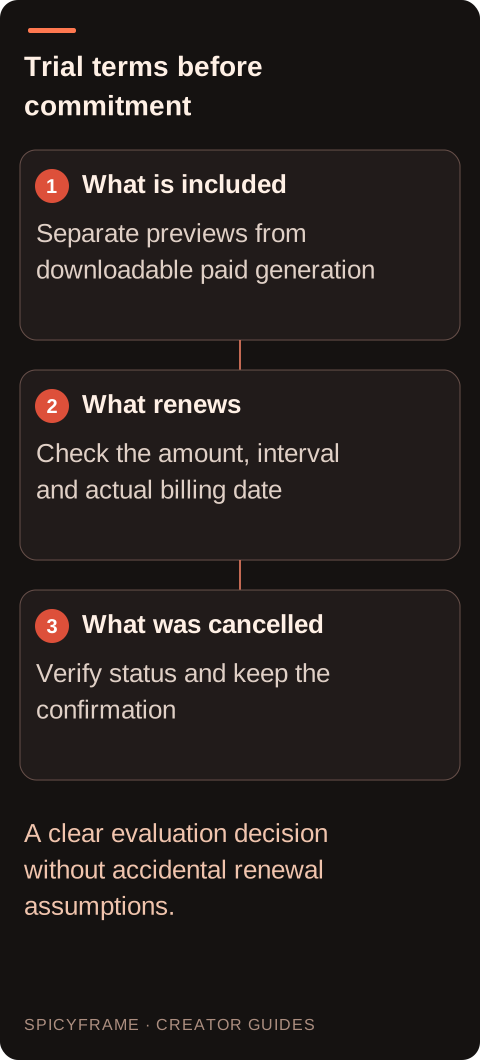
If another service advertises a trial, check whether it includes generation, downloadable output, a watermark-free file or only an on-screen preview. Confirm the allowed duration, resolution and content scope from that service's current official terms rather than assuming equivalence with SpicyFrame. A non-explicit adult portrait still requires source rights and the depicted person's consent before upload, even if no money is initially charged. The privacy guide helps identify storage and provider-processing questions that a trial label does not answer. Avoid using an unauthorized or sensitive image merely to test a signup flow. A neutral authorized reference can establish whether the interface suits the project without creating a derivative whose permissions were never agreed.
Look for the renewal amount, currency, billing interval, start date and cancellation deadline before submitting payment details. Distinguish an introductory price from the later recurring charge. A weekly plan is not a monthly plan, and a calendar reminder should use the actual next billing date shown by the service. Do not assume closing a browser tab, deleting an app or failing to download a result cancels the commitment. If the terms are unclear, resolve that uncertainty before enrollment rather than relying on a general promise that cancellation is easy. This article does not claim a particular competing service offers a trial or recommend a provider for explicit content. It supplies a comparison method for a clearly permitted non-explicit creative project.
The current plan configuration lists Starter at $9.99 per week for 1,249 piments, Creator at $19.99 for 2,499 and Studio at $39.99 for 4,999. Plans renew weekly until cancelled through the available billing-management flow. They are paid credit allowances, not unlimited renders or free trials. Piments represent studio video value at 100 per dollar, and unused balances carry over under the current terms. The pay-as-you-go guide explains the alternative for one-off work. Choose based on realistic recurring demand, not an assumption that a subscription is needed to obtain a single clip. A quiet production week can still incur the recurring charge, so the next renewal date belongs in the budget decision.
Use the management route available from My studio to the billing portal, then follow the current cancellation controls. Read the resulting subscription status and effective timing rather than assuming a button click has completed every step. Save the confirmation or relevant billing record. This guide does not promise that every cancellation takes effect immediately or that every interface uses identical wording; the current displayed outcome matters. If the management flow is unavailable, contact official support with the account or subscription reference and explain the intended cancellation. Do not send a full card number or security code. Keep the request specific to future renewal so it is not confused with deleting creative media or disputing a particular completed generation.
Stopping future renewal does not automatically reverse prior completed renders or erase a payment record. Confirmed generation failures follow the applicable piment-restoration or single-video refund route, while dissatisfaction with a completed result is not automatically a failure. Media deletion controls remove creative assets within their scope and do not by themselves manage a subscription. Account deletion has broader consequences, including the active subscription in the current flow and removal of unused piments, subject to statutory rights. The privacy guide explains these boundaries. Decide which outcome you want and use the matching process. A request that simply says “delete everything” may fail to communicate that your immediate concern is an upcoming renewal or a particular unsettled payment.
Before any trial or introductory period ends, review whether the service produced an approved result, whether you could download it and whether its rights and privacy terms fit the project. A hypothetical adult fashion test might complete successfully but require too many creative revisions for the planned budget. That finding can justify not renewing without pretending that the generation technically failed. Keep any authorized files you need within the service's access rules, then use the appropriate storage and cancellation controls. The artifact guide can help evaluate the visual output, while the duration guide helps compare like-for-like scene lengths. Do not measure value from the signup experience alone; inspect the actual deliverable and the full recurring commitment.
Record the offer reviewed, applicable terms date, amount, renewal date, cancellation action and confirmation. This is especially useful when testing several ordinary creative services whose billing intervals differ. Review the next account or statement entry to confirm that the result matches the displayed billing status, without assuming that a pending entry proves a final charge or refund. If something appears wrong, provide support with the relevant reference and evidence. Do not invent a promised bank descriptor or assume a guest purchase is anonymous. SpicyFrame accepts authorized JPG, PNG and WebP references under 10 MB each and produces paid 5, 10 or 30 second vertical MP4 clips with ambient audio. Compare those concrete capabilities and costs with your actual non-explicit project rather than pursuing an undefined promise of free unlimited generation.
| Decision | Practical action | Approval evidence |
|---|---|---|
| Offer type | Distinguish free preview, trial and paid entry price | No invented free-render entitlement |
| Renewal terms | Read amount, interval and actual date | Calendar reminder matches the displayed schedule |
| Cancellation | Use the current billing-management flow | Status and effective timing are confirmed |
| Other requests | Separate refunds and media deletion | Each desired outcome uses the correct control |
| Evaluation | Inspect export, rights and usable output | Decision reflects the actual creative requirement |
No. The stated entry price is $3.99 for a five second Medium 480p generation. Guest pay per clip and optional paid weekly plans are described without inventing a free trial entitlement.
Confirm what is included, the renewal amount and interval, the exact next billing date and the cancellation process. A free preview or introductory price may differ from a downloadable generation entitlement.
Do not assume so. Use the service's actual billing-management process and inspect the resulting status and effective timing, keeping a confirmation that identifies the subscription you intended to stop.
No automatic reversal is implied. Future renewal, confirmed-failure settlement, completed creative dissatisfaction and applicable consumer remedies are separate issues that should be addressed through their relevant processes.
No. Media deletion has a different scope. Use billing controls for future renewal, and review the broader consequences separately if you intend to delete the account and its unused balance.
Keep the relevant offer, receipt, cancellation confirmation and effective date, plus only creative files you are authorized to retain. These records help resolve a billing question without unnecessarily preserving sensitive source material.