Can AI make a person in a photo dance?
Yes, with simple moves. SpicyFrame animates a full-body photo into a short dance-style clip; sways, bounces and slow turns stay more stable than fast choreography.
SPICYFRAME · PRACTICAL GUIDES
Make an AI dance video from a photo: which photos work, which moves stay stable, 15 ready prompts and the real limits of making a still person dance.
5 seconds · 480p · $3.99. Pay per video, no subscription required.
Updated
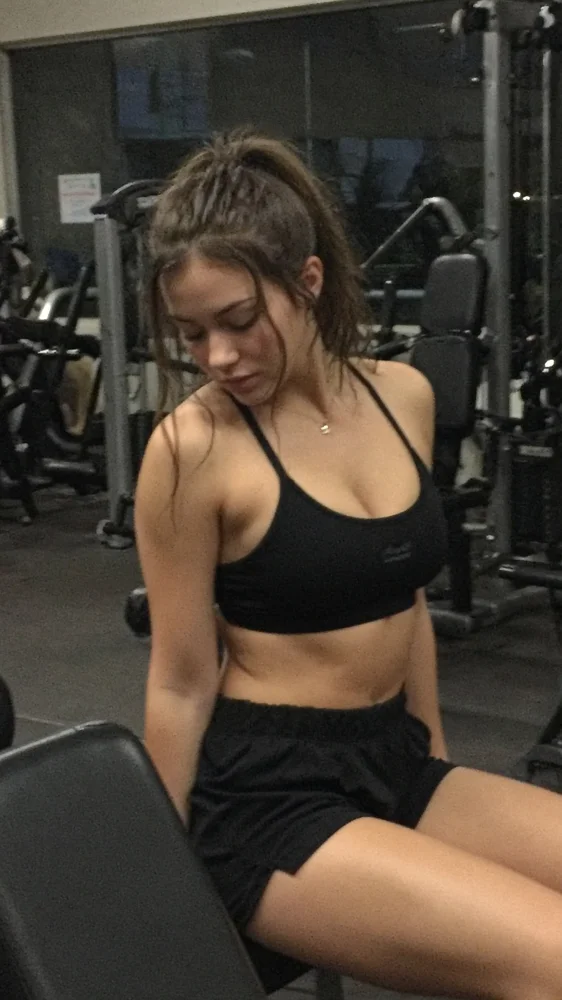
A public SpicyFrame example illustrating the guide. Results depend on the photo and prompt.
Yes, you can make an AI dance video from a photo, but gentle grooves work far better than full choreography. Upload a sharp full-body photo, describe a simple move such as a sway, a shoulder bounce or a slow spin, add one camera instruction and test five seconds. SpicyFrame renders it with Seedance 2.5 as a vertical 9:16 clip with native audio, from $3.99.
A still photo shows one pose from one angle. Dancing asks the model to invent every other pose: arms crossing the body, legs stepping, hair flying, the back of the outfit during a turn. Each invented pose is a chance for extra fingers, bending limbs, shifting clothes or a face that changes as it turns away, and fast moves pack many of those changes into a few frames. Research systems built for character animation, such as Animate Anyone, guide the body with a pose sequence. SpicyFrame works from images and a text prompt only, without a reference video or pose input, so the prompt has to keep the motion within what one photo can support.
Use a full-body or knee-up shot where the whole figure is in frame with space around the arms and feet. Arms relaxed by the sides or on the hips are easier to animate than arms crossed or hidden behind the back. Outfits with clear shapes, such as a dress, a jacket or wide trousers, move more convincingly than busy patterns or long loose layers. Plain backgrounds help, and a single person works better than a group. A photo already caught mid-movement, with weight on one leg, gives the model a natural starting point. Use the original JPG, PNG or WEBP file, under 10 MB.
Movements that stay readable from one photo include a side-to-side sway, a gentle shoulder bounce, a hip sway, a slow half turn, a hair flip, finger snaps at waist height, a small step-touch and a slow arm raise. Movements that often break include fast spins, jumps, floor work, kicks, arms crossing in front of the face, partner dancing and exact viral choreography. SpicyFrame cannot copy a specific dance from a video, because it accepts images and text, not a motion reference. Describe the feeling and speed of the move instead of naming a trend.
1. “@Image 1 sways side to side with relaxed shoulders and a small smile, locked full-body frame, warm club lights, muffled bass ambience, keep the outfit unchanged.” 2. “@Image 1 bounces the shoulders and snaps fingers at waist height, gentle push-in, colourful party lights, upbeat mood.” 3. “@Image 1 does a small step-touch left and right, steady wide frame, mirror-ball reflections, crowd murmur.” 4. “@Image 1 raises one arm slowly overhead and lowers it, slow push-in, purple stage light, dreamy mood.” 5. “@Image 1 claps twice and laughs, locked frame, house-party lighting, cheerful voices in the background.” For a bouncier, party-style version, see the AI twerk video page.
6. “@Image 1 makes a slow half turn so the dress flares gently, side tracking shot, golden-hour terrace, romantic mood, soft wind.” 7. “@Image 1 sways slowly with eyes closed, hands resting on the hips, very slow push-in, candlelit room, calm mood.” 8. “@Image 1 lifts both arms in a graceful ballet-style movement, locked wide frame, soft studio light, quiet studio ambience.” 9. “@Image 1 flips the hair over one shoulder and smiles, slow motion, backlit studio, glamorous mood.” 10. “@Image 1 takes one slow step forward with a hip sway, low-angle push-in, runway lights, confident mood.”
11. “@Image 1 dances barefoot on the sand with a gentle sway, sunset light, slow pull-back, waves and wind.” 12. “@Image 1 grooves on a rooftop at night with a small bounce, city lights behind, side tracking shot, distant traffic.” 13. “@Image 1 in a sequinned dress sways under a spotlight, sparkles catching the light, slow push-in, glamorous mood.” 14. “@Image 1 spins slowly once and stops facing the camera, locked wide frame, neon studio, cinematic mood.” 15. “Locked camera, @Image 1 sways gently in place, constant light, continuous rhythm,” for a clip you can trim into a loop. Keep every dance tasteful: SpicyFrame does not produce explicit content.
Five seconds holds one move and costs 399 piments ($3.99) in Medium 480p, the right first test. Ten seconds (499 piments, 899 in High 720p or 2,399 in Ultra High 1080p) lets a groove repeat and settle. Thirty seconds (1,199, 2,499 or 7,099 piments) is possible in a single pass, but long dancing gives faces and limbs more time to drift, so keep the movement slow and repetitive. SpicyFrame generates ambient audio, not a chosen song, and it cannot sync to a track you upload. For a music post, add licensed music in your editor or the platform’s sound library, and trim the clip so the motion roughly matches the beat.
Because long single dances drift, a better approach for social media is to cut several short, stable clips together. Generate three five-second clips from the same photo, each with a different simple move: a sway, a shoulder bounce, a slow turn to the camera. Keep the camera instruction and lighting identical so the clips match. In Medium 480p the three cost 1,197 piments together, about $11.97; in High 720p they cost 1,497 piments, about $14.97. Join them on the beat in your editor, add licensed music and label the post as AI-generated where required.
Play the clip once for the overall feel, then scrub slowly. Check hands and fingers at every arm movement, knees and feet when weight shifts, the face when the head turns, and whether clothing, jewellery or hair change shape. Watch the background for lines that bend behind moving limbs. If something breaks, reduce the speed or size of the move, lock the camera, shorten the clip or choose a photo with more space around the body. Exact likeness is never guaranteed, so reject clips where the dancer no longer looks like the source photo.
Only animate photos you own or have permission to transform. Making a real, identifiable person dance in a video they never filmed is a new use of their likeness: they must be 18 or older and agree to it, and you should never post a dance clip of someone as a joke or without their knowledge. Label realistic AI content where platforms require it, and do not imply that a person actually performed a routine they never danced.
| Move | Stability from one photo | Tip |
|---|---|---|
| Sway or shoulder bounce | Usually stable | Lock the camera and keep the full body in frame |
| Slow half turn or hair flip | Often stable | Use an outfit with a clear shape and ask for slow motion |
| Step-touch or single step | Moderate | Leave space around the feet in the photo |
| Slow arm raise | Moderate | Start from arms relaxed and visible |
| Fast spin, jump or kick | Often breaks | Avoid for first tests |
| Viral choreography or partner dance | Not reproducible from a video | Describe the feeling, not the routine |
Yes, with simple moves. SpicyFrame animates a full-body photo into a short dance-style clip; sways, bounces and slow turns stay more stable than fast choreography.
No. SpicyFrame accepts images and a text prompt, not a reference video, so it cannot transfer a specific routine. Describe the move instead.
A sharp full-body shot of one person with space around the arms and feet, arms visible and a simple background.
Not in SpicyFrame, which generates ambient audio. Add licensed music in an editor or the platform’s sound library afterwards.
The model has to invent poses the photo never showed. Slow the move down, make it smaller, lock the camera and test five seconds.
Five seconds for one move and ten for a repeated groove. Thirty seconds works only for very slow, simple motion.
Only if they are 18 or older and have agreed to it. Never post a dance clip of a real person without their consent.
External pages, opened in a new tab. Rankings reflect the time of writing.