Which Kling version does this comparison reference?
It references the official VIDEO 3.0 user guide where specific capabilities are described. It does not assume those features or limits apply identically to older Kling versions or every plan.
SPICYFRAME · PRACTICAL GUIDES
Compare Kling and Seedance for permitted adult glamour videos using documented versions, reference options, audio needs and a fair fashion test brief.
5 seconds · 480p · $3.99. Pay per video, no subscription required.
Updated

Kling vs Seedance for glamour is most useful as a workflow comparison: which service can take your authorized adult fashion references and deliver the scene you need under its current rules? A model ranking does not answer whether a particular garment remains recognizable in your own shot. This guide uses public documentation reviewed on October 8, 2026 and does not claim a hands-on benchmark. Kling's official VIDEO 3.0 guide documents native audio, reference-related controls, and multi-shot features. ByteDance describes Seedance 2.0 separately, while SpicyFrame uses Seedance 2.5 through Segmind. Keep those versions and access routes visible. An ordinary clothed editorial test can reveal useful differences without relying on explicit material or attempts to defeat a service's moderation.
Kling VIDEO 3.0's official guide describes text-to-video, image-to-video, start and end frames, native audio, multi-shot generation, and element references. Those are documented capabilities of that named model and route, not a promise that every Kling plan exposes every option identically. Seedance 2.0's official overview supports text, image, audio, and video inputs; Segmind documents a separate Seedance 2.5 API. SpicyFrame offers a more focused consumer workflow: authorized image references, a scene prompt, supported duration and quality choices, and vertical MP4 output. It does not expose seed, negative-prompt, or endpoint controls. Compare the interfaces you would actually use rather than importing an API feature list into a consumer application. A missing control can matter more to your brief than a broad claim about model quality.
Kling's current user policy restricts pornographic and sexually explicit material and addresses rights and privacy. SpicyFrame supports permitted non-explicit adult glamour rather than explicit sexual content. Neither a paid plan nor a consent statement turns every proposed scene into an allowed request. For a fair comparison, choose an adult subject in an opaque dress, a tailored suit, or other conventional fashion styling and obtain permission to animate any real person's reference. Read each service's current policy before submitting the same material. The Kling policy guide and Seedance content guide provide context, but the current provider terms control the actual upload. If one service rejects the concept, do not count evasion attempts as part of the quality test.
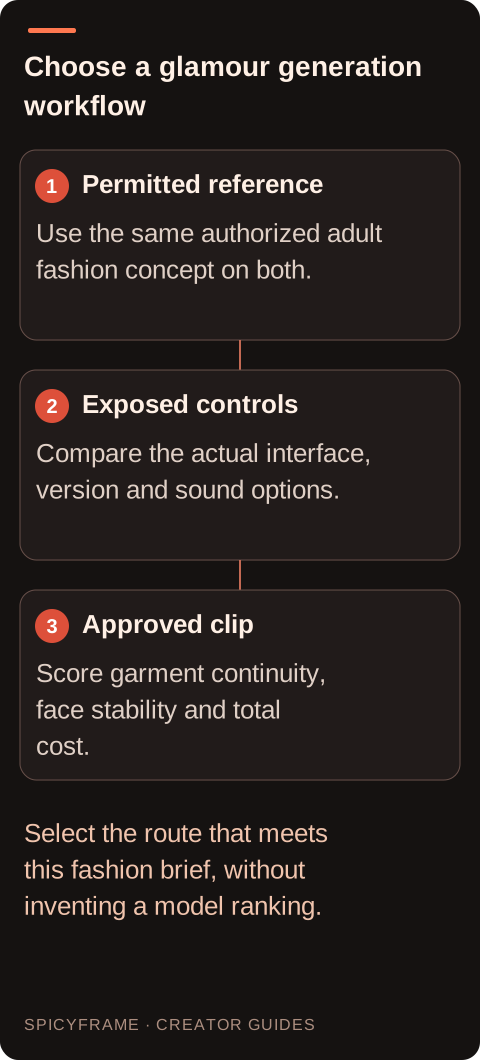
A fashion comparison can easily become unfair when one request gets a clean portrait and the other gets a collage of conflicting outfits. Prepare a consistent set: one primary adult subject, the same garment, similar lighting, and no contradictory accessories. Assign each extra reference a clear purpose, such as showing the jacket's back seam or the approved hairstyle. SpicyFrame accepts up to 12 authorized JPG, PNG, or WebP images below 10 MB each, but that ceiling is not a recommendation to fill every slot. Kling's element workflow must be evaluated through its own documented controls. Our multiple-reference guide explains why coherent inputs are more valuable than raw quantity. Note which reference options were actually available in each tested account.
Use a short brief such as an adult fashion model in an opaque evening dress making a small quarter-turn while the camera remains steady and studio light stays constant. The purpose is to inspect the dress silhouette, seam continuity, hands, and face. Avoid adding a fast orbit, changing location, wind, and several poses to the same first test. Those variables make it hard to identify why one result succeeds. If you later need a more dynamic shot, add that requirement in a separate round. Keep the requested duration comparable where possible and record unavoidable differences. A service that supports a longer clip does not automatically produce a better short fashion shot, just as a single stable portrait does not prove it can maintain a complex multi-shot sequence.
Kling VIDEO 3.0 documentation describes native audio and character-related speech features. Segmind's Seedance 2.5 documentation also describes native audio, but SpicyFrame's product promise is ambient audio, not voice cloning or guaranteed scripted lip-sync. For a fashion campaign, ambient sound may be sufficient: a quiet room, a light breeze, or a subtle environmental bed. If the deliverable requires an exact spoken line or approved brand music, evaluate that requirement separately and use an authorized audio workflow. Do not score a model down for missing dialogue you never requested, or credit a service with speech controls that its selected interface does not expose. Listen to the full output, because unwanted sound can create extra editing work even when the picture passes review.
Use a small rubric with garment fidelity, facial continuity, motion, framing, audio suitability, and delivery effort. Score the actual clip at the beginning, middle, and end, including details that are easy to overlook in a fast preview. The face-consistency guide explains why no reference workflow should be treated as a guarantee of exact likeness. Record the amount charged and how many paid attempts were needed before approval. SpicyFrame's ten-second High 720p option is $8.99; compare another service using its current checkout or billing terms rather than an old promotional rate. If only one output was generated per service, describe the result as a limited project test, not a universal ranking or an independently measured benchmark.
SpicyFrame delivers vertical 9:16 MP4 clips in 5, 10, or 30 seconds at 480p, 720p, or 1080p, with guest one-off purchases and optional weekly plans. It has no timeline editor or 4K output option. Kling's current options should be checked against the exact model and plan you intend to use, especially if the brief depends on start/end-frame control or a multi-shot feature. Choose the route that meets the required output with the least avoidable work and a clear permission basis. Keep the comparison notes for the next campaign, but revisit them when versions or plans change. A documented choice for a particular adult fashion brief is more defensible than declaring one model permanently best for every kind of glamour image.
| Decision | Kling VIDEO 3.0 documentation | SpicyFrame Seedance 2.5 workflow |
|---|---|---|
| Reference approach | Element references and image workflows described | Up to 12 authorized image references |
| Shot design | Multi-shot capability documented | Prompted scene without a timeline editor |
| Sound requirement | Native audio and speech features described | Ambient audio; no promised scripted lip-sync |
| Duration selection | Guide describes up to 15 seconds | 5, 10 or 30 seconds |
| Buying evidence | Check selected model and plan | Direct clip prices and optional weekly plans |
It references the official VIDEO 3.0 user guide where specific capabilities are described. It does not assume those features or limits apply identically to older Kling versions or every plan.
No. SpicyFrame uses Seedance 2.5 through Segmind. Seedance 2.0 appears only where its separately documented model capabilities are discussed, and the labels should not be merged.
This guide does not claim a benchmark winner. Test an authorized adult reference with a defined brief, and review identity continuity across the whole clip rather than judging one frame.
This comparison is for permitted non-explicit adult fashion and glamour. Follow each service's rules and do not use the test as a way to probe or bypass prohibited-content controls.
No such equivalence is promised. SpicyFrame provides ambient audio and does not offer voice cloning or guaranteed scripted lip-sync, regardless of broader capabilities documented elsewhere.
Use the same authorized adult subject, opaque garment, simple quarter-turn, steady camera, and comparable duration. Record settings, costs, and visible garment or face errors before drawing conclusions.
External pages, opened in a new tab. Rankings reflect the time of writing.