Does Runway allow adult nudity?
Its official Usage Policy reviewed for this guide prohibits adult nudity and sexually explicit content. A paid account or a statement that the subject consents does not remove that published boundary.
SPICYFRAME · PRACTICAL GUIDES
Read Runway’s current NSFW policy for adult glamour references, lingerie limits, permission requirements and appropriate next steps after moderation.
5 seconds · 480p · $3.99. Pay per video, no subscription required.
Updated

Runway's NSFW policy is more specific than a blanket claim that anything non-explicit is allowed. Its official Usage Policy, reviewed on October 8, 2026 and dated March 6, 2026, prohibits sexually explicit content, adult nudity, and attempts to create or modify non-consensual intimate imagery. It also says that in some cases it limits sexually suggestive content, including content featuring underwear or lingerie. That last point matters for an adult glamour or fashion brief: describing an image as catalog photography does not guarantee acceptance. This guide explains the documented boundary and a practical way to prepare ordinary permitted editorial work. It does not provide bypass instructions, claim a hands-on moderation test, or present payment as a way to remove the rules.
Runway states that it uses automated systems and internal human review to detect and block harmful content in user inputs and outputs. The uploaded photograph therefore matters alongside the requested motion. A neutral prompt does not make an unsuitable source image acceptable, and a permitted source does not authorize every transformation. Review the whole proposed scene, including wardrobe, pose, framing, and intended publication. If the brief depends on nudity or explicit sexual content, it conflicts with the published policy. If it is ordinary adult fashion but sits near a suggestive boundary, obtain clarification or choose a less ambiguous concept before spending production time. The AI video safety guide explains why permission and content scope should be resolved before generation rather than after an attractive result appears.
Runway's policy expressly mentions underwear and lingerie as examples of suggestive content it may limit in some cases. This does not establish a universal acceptance rate, a list of allowed garment cuts, or a reliable wording trick. Context can matter, and only the provider can determine how its current rules apply to a particular request. For a commercial fashion project, have an alternative brief ready: an opaque dress, tailored outerwear, or a clothed studio portrait that still communicates the brand's lighting and color direction. That is a genuine change in subject treatment, not an attempt to conceal the original request. Avoid promising a client that a lingerie campaign can be generated on Runway until the actual scope and service conditions are clear.
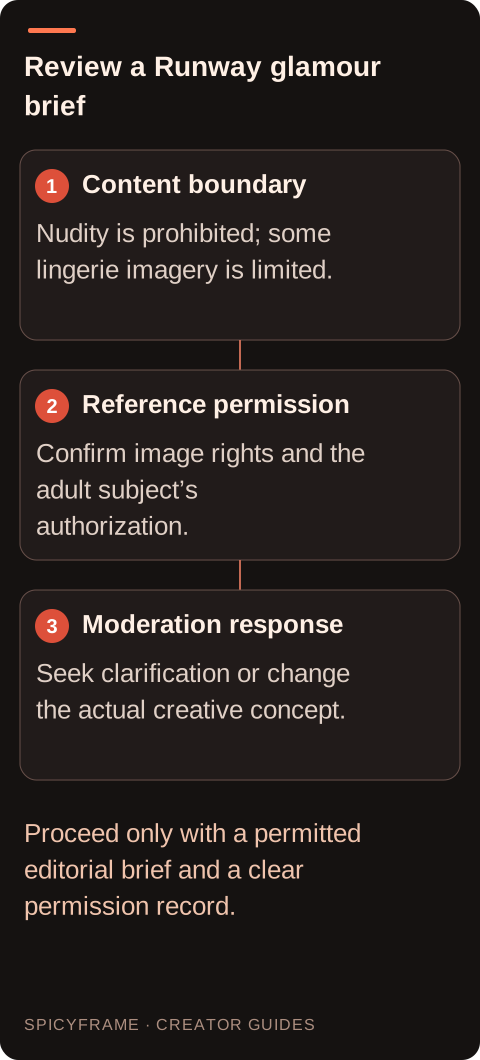
The official policy prohibits using another person's image, video, or audio without their permission and also addresses privacy and intellectual-property rights. Permission to take a photograph is not necessarily permission to animate it for an advertisement. Explain the intended motion and publication context to the subject, and document the relevant authorization. Check the photographer's rights too, especially for licensed images or commissioned work with restricted usage. Do not use a stranger's social profile picture as a convenient glamour reference. If you need a fictional adult character, make that creative direction clear and avoid implying that the result depicts a real person's endorsement. A sound permission record helps across tools, but it does not override a provider's content restrictions.
Choose a sharp, authorized image with opaque wardrobe, a composed adult pose, clear hands, and uncomplicated lighting. Keep the visual objective tied to fashion: silhouette, fabric, hair, makeup, or accessory styling. A simple background and one visible garment make the output easier to review. Use the reference-photo guide to identify technical problems before upload, such as cropped fingers, inconsistent reflections, or overlapping clothing edges. This preparation improves the clarity of a permitted request; it is not a promise of approval. Avoid adding sexualized directions or asking the model to remove clothing. If the source itself does not fit the policy, replace it with genuinely suitable material rather than obscuring parts of it to evade review.
If an ordinary permitted fashion request is blocked, read the exact message and distinguish an input rejection, output restriction, account issue, or technical failure. Keep the relevant job information and use Runway's documented support or appeal route where appropriate. Its Usage Policy provides an appeal contact for accounts believed to be wrongly suspended; that should not be presented as a guarantee that any rejected generation will be approved. Do not repeatedly resubmit disguised versions of prohibited material. Instead, ask for clarification or revise the actual creative concept to fit the rules. A moderation state is not proof that a person has done something unlawful, and a successful render is not proof that every rights question has been resolved. Treat the message as a workflow decision requiring an appropriate next step.
If Runway's policy does not fit the planned project, compare other services on their own rules and capabilities. SpicyFrame supports permitted non-explicit adult glamour and fashion using Seedance 2.5 through Segmind, but it is not an explicit-content or unrestricted generator. It accepts up to 12 authorized JPG, PNG, or WebP references under 10 MB each and creates vertical 9:16 MP4 clips with ambient audio. Its consumer interface has no timeline editor, seed field, or negative-prompt field. The fashion workflow guide helps define a suitable brief without turning the comparison into a search for weaker safeguards. Choose a tool because its documented scope meets an authorized creative need, not because a marketing phrase suggests the absence of rules.
A content-policy decision does not answer how a service processes or stores your references. Read the relevant privacy and account settings independently, especially for unreleased campaigns or private adult portraits. In SpicyFrame, storage-off prevents library and draft saving while generation still requires processing; it is not offline generation. The privacy guide explains that distinction. Likewise, a permitted render still needs visual review before publication: inspect garment opacity, facial continuity, hands, background details, and audio. Confirm commercial rights and any destination disclosure requirements for the actual use. Keep the approved file and the permission record together. This gives the project a clear basis even when content policies or model versions change after the campaign is complete.
| Question | Official policy context | Practical action |
|---|---|---|
| Adult nudity | Prohibited | Use a genuinely clothed editorial concept |
| Lingerie reference | Some suggestive content may be limited | Clarify scope before promising a campaign |
| Real-person image | Permission required | Document authorization and image rights |
| Moderation result | Inputs and outputs are reviewed | Read the message and use appropriate support |
| Private campaign | Content rules do not define all data handling | Review privacy and storage terms separately |
Its official Usage Policy reviewed for this guide prohibits adult nudity and sexually explicit content. A paid account or a statement that the subject consents does not remove that published boundary.
No. The policy specifically says Runway limits some sexually suggestive content, including underwear or lingerie in some cases. Do not promise acceptance for a particular image without clarification.
No. Runway describes review of inputs and outputs. The source image and requested transformation both matter, so a permitted-sounding caption cannot establish that an unsuitable upload is allowed.
Keep the exact message and job details, then use the provider's documented support or appeal route. Revise the actual concept if needed; do not disguise prohibited content to evade review.
Runway's policy requires permission for another person's image, video, or audio. You also need relevant source-image rights and authorization for the intended AI transformation and publication context.
No. SpicyFrame supports permitted non-explicit adult glamour and fashion, not explicit sexual content. Evaluate its actual features and rules rather than assuming an alternative removes all restrictions.
External pages, opened in a new tab. Rankings reflect the time of writing.