Is 1080p available in SpicyFrame?
Yes. Ultra 1080p is available alongside High 720p and Medium 480p, with vertical 9:16 MP4 output.
SPICYFRAME · PRACTICAL GUIDES
Compare 720p and 1080p for permitted adult glamour AI video using garment detail, viewing size, realistic quality checks and the actual clip prices.
5 seconds · 480p · $3.99. Pay per video, no subscription required.
Updated

An NSFW AI video HD search often means the viewer wants clearer adult glamour imagery, not a different content policy. SpicyFrame supports permitted, non-explicit adult fashion and offers High 720p and Ultra 1080p alongside Medium 480p. Decide which details actually matter: a recognizable face, jacket texture, fine embroidery or the overall outfit silhouette. The highest tier may make sense when small approved details must remain readable at a larger viewing size. It does not guarantee a better pose, accurate anatomy or an exact likeness. Start with an authorized adult photograph and a clear creative brief, then judge resolution as one part of the workflow. The resolution guide provides general background; this comparison focuses on garment and portrait decisions.
Zoom into the face and the most important clothing area in the original photograph. A large image file may still show blurred embroidery, compressed hair or an out-of-focus eye. Ultra output cannot establish exact garment details that are unclear in the source, and apparent sharpness is not the same as fidelity. A cleaner approved photograph can be more valuable than a resolution upgrade. Check makeup edges, jewelry, fabric pattern and the outline of dark sleeves against a dark backdrop. Avoid aggressive sharpening that creates false texture before upload. The photo preparation guide helps assess the evidence the image actually contains. Choose a source that supports the intended fashion view rather than relying on output size to repair missing information.
For a five-second clip, High 720p costs $4.99 and Ultra 1080p costs $11.99. At ten seconds, the prices are $8.99 and $23.99; at thirty seconds, they are $24.99 and $70.99. Medium 480p costs $3.99, $4.99 and $11.99 for those same durations. These are different purchases with a substantial cost difference, especially for long Ultra clips. Review the price shown in the studio before paying. Guest pay-per-clip purchasing and optional weekly plans are available, but a resolution comparison should still start with the particular clip the project needs. The purchase guide explains the broader model. Do not treat a more expensive generation as a guarantee that an unstable face or garment will become consistent.
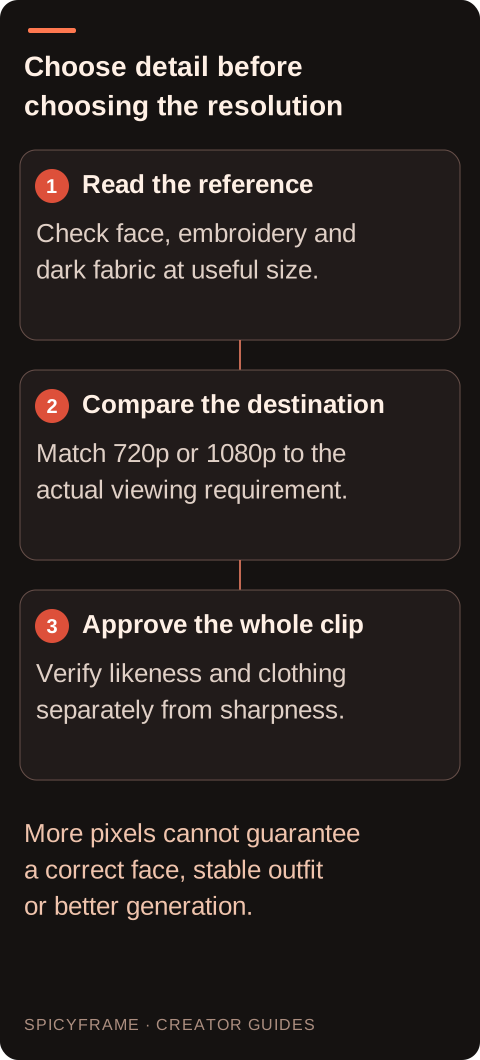
A phone feed, a portfolio page and a large presentation screen put different demands on visible detail. Inspect the exported file at the size viewers will actually see, then compare a few important regions more closely. Look at eyes, lapels, fabric texture and accessory edges without confusing a zoomed-in pixel inspection with the normal viewing experience. A small delivery may show little practical difference between two acceptable versions. A larger placement can make both extra detail and existing artifacts more obvious. If a platform recompresses the upload, review that delivered version too. The fashion video guide helps plan the editorial purpose, while the final acceptance decision belongs to the actual scene and destination rather than a resolution label alone.
Two generations at different resolutions are not a controlled laboratory comparison of pixel count alone. Their expressions, motions or garment details may also differ. Do not conclude that Ultra always changes an earring or that High always preserves a collar from a single pair of outputs. For a practical decision, ask whether each candidate meets the approved likeness, outfit and motion requirements, then compare usable detail. Keep the prompt, source selection and duration as similar as feasible and record those choices. If the lower-resolution concept is structurally wrong, improve the brief before commissioning a costly version. A diagnostic five-second render can establish whether the pose direction is worth pursuing, but a later generation still needs a complete review on its own merits.
Imagine an authorized adult portrait in a black jacket with subtle silver embroidery. The clip is intended for a modest phone-sized preview, and the important message is the silhouette and facial expression. A clean High 720p result may satisfy that use if the embroidery reads naturally without becoming the subject. For a larger portfolio placement centered on the stitching, Ultra 1080p may be worth evaluating, provided the source clearly shows the pattern. This is a hypothetical budget decision, not a tested quality comparison. If the embroidery crawls between frames or the face changes during a turn, buying more pixels is not the first remedy; simplify the movement or choose a clearer reference before assessing a higher tier.
Keep the original downloaded MP4 as the source for any separate editing work. Add approved titles, music or a delivery crop in one coherent project where practical, then export a copy suited to the destination. Repeatedly compressing a clip through several applications can reduce the detail that justified the higher resolution. Inspect the final file for softened eyes, broken fabric patterns and banding in dark studio backgrounds. SpicyFrame generates vertical 9:16 video with native ambient audio; it does not provide a built-in timeline or a native 4K output tier. A later 4K export or upscale belongs to an external workflow and should not be described as a native studio generation. Preserve clear filenames for the source and each delivery version. Create a small comparison sheet for the fashion features that justify the expense. Choose one face region, one garment texture and one boundary such as a sleeve against the background. Inspect matching kinds of moments in each candidate, including a resting pose and a turn. Score them with plain observations: embroidery readable, collar unchanged, eye shape recognizable, or texture distracting. Avoid assigning a false numerical precision to subjective quality. The sheet is a record of the actual creative decision, not a claim that either resolution always wins. For a satin-heavy scene, smooth tonal transitions may matter more than the sharpest possible weave; for a structured jacket, a coherent edge may be the priority. Also separate the source master from the version embedded in a page. If the page displays a small compressed derivative, paying for a larger source may have limited visible value there, though the master can still support another approved use. Document the largest intended placement and decide whether it is a real requirement or merely a possible future use. This keeps the resolution budget attached to a concrete fashion deliverable.
Before generating, write down the details that must remain correct and the maximum useful viewing size. A practical rule might require a recognizable adult likeness, a stable collar shape and readable embroidery in the final placement. Review the whole clip, including the largest turn and the final frame, before calling either resolution successful. Choose the lowest-cost tier that meets the actual need, or approve Ultra when its visible benefit justifies the difference for this project. Stop escalating resolution when the remaining problem is anatomy, clothing continuity or scene design. Keep an accepted reference and final export together so future versions can be evaluated against the same fashion standard rather than a vague preference for the largest number.
| Situation | Action | Verify |
|---|---|---|
| Five-second concept check | Consider Medium 480p at $3.99 | Pose and outfit direction are usable |
| Phone-focused finished clip | Evaluate High 720p at $4.99 for 5s | Important detail survives delivery |
| Larger detail-focused placement | Evaluate Ultra 1080p at $11.99 for 5s | Source supports the desired garment texture |
| Ten-second High versus Ultra | Compare $8.99 with $23.99 | Visible benefit justifies the cost |
| Thirty-second High versus Ultra | Compare $24.99 with $70.99 | The sustained scene needs the added detail |
Yes. Ultra 1080p is available alongside High 720p and Medium 480p, with vertical 9:16 MP4 output.
The stated price is $11.99, compared with $4.99 for High 720p and $3.99 for Medium 480p.
It does not guarantee likeness or anatomy. Inspect the generated identity separately from the amount of visible detail.
No. Match resolution to source quality, viewing size and the garment details the final presentation needs to show.
No. The studio's highest output tier is Ultra 1080p. Any 4K upscaling is a separate external step.
No. A later generation can differ, so review its complete pose, face, clothing and sound independently.