Does a silhouette need to be pure black?
No. A narrow rim or a little fabric texture can help define the shape. Decide whether you want a graphic cutout or a dark portrait before prompting, then check the result against that visual choice.
SPICYFRAME · PRACTICAL GUIDES
Plan a silhouette glamour video with clothed adult fashion, clear outlines, restrained gestures and coherent backlight, then review every moving edge.
5 seconds · 480p · $3.99. Pay per video, no subscription required.
Updated

Silhouette glamour photography can inspire an adult fashion video in which the outfit’s outline carries the story. Use authorized references of consenting adults in complete clothing, and define the glamour through posture, tailoring and controlled light. Facial detail is secondary, so spacing and contour must communicate the action. A clear coat shoulder, hat brim or relaxed arm gesture can read immediately; arms pressed against the torso may become an indistinct block. Decide what should be recognizable in the first second, such as a structured coat or a fashion figure beside a doorway. That choice governs the pose and movement. A dark image alone does not make a readable silhouette.
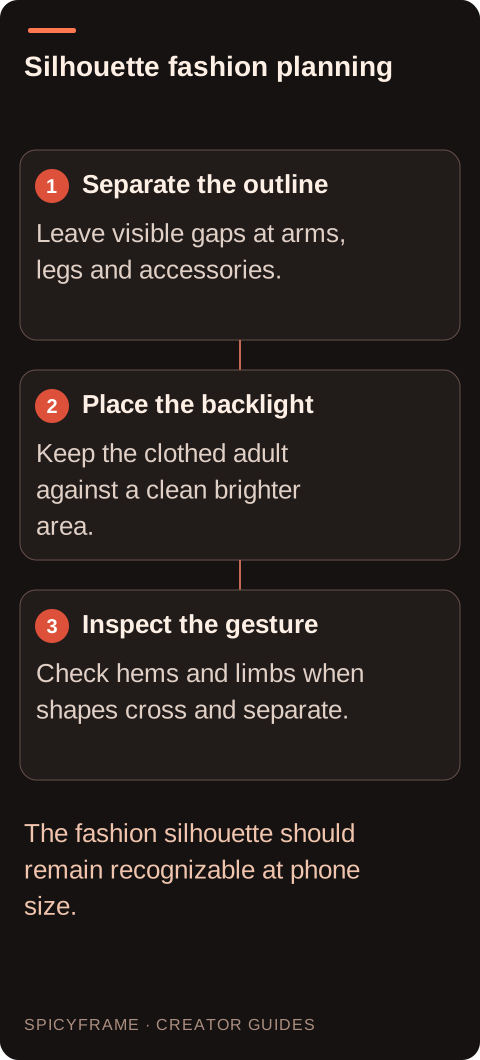
Look for visible gaps between the arms and torso and between the legs. Those gaps help the viewer track the body as it moves. If a bag merges with a coat in the source, the generator has weak evidence for its shape. A clean reference also makes it easier to detect a missing finger, a changing hat brim or an extra fold that becomes a false limb. Use an authorized photograph of a consenting adult, or an original fictional adult character. Silhouette treatment does not remove the need for permission when a real person remains identifiable through context or distinctive features. The photo selection guide offers a useful starting review.
A bright sky, luminous doorway or softly lit wall can create separation. Avoid a background with many dark vertical objects near the body, because they can merge with legs and arms during movement. The light should create a clear value difference at the contour, even if the overall scene is colorful. A thin rim light may reveal clothing edges without exposing the face, but too much front light changes the treatment from silhouette to low light portrait. State which effect matters. If the location includes practical lights, make their positions coherent so the silhouette does not brighten unpredictably when the camera moves a few inches.
Slow profile walking, a small head turn or raising one hand away from the torso can work better than intricate finger movements. The viewer should be able to understand the action from a small thumbnail. A full spin can make a skirt, coat or bag change shape and hide the limbs repeatedly; use it only when those changes belong to the intended design. Keep props simple and visibly separate. For an umbrella, check the handle and canopy edge rather than relying on a dark mass above the head. Plan the key pose before rendering, and ask whether its contour remains recognizable at the start, midpoint and end of the movement.
A proposed brief might read: “Use @Image1 for the adult in the long coat. Side profile against a pale evening sky, dark readable silhouette with a narrow warm rim at the shoulder. One slow step, then a still pose, locked camera, gentle wind ambience.” The prompt joins posture with a lighting reason. It does not promise a perfectly black cutout or exact garment preservation. Avoid asking for both hidden facial detail and a brightly illuminated face in the same sentence. The lighting guide can help name the light source, while the camera guide helps keep the viewpoint consistent with the chosen outline.
Suppose a designer wants a short concept clip emphasizing a structured shoulder and flared hem. The authorized adult reference shows the coat in profile against a light wall. Define three acceptance points: the shoulder remains angular, the hem does not split into extra panels and the forward hand stays separate from the body. Request a five second clip with one slow step rather than a runway walk. A reviewer should first watch it small, where the shape must read, then enlarge it to inspect the moving edge. If the coat becomes a shapeless triangle halfway through, reduce the step or choose a better profile reference. This example is a proposed decision process, not a claim of campaign results.
A silhouette can feel slow and deliberate, so avoid crowding a short clip with many gestures. Five seconds can hold a clear opening pose, one step and a settling moment. Ten seconds may support a gradual approach toward a lighted doorway. Thirty seconds requires an intentional development rather than repeated swaying. SpicyFrame generates ambient audio with vertical 9:16 MP4 video; ask for scene sounds such as wind or soft footsteps if they suit the image. Check that the audio does not imply an action absent from the silhouette. Add narration or licensed music externally if needed, without claiming that the studio clones a voice or performs a scripted reading.
Watch the points where limbs cross and separate, because temporary merging can hide anatomical errors. Inspect the hat, bag handle, coat hem and feet as independent shapes. The face may be dark, but head size and profile can still drift. Check the background for exposure flicker that makes the subject flash from dark to bright. For a multi shot piece, record the same horizon height and light direction in your storyboard so cuts feel intentional. Deliver only a silhouette whose movement stays legible at the actual display size. Extra resolution can sharpen an outline, but it cannot repair a pose the audience cannot understand.
| Decision | Use when | Review before accepting |
|---|---|---|
| Profile walk | Leg gaps and coat outline remain visible | Feet do not merge and the hem keeps its shape |
| Raised hand | The gesture separates from the torso | Wrist and fingers stay connected naturally |
| Bright doorway | A strong graphic frame suits the concept | Exposure does not reveal the face unpredictably |
| Rim lit fashion | Garment edges matter more than facial detail | The rim follows a plausible light direction |
| Locked viewpoint | The outer shape is the main message | Background objects never attach to the silhouette |
No. A narrow rim or a little fabric texture can help define the shape. Decide whether you want a graphic cutout or a dark portrait before prompting, then check the result against that visual choice.
They may overlap the torso or merge with a dark background feature. Choose a pose with visible gaps, reduce the gesture and check the contour at the exact moment where the arm becomes hard to read.
Yes, but simplify the relationship behind the subject. Place the outline against a brighter uncluttered area, and watch for poles, signs and passing shapes that appear to attach to the body as the scene moves.
No. Context, distinctive clothing or a recognizable profile may identify a person. Use authorized material and an agreed transformation scope rather than assuming darkness removes the person’s connection to the video.
Start with one source of movement. A still camera and one clear gesture make contour errors easier to spot. Add camera travel only if it strengthens the outline and does not expose unwanted facial detail.
View the clip at roughly its intended display size without pausing. If the action or garment shape is unclear there, enlarging the export will not solve the composition. Simplify the pose or increase separation first.