Does SpicyFrame have a slow-motion timeline control?
No. You can request a slow action in the prompt, but playback retiming and interpolation are separate external editing steps.
SPICYFRAME · PRACTICAL GUIDES
Plan slow adult glamour motion around fabric and small gestures, distinguish generation from external retiming, and check the finished movement.
5 seconds · 480p · $3.99. Pay per video, no subscription required.
Updated

Glamour AI slow motion can describe two different workflows. A prompt may ask an authorized adult model to make a slow, restrained fashion gesture, or a separate editor may slow the playback of an already generated clip. The first changes the requested action; the second changes how existing frames are presented. SpicyFrame has no built-in retiming timeline or frame-interpolation control. Keep the scene non-explicit and focus on visible fashion details such as a jacket settling, a small shoulder turn or fabric moving gently in air. Decide which workflow the brief actually needs before paying for a generation. A naturally slow pose does not automatically look like footage captured for dramatic slow-motion playback.
Slow treatment makes small changes more noticeable, so choose an action that remains interesting without becoming awkward. A restrained glance, a slight turn or a controlled step can have a clear path and a resting point. A complex accessory transfer may reveal hand inconsistencies when viewed more slowly. The duration guide helps plan the amount of action in five, ten or thirty seconds. Avoid asking for many unrelated gestures just because the final piece will be longer after editing. The adult should remain comfortably framed and the outfit should stay intact throughout. If the action's meaning depends on a rapid flourish, slowing it may weaken the fashion story rather than make it more elegant.
Different parts of the scene can suggest different rhythms. A shoulder may turn gradually while a loose sleeve swings more quickly; a satin highlight can travel even when the garment moves only slightly. Watch whether the generated motion remains coherent across these elements. Do not prescribe a universal fabric behavior from a single photograph, because weight, construction and airflow may be unclear. Use the approved source to describe visible material honestly. The fashion video guide offers styling context, while the artifact guide helps identify bending seams or changing hands that slow playback may expose. A slower result should still look like one connected person wearing one coherent outfit.
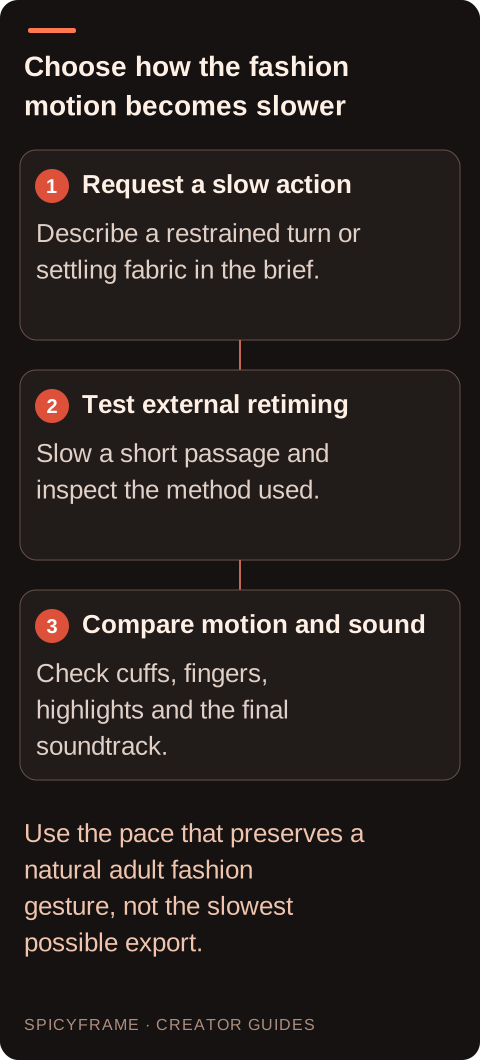
A hypothetical direction is: “The authorized adult model in the evening jacket makes a gradual shoulder turn and settles, subtle movement in the jacket hem, steady soft light, calm medium framing and quiet room ambience.” Match the garment and framing to the actual image. Keep the camera simple while evaluating the action so a large orbit does not compete with the slow gesture. The camera movement guide explains the effect of common viewpoint choices. This prompt requests a visible pace; it does not establish an exact frame rate, a guaranteed duration for each movement or a high-speed capture process. Review whether the generated action itself feels natural before deciding to slow it further externally.
In a separate editor, slowing a clip increases the time between its existing visual moments unless the tool creates or blends additional frames. Depending on the method, that can produce stepped motion, ghosted edges or newly inferred intermediate detail. Available controls differ by application, so check the chosen editor's documentation rather than assuming one universal setting. Keep the original MP4 and test only a short passage first. Audio may also change in length or character, depending on the retiming process, so do not approve the image without listening. If the project needs exact music or narration, place authorized audio separately in the editing timeline rather than relying on slowed generated ambience to retain its original meaning.
Imagine a five-second authorized adult fashion clip in which a model makes one small turn and a loose sleeve settles beside the body. The original movement is coherent but slightly faster than the intended editorial mood. In an external editor, test a modest slowdown on the central gesture. Compare the fingers beside the cuff, the sleeve edge and the satin highlight at normal viewing size. This hypothetical example is not a tested retiming result. If the sleeve begins to leave trails or the hand appears to jump, reduce the slowdown or use the original pace. If the slow mood is essential, generate a naturally slower action rather than forcing a short unstable movement to fill a long delivery.
Watch the external export from the opening to the ending. A movement may look smooth in the middle but pause awkwardly where the speed changes. Inspect eyes, hair, fingers and patterned fabric because they can reveal interpolation or blending problems clearly. Compare the final face and clothing with the approved reference, and check that the slower motion does not change the scene's intended non-explicit fashion tone. Listen for stretched room noise, abrupt edits or unwanted changes in a generated voice-like sound. Mute or replace unsuitable audio with authorized material in the separate editor. SpicyFrame's native ambience is useful atmosphere, but it is not a guarantee of an appropriate soundtrack after substantial external time manipulation. Inspect the start and stop of the gesture before focusing on its middle. A shoulder turn can move smoothly yet begin with a sudden jump or stop in a rigid pose after retiming. Follow the head, shoulders and sleeve together to see whether they settle as one connected action. If a loose cuff continues moving after the body stops, that may suit the scene; if the hand freezes while the cuff changes shape independently, investigate it as an artifact. Use a short external test that includes both the lead-in and the rest so the speed decision reflects the complete movement. A slower soundtrack can also make the same image feel heavier or more theatrical, so compare the timing with the intended audio rather than approving a silent retime in isolation. For a garment-led clip, the purpose may be to show a fold or highlight clearly, not to extend every facial expression. Keep the passage that supports that purpose and return to normal pacing where appropriate. The external editor's technical method should serve the approved fashion rhythm, not dictate it.
Slow motion is useful when it lets the viewer appreciate an approved garment detail or a deliberate gesture. It is less useful when it magnifies an uncertain hand pose or turns a natural expression into an uncomfortable hold. Compare the original and retimed versions without assuming the slower one is more cinematic. Keep the version with the clearest silhouette, most coherent movement and strongest pacing for the destination. Save the editing project and source separately, noting which passage was slowed and how the sound was handled. If the desired result requires exact physical fabric behavior or highly controlled movement, conventional footage may be the more reliable production choice. The final standard is believable fashion motion, not the presence of a slow-motion label.
| Situation | Action | Verify |
|---|---|---|
| Need a calm original gesture | Describe slow adult fashion action | The generated pace feels natural |
| Existing movement is slightly too fast | Test modest external retiming | Hands and fabric remain coherent |
| Large slowdown causes stepping | Review timing method or reduce slowdown | Motion stays readable without new artifacts |
| Audio stretches unnaturally | Adjust or replace it externally | Authorized soundtrack fits the final duration |
| Slow version magnifies anatomy errors | Use another passage or revised generation | The pose remains believable throughout |
No. You can request a slow action in the prompt, but playback retiming and interpolation are separate external editing steps.
No. It describes the desired movement and does not establish a capture method or guarantee a particular technical motion result.
Yes. A longer view of each gesture can make anatomy and contact inconsistencies more noticeable, so inspect the retimed result.
It depends on the external editor and settings. Listen to the export and replace or adjust the soundtrack when needed.
No. Test only when smoother retiming serves the brief, and reject newly introduced trails or changing detail.
When heavy retiming makes the existing motion awkward or unstable, a simpler naturally paced action may better suit the scene.