Can AI generate a 30-second video in one go?
Yes. SpicyFrame uses Seedance 2.5, which renders a native 30-second clip in a single pass instead of stitching shorter clips, so lighting and pose stay continuous through the take.
SPICYFRAME · PRACTICAL GUIDES
Make a 30-second AI video from photos in one continuous take: a three-beat prompt structure, camera moves that last, real prices and a review checklist.
5 seconds · 480p · $3.99. Pay per video, no subscription required.
Updated
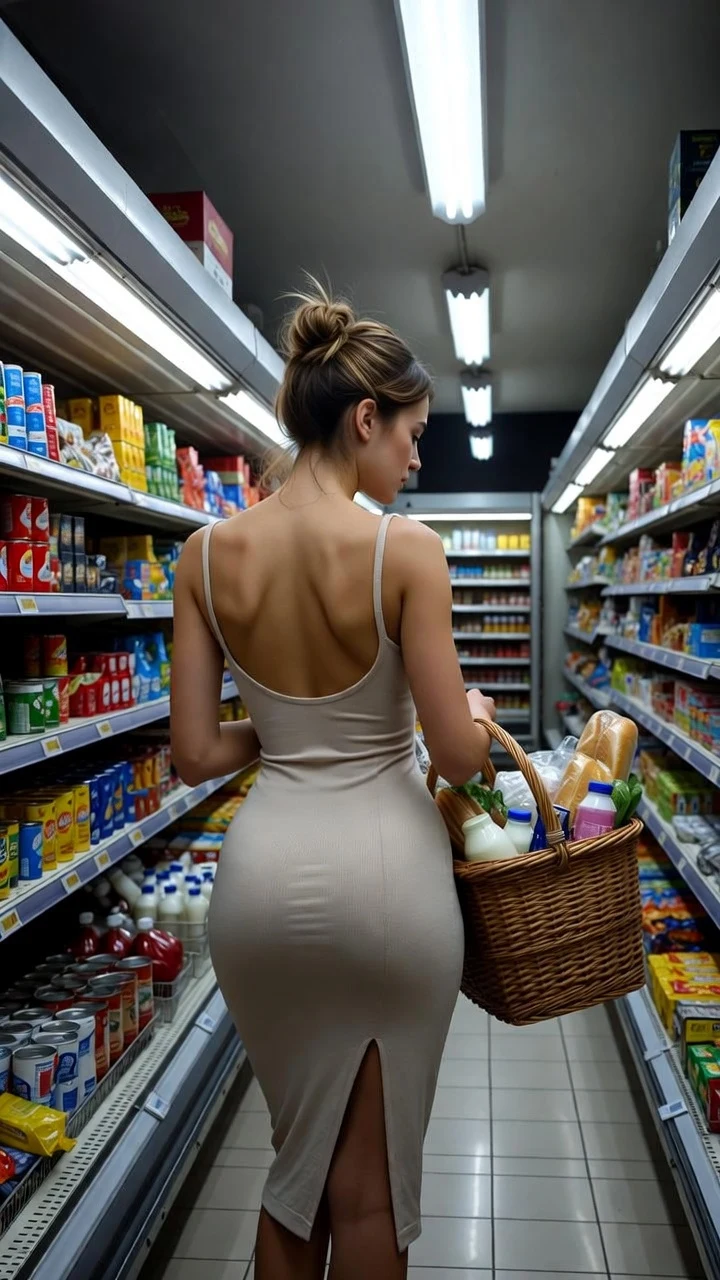
A public SpicyFrame example illustrating the guide. Results depend on the photo and prompt.
SpicyFrame makes a 30-second AI video in one continuous pass: add one to 12 reference photos, write a prompt with an opening, one main action and an ending, then select 30 seconds in the duration control. Medium 480p costs 1,999 piments ($19.99), High 720p costs 4,499 piments ($44.99) and Ultra High 1080p costs 9,999 piments ($99.99). Test the movement at five seconds before paying for the long take.
Seedance 2.5, the ByteDance model behind SpicyFrame, can generate a 30-second clip natively instead of joining several short generations. Many video models stop around 10 to 15 seconds, so a longer scene usually means stitching clips together, with visible jumps in lighting, pose, outfit or camera position at every join. A single pass keeps one continuous take: a slow walk can actually finish, a turn can settle and a camera move can develop. The trade-off is that the model must keep the face, clothing and background consistent across many more frames, so a long take rewards a simple, well-planned brief more than a short one. If you do need a longer scene, the AI video extender guide explains how to chain clips with the last frame as the next reference.
Choose 30 seconds when the action needs time: a slow walk along a rooftop, a gradual reveal of an outfit, a mood scene by a window, waves and wind around a still subject, or an atmospheric background clip you plan to trim later. Five seconds is better for one gesture or a quick loop, and ten seconds suits a short action with a pause. Thirty seconds is not automatically more engaging or higher quality; it is simply more time. If you can describe the whole idea in one gesture, a shorter clip will usually look tighter and cost less.
A 30-second prompt works best when it reads like a tiny storyboard of one location. Beat one is the opening: where the subject is and how the shot starts. Beat two is the main action, the part that fills most of the clip. Beat three is the ending: a pause, a glance at the camera or the camera settling. Use sequence words such as “begins”, “then” and “finally” rather than a list of unrelated events. You can mention rough timing (“for the first few seconds”), but treat it as guidance: the model interprets pacing and does not follow timecodes exactly.
Rooftop walk: “@Image 1 begins standing at the edge of a rooftop at dusk, then walks slowly along the railing as the city lights come on, finally stops and turns toward the camera with a calm smile. Smooth side tracking shot, warm golden light fading to blue hour, consistent outfit and hairstyle, soft wind and distant traffic.” · Window portrait: “@Image 1 sits by a tall window in morning light, looks outside, then slowly turns toward the camera, tucks hair behind the ear and settles into a soft smile. Very slow push-in, sheer curtains moving, quiet room tone and faint birdsong.” · Neon street: “@Image 1 walks through a rainy street at night under red and violet neon, pauses under a sign, looks over the shoulder, then continues walking away. Steady tracking shot from behind, reflections on wet asphalt, rain and soft city ambience.”
Pick one camera move and make it slow. A side or backward tracking shot follows a walk naturally; a very slow push-in builds intensity on a seated subject; a static frame lets small gestures carry the scene; a partial orbit can show an outfit if the subject stays still. Avoid combining an orbit, a zoom and a handheld shake in the same long take: every extra move creates new angles the model must invent, and drift tends to appear in the second half. If you want several camera ideas, generate them as separate clips and cut them together.
A long take reveals more of the subject, so the reference has to contain more information. For a walk, use a sharp full-body photo with the whole outfit and shoes visible and some space in the direction of travel. For a seated scene, a waist-up portrait with a clear face is enough. Two or three compatible angles of the same adult, with the same hair and outfit, help the model keep the person consistent; conflicting photos make it average them. Label each one in the prompt, such as “@Image 1 for the face, @Image 2 for the full outfit.” JPG, PNG and WEBP files up to 10 MB are accepted.
The most economical workflow is a five-second Medium test (399 piments, $3.99) with the exact references and the main action of your 30-second prompt. If the face, outfit and camera behave, order the 30-second version in Medium (1,999 piments), High (4,499 piments) or Ultra High (9,999 piments). A test plus a High final costs 4,898 piments, about $48.98, which is cheaper than discovering a problem after a full-price long render. Each generation is a new interpretation, so the final will not copy the test frame for frame; the test validates the references, action and camera, not an exact clip.
Watch the whole MP4 once at normal speed with sound, then pause around 0, 7, 15, 22 and 30 seconds. Compare the face, hands, outfit details and background with the reference at each point; drift in long clips usually starts gradually, so the last third deserves the closest look. Listen for abrupt changes in the ambient sound. If the problem appears early, improve the reference; if it appears late, simplify the action or shorten the duration. Only change one thing before the next paid generation.
A 30-second vertical clip is also raw material. In any video editor you can trim it into two or three shorter cuts for different posts, use the calmest section as a loop, or keep the full take for a slower story. The generated audio is original ambient sound, not music, so add licensed music or captions in your editor or social app. SpicyFrame does not extend a clip beyond 30 seconds or join scenes automatically; for a longer piece, generate separate shots from the same reference set and assemble them yourself.
Thirty seconds is the maximum length per clip in the studio, output is vertical 9:16 MP4 in 480p, 720p or 1080p, and an exact likeness is never guaranteed. The studio is for adults (18+): use only photos you own or have permission to transform, and any identifiable real person must be an adult who agreed to the transformation. Glamour and fashion moods are welcome; explicit content is not produced, and the provider can refuse a request. Confirmed generation failures restore your piments or refund a single-video payment.
| Option | Piments | Single-video price | Best use |
|---|---|---|---|
| 5 s · Medium 480p test | 399 | $3.99 | Check face, outfit and camera before the long take |
| 10 s · Medium 480p | 799 | $7.99 | Rehearse a walk or turn with a pause |
| 30 s · Medium 480p | 1,999 | $19.99 | Full draft of the long scene, previews and storyboards |
| 30 s · High 720p | 4,499 | $44.99 | Final continuous take for publishing |
| 30 s · Ultra High 1080p | 9,999 | $99.99 | Full HD continuous take when the budget allows |
Yes. SpicyFrame uses Seedance 2.5, which renders a native 30-second clip in a single pass instead of stitching shorter clips, so lighting and pose stay continuous through the take.
On SpicyFrame a 30-second clip costs 1,999 piments ($19.99) in Medium 480p, 4,499 piments ($44.99) in High 720p or 9,999 piments ($99.99) in Ultra High 1080p. The exact price is shown before you pay.
Yes, 30 seconds is the longest single clip in the studio. For a longer piece, generate several shots from the same references and join them in a video editor.
The model must keep identity consistent over many generated frames. Large turns, fast camera moves and distant faces raise drift; simplify the action and add a compatible second angle.
Rough timing can help pacing, but the model does not follow timecodes exactly. Describe an opening, one main action and an ending with words like “then” and “finally”.
No. Each render includes original ambient sound such as wind, footsteps or rain. Add music, voiceover or captions afterwards in your editor or social app.