Can I animate a cosplay photo of a famous character?
You can animate your own photo, but characters can be protected intellectual property. Keep fan content non-commercial and prefer original or generic characters for anything you sell or advertise.
SPICYFRAME · PRACTICAL GUIDES
Make an AI cosplay video from a photo: pick the right shot, keep the costume intact, copy 15 prompts and respect IP and likeness. Adult cosplayers, 18+.
5 seconds · 480p · $3.99. Pay per video, no subscription required.
Updated
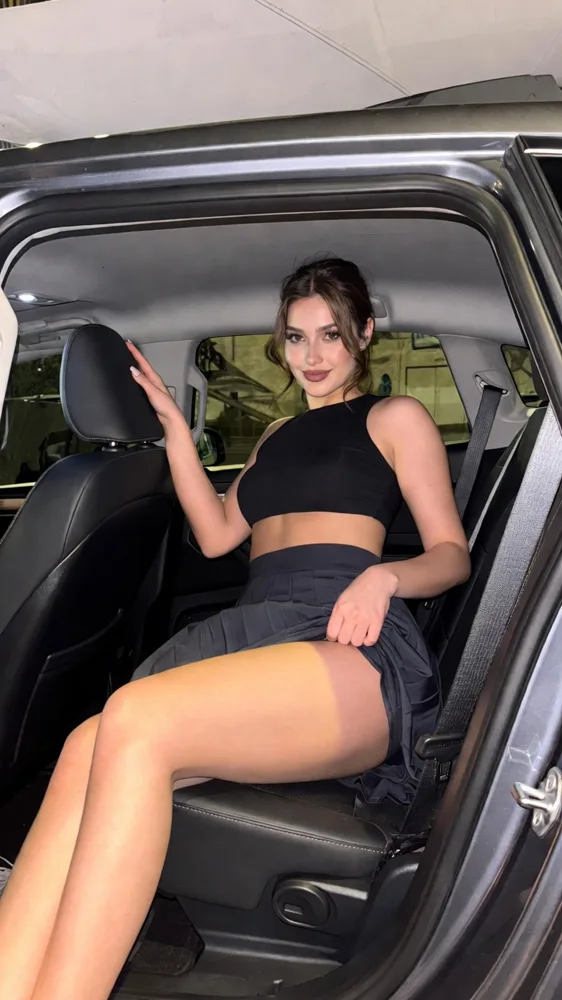
A public SpicyFrame example illustrating the guide. Results depend on the photo and prompt.
To make an AI cosplay video from a photo, upload a sharp full-body or waist-up shot of your costume, describe one in-character action, one camera move and the light of the setting, then test a five-second clip. SpicyFrame animates it with Seedance 2.5 into a vertical 9:16 video with native audio, from $3.99. It is for adult cosplayers aged 18 or older and works best with original or generic characters.
Cosplay photos capture months of craft in a single frame. A short animated clip lets a cape catch the wind, a staff glow, a visor reflect city lights or a character turn toward the viewer, without organising a full video shoot. It suits a convention recap, a costume reveal on Reels or TikTok, or a teaser before a photoshoot release. The clip reinterprets your photo; it does not film the costume from new angles, so details you never photographed, such as the back of a suit of armour, may be invented and should be checked carefully.
SpicyFrame is for people aged 18 or older, and every cosplayer shown must be an adult. Do not portray characters who are minors or look underage, whatever the costume. If the photo shows someone else, such as a friend or a fellow cosplayer, they must agree to the AI transformation. Characters can be protected intellectual property: fan costumes are common, but new material that copies a protected design, logo or name for commercial use can raise rights issues. Original characters and generic archetypes, such as a desert ranger, a neon cyber-pilot or a gothic sorceress, avoid most of those questions. Never use cosplay to impersonate a real person.
Use the original export, not a compressed social copy. A full-body shot shows the whole costume and suits a step or a turn; a waist-up shot keeps face, wig and makeup larger for expression clips. Make sure props are fully in frame, hands are visible and the background is not crowded with other people. Add a second reference only when needed, such as a close-up of a prop or a back view of the cape: “@Image 1 for the cosplayer, @Image 2 for the staff detail.” SpicyFrame accepts one to 12 JPG, PNG or WEBP files up to 10 MB each.
1. “@Image 1 raises the staff and a soft blue glow gathers at its tip, slow push-in, misty forest at dusk, determined mood, wind and distant birds, keep the costume unchanged.” 2. “@Image 1 draws a cloak around the shoulders and looks toward the horizon, side tracking shot, cold mountain light, epic mood, howling wind.” 3. “@Image 1, an elven ranger, holds a bow at rest and scans the trees, locked camera, dappled sunlight, focused mood, rustling leaves.” 4. “@Image 1 walks slowly through a candlelit hall in plate armour, low-angle tracking shot, warm firelight, regal mood, echoing footsteps.” 5. “@Image 1, a gothic sorceress, opens a spellbook as pages flutter, violet rim light, slow push-in, mysterious mood, whispering wind.”
6. “@Image 1 in a neon cyber-pilot suit turns toward the camera as the visor reflects city lights, slow orbit of a few degrees, night rain, cool mood, electronic hum.” 7. “@Image 1 stands on a rooftop as holographic signs flicker behind, cape moving in the wind, slow pull-back, cinematic night, distant traffic.” 8. “@Image 1 strikes a confident pose in an original superhero suit of their own design, sparks drifting, dramatic backlight, gentle push-in, heroic mood.” 9. “@Image 1, a space explorer, steps out of a hatch into red dust, side tracking shot, harsh sunlight, adventurous mood, low wind.” 10. “@Image 1 adjusts gloves in a dim hangar, steam rising, locked frame, gritty mood, metal clanks.”
11. “@Image 1 in a steampunk coat checks a brass pocket watch, gears turning in the background, warm sepia light, slow push-in, ticking clock.” 12. “@Image 1 as a pale vampire noble turns from a window, candlelight, slow dolly-in, elegant gothic mood, distant thunder.” 13. “@Image 1 poses in front of a convention backdrop, camera flashes popping, locked frame, proud smile, crowd murmur.” 14. “@Image 1 slowly lowers a hood, close medium shot, dramatic side light, slow push-in, quiet tension.” 15. “@Image 1 walks out of stage smoke into a spotlight for a costume reveal, low-angle push-in, cape sweeping, applause rising.”
Costume details are the first things to drift: wig colour, lens colour, face paint, emblems, armour edges and prop shapes. Name what must not change at the end of the prompt: “keep wig, makeup, armour and staff unchanged.” Keep motion small for the first test, since spins, fight moves and fast weapon swings create new angles and can warp props or fingers. Seedance 2.5 keeps faces, outfits and style consistent with your references, but exact likeness is never guaranteed. Generated text and logos may not stay readable, so add character names or social handles in an editor afterwards.
Test a new concept at five seconds in Medium 480p for 399 piments ($3.99). Ten seconds (499 piments in Medium, 899 in High, 2,399 in Ultra High) gives a reveal time to land, and 30 seconds (1,199, 2,499 or 7,099 piments) suits one slow continuous scene. High 720p at 499 piments ($4.99) for five seconds is the version to post once the costume holds. Every clip is a vertical 9:16 MP4 with ambient sound, which matches Reels, TikTok and Shorts. Add licensed music or a voiceover later in your editor; SpicyFrame does not accept uploaded audio.
One strong format for social media is a three-clip recap built from separate generations. Clip one is a five-second costume reveal, such as stepping out of smoke into a spotlight. Clip two is a five-second detail, such as a prop glowing or a cape catching the wind. Clip three is a five-second character moment, such as a glance over the shoulder. In High 720p each clip costs 499 piments, so the set costs 1,497 piments, about $14.97, plus any Medium tests. Keep the light direction and colour similar across the three prompts so the cuts feel connected, then edit them together, add your handle and licensed music, and credit the photographers.
Credit the photographer if their photo is the source, and ask before animating their work. Label the clip as AI-animated where the platform asks for it, and keep Content Credentials when your tools support them. Do not tag an official brand as if the clip were endorsed. Fan content based on an existing character is judged by the rights holder and the platform; selling or advertising with it is a different matter, so keep commercial uses to original designs.
| Shot type | Motion that works | Check closely |
|---|---|---|
| Full body with cape or coat | One step, a turn, fabric in the wind | Cape edges, boots, props in frame |
| Waist-up with a prop | Raise the prop or make it glow, push-in | Fingers and prop shape |
| Close-up of face and wig | Blink, glance, lowering a hood | Wig line, lens colour, face paint |
| Armour or mecha suit | Slow orbit of a few degrees, sparks or steam | Panel edges and emblems |
| Group photo | Avoid for first tests | Several faces drifting at once |
You can animate your own photo, but characters can be protected intellectual property. Keep fan content non-commercial and prefer original or generic characters for anything you sell or advertise.
Yes. Users must be 18 or older, every cosplayer shown must be an adult, and characters who are minors or look underage must not be depicted.
Seedance 2.5 keeps outfits and style consistent with your references, but small details such as emblems, wig lines and prop shapes can drift. Review every frame.
Ask the photographer first, credit them and use the original file. Their photo is their work even when you are the subject.
A small action with secondary motion, such as a cape in the wind or a glowing prop with a slow push-in. Fast fight moves are harder to keep stable.
Not inside SpicyFrame, which generates ambient audio only. Add licensed music or your own voiceover in an editor.
From $3.99 for a five-second Medium test. A five-second High 720p clip costs $4.99 and 30 seconds in High costs $24.99; Ultra High 1080p costs $11.99 for five seconds and $70.99 for 30.
External pages, opened in a new tab. Rankings reflect the time of writing.