5 seconds · 480p · $3.99. Pay per video, no subscription required.
Updated
AI-generated editorial illustration: an adult fashion look in red city light. This is a styling reference, not a video-generation result.
Decide whether the clip sells clothing or teaches exercise
An AI fitness model video can present adult activewear and an athletic visual identity without claiming to demonstrate a safe or effective exercise technique. This guide focuses on non-erotic fashion and ordinary movement, not medical advice, body transformation promises, or fetishized presentation. Define the purpose before choosing an action. A clothing campaign may need a gentle walk, a relaxed standing pose, or a small arm movement that shows the jacket and sleeves. A technical exercise demonstration has much stricter accuracy requirements and should not be inferred from a generated fashion clip. Keep the adult subject clearly authorized and the wardrobe opaque. A precise purpose helps the reviewer judge whether movement supports the garment instead of rewarding visually dramatic but implausible anatomy.
Prepare an adult athletic reference without distortion
Choose a clearly adult model in well-fitting opaque activewear, photographed with natural proportions and visible joints. Avoid extreme perspective, heavy retouching, or a pose that hides both hands behind the body. If using a fictional adult character, keep the design plausible and avoid exaggerated anatomy presented as a realistic fitness outcome. For a real person, obtain permission for animation and the intended campaign, and confirm rights in the photograph. The reference-photo guide helps identify cropped limbs, confusing overlaps, and background clutter. A stable starting pose gives the generation a clearer body layout. Do not ask the video stage to repair an impossible shoulder or knee while simultaneously performing a complex athletic action; correct the source first.
Establish the activewear's fixed design details
Record the garment color, panel layout, seam paths, logo placement, pocket position, zipper, and sleeve or leg length. Performance clothing often uses contrasting panels that make drift easy to see. Keep references to the same actual item rather than combining a front view of one jacket with a back view of another. Ensure the fabric remains opaque under the intended light. If a brand logo must be exact, plan accurate editorial placement separately instead of relying on generated lettering. The fashion workflow guide connects these details with a product brief. Treat the video as a representation of styling unless the brand has verified the result against the real garment. A synthetic fold or stretch does not establish how the material behaves in use.
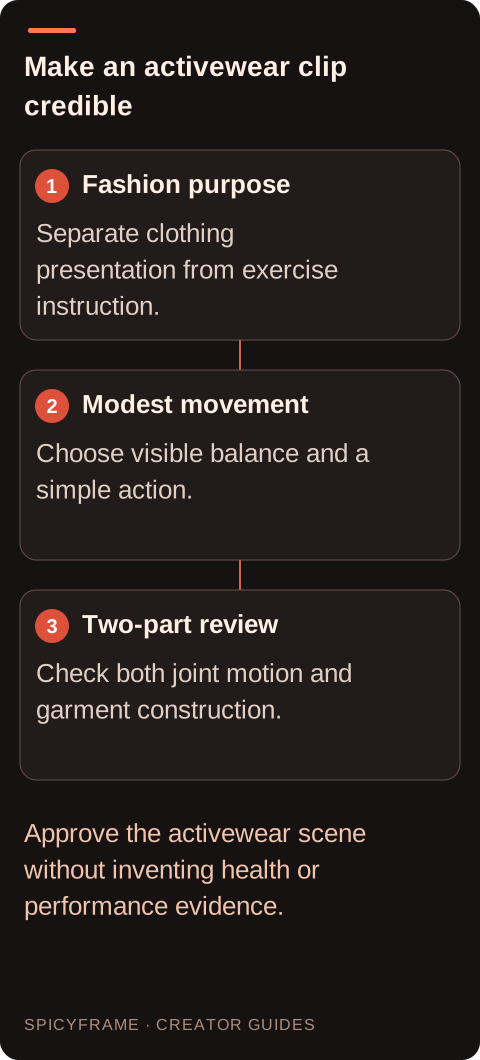
Fashion purpose: Separate clothing presentation from exercise instruction.. Modest movement: Choose visible balance and a simple action.. Two-part review: Check both joint motion and garment construction.. Approve the activewear scene without inventing health or performance evidence.
Choose a modest action with visible balance
For an initial fashion test, use a short walk, a relaxed shift of weight, or a controlled arm raise that does not conceal the outfit. Keep the feet on a visible surface and the body's support easy to understand. Complex floor exercises, rapid direction changes, heavy equipment, and repeated jumps introduce many opportunities for impossible contact and joint movement. If an action is essential, break the creative brief into a shorter, clearly framed moment and have a qualified reviewer assess any instructional use. The dance-motion guide offers related ideas about restrained full-body movement, but a fitness-fashion clip should be judged on its own purpose. Avoid presenting a visually generated exercise as coaching or evidence that a particular technique is safe.
Use the environment to support readable motion
A simple studio floor, quiet training space, or uncluttered outdoor path helps viewers understand body position. Keep mirrors, dense gym equipment, and moving background figures out of the first test unless they are necessary to the campaign. Those elements can create confusing reflections or invented interactions. Use even light that separates dark leggings or a jacket from the background without making the fabric appear transparent. Frame enough space around hands and feet so a modest movement does not leave the image. A level camera is often easier to evaluate than a dramatic low angle. If the campaign requires an energetic atmosphere, create it through color, pacing, and later editing rather than demanding unstable camera motion and complicated physical action in the same generation.
Inspect joint continuity and fabric together
Watch the feet, knees, hips, shoulders, elbows, and hands through the whole clip, then inspect garment seams and panels. Check whether a foot remains in contact with the floor when weight appears to rest on it and whether limbs preserve a plausible length. Look for fabric that changes opacity, pockets that slide, or logos that mutate. The artifact guide helps diagnose whether a problem begins in the source, the motion request, or a complex overlap. Slow playback can help locate an error, but also watch at normal speed to judge overall readability. If a clip implies an unsafe or impossible exercise, reject it for instructional use even if the activewear looks appealing. Fashion aesthetics do not validate biomechanics.
Select an output that matches the campaign edit
SpicyFrame creates vertical 9:16 MP4 clips with ambient audio through Seedance 2.5 via Segmind. You can choose 5, 10, or 30 seconds at Medium 480p, High 720p, or Ultra 1080p. Five seconds at High costs $4.99 and ten seconds costs $8.99. Start with enough time for one modest action rather than a long repeated workout. Up to 12 authorized JPG, PNG, or WebP references under 10 MB each are supported. There is no built-in timeline editor, 4K export, voice cloning, or guaranteed scripted lip-sync. Add accurate captions, licensed music, and any explanatory material through an appropriate editing workflow. Review ambient sound before use so it does not suggest equipment, exertion, or spoken advice that the scene was never meant to represent.
Publish without invented health or performance claims
A generated adult fitness model can help visualize an activewear collection, but it should not be used as proof of weight loss, muscle gain, endurance, or product performance. Keep claims tied to real evidence and have the brand approve how the garment is represented. Avoid before-and-after narratives that imply a synthetic character achieved a real health outcome. Confirm subject permission, source rights, and any required AI disclosure for the destination. SpicyFrame supports permitted non-explicit adult fashion; a completed clip that misses the movement brief is not automatically a refundable failure. Set a revision budget and stop when the asset meets the agreed clothing presentation. Keep the approved file and the garment reference together so later campaign edits do not turn an ordinary fashion scene into unsupported exercise instruction.
Adult activewear video review rubric
Area
Source preparation
Approval criterion
Body layout
Natural adult proportions and visible joints
Plausible limb continuity
Ground contact
Feet and support surface visible
Weight and contact make sense
Garment panels
Clear seams, colors and closures
Design remains consistent
Fabric
Opaque activewear under readable light
No transparency or invented material behavior
Campaign claim
Clothing presentation defined in the brief
No unsupported health or exercise promise
AI image-to-video questions answered
Is an AI fitness model clip suitable as exercise instruction?
Not automatically. This workflow is for adult activewear presentation. Generated movement can be inaccurate, so instructional use requires appropriate expert review and should not be inferred from a polished result.
What is a sensible first action?
Use a short walk, controlled weight shift, or modest arm movement with visible balance. Complex jumps, equipment interactions, and rapid changes introduce more opportunities for motion and contact errors.
Which activewear details tend to need review?
Check panel boundaries, seams, zippers, pockets, logos, garment length, and opacity. These details can move or change independently of the body even when the overall silhouette looks plausible.
Can a fictional model demonstrate real fitness results?
No. A synthetic character is not evidence of weight loss, strength, endurance, or a product's performance. Keep health and performance claims grounded in actual evidence and approved context.
Why keep feet and the floor visible?
Visible contact helps reviewers judge balance and weight transfer. Tight crops can hide sliding feet or impossible support, making a movement seem convincing until it is used in a wider edit.
Does higher resolution correct bad joint movement?
No. More output pixels do not guarantee plausible anatomy or motion. Simplify the action or improve the reference when the movement fails, then review any new generation independently.