Can an AI glamour headshot guarantee exact likeness?
No. References can improve direction, but generation may change facial details or expression. Review the whole clip and obtain the subject's approval for the specific final version.
SPICYFRAME · PRACTICAL GUIDES
Plan adult glamour headshots with consistent facial references, controlled light, composed expressions and subtle motion for a recognizable portrait.
5 seconds · 480p · $3.99. Pay per video, no subscription required.
Updated

An AI glamour headshot should begin with a recognizable adult portrait and a clear editorial purpose. Styling, makeup, and light can shape the mood, but they should not obscure the face you intend to represent. This guide covers non-erotic adult headshots for fashion, portfolios, and personal creative work. Decide whether the subject is a real consenting adult or a fictional adult character, then establish the features that must remain stable. A headshot is unforgiving because the face occupies much of the frame and small changes become obvious. The goal is not a guarantee of exact likeness; it is a careful reference and review process that makes unwanted changes easier to detect before the image becomes a video or public-facing profile asset.
Choose a sharp image with both eyes visible, a clear hairline, and enough detail around the nose, mouth, jaw, and ears to understand the face. Avoid strong beauty filters, severe perspective, or highlights that erase half the features. A straightforward portrait often provides more useful evidence than a dramatic selfie taken very close to the lens. For a real person, secure permission for animation and the intended publication, plus the photograph's usage rights. The selfie-to-video guide explains common source issues without suggesting that every selfie is equally suitable. If you have several references, prefer consistent age, hairstyle, and lighting rather than mixing unrelated looks. A confusing reference set can make the generated headshot feel like a new person.
Leave space above the hair and around the shoulders so a gentle turn does not crop essential features. Keep the camera near a natural portrait height and avoid an extreme angle unless it is central to the editorial brief. A little visible neckline or opaque garment establishes styling without shifting the focus away from the face. Do not cut through a chin, ear, or hairstyle detail that needs to remain stable during motion. The portrait animation guide provides related framing advice. Consider the final vertical crop before generation, especially if the headshot will appear in a social video. A source that works as a square profile photo may need more surrounding space to support a moving 9:16 composition.
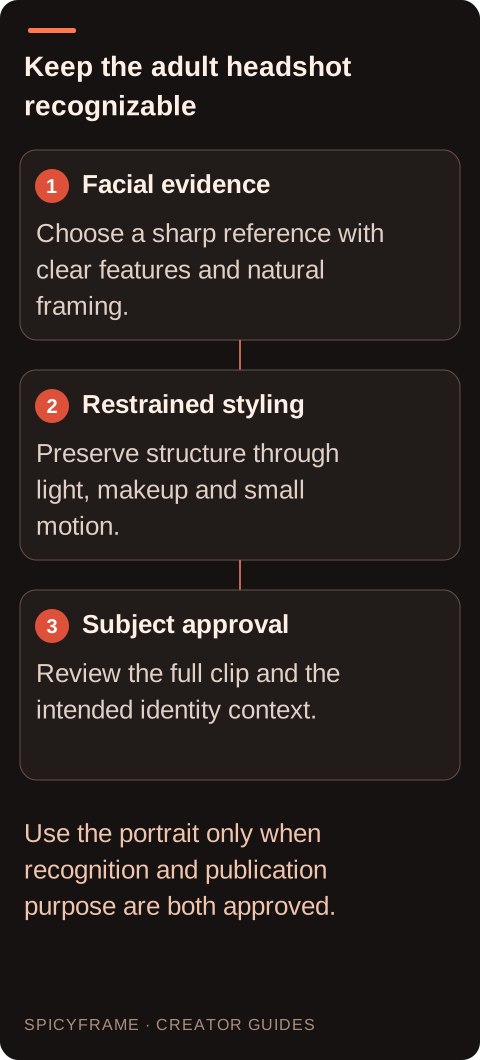
Choose a clear lighting direction with soft transitions rather than a collection of conflicting effects. A broad key light and gentle fill can define the cheek and jaw while keeping both eyes readable. Strong colored lights or deep shadows may suit a fashion campaign, but they can make identity review harder and produce changing skin tones during motion. The lighting prompt guide helps describe the intended light in concrete terms. Keep highlights controlled on forehead, nose, and jewelry so they do not become flickering points. If the source is already well lit, request continuity rather than a dramatic relighting transformation. The headshot's glamour can come from careful styling and composition without asking the model to redesign the face under a completely different illumination scheme.
A composed expression, natural blink, or slight change of gaze is often enough for a short adult editorial headshot. Large expression shifts can alter teeth, cheeks, eyes, and perceived identity. If makeup is part of the approved styling, note stable details such as lip color or eyeliner shape rather than asking for an undefined transformation. Avoid language that demands exaggerated beauty standards or promises a perfect face. Review skin texture at a realistic viewing size; an overly smooth result can reduce recognition even when it looks polished. The same-face guide explains why reference images guide identity without guaranteeing it. Keep the adult subject's preference central when choosing between a glamorous interpretation and a faithful representation for a professional profile.
For the first video test, use a small head turn or a gentle camera approach, not both at their maximum range. A large orbit forces the model to invent the unseen side of the face and hairstyle. Keep shoulders and clothing steady enough that the viewer's attention remains on the expression. If the portrait includes glasses, earrings, or a distinctive hair accessory, treat them as important continuity details rather than decorative extras. Watch whether reflections and small objects move plausibly with the head. A five-second clip can reveal most of these problems without requiring a long sequence. Do not assume repeated requests will reproduce the same face exactly, especially when the consumer interface does not expose a seed control for consistent experiments.
Compare the opening, middle, and ending with the approved still. Check eye spacing, nose shape, mouth proportions, jawline, ear placement, and hairline, then look at the overall impression rather than only isolated measurements. A face can keep individual features while still losing the person's recognizable expression. Inspect blinks and teeth carefully if they appear. Ask the real subject or the authorized creative lead to approve the result before it becomes a profile or campaign asset. SpicyFrame does not guarantee likeness. Its Seedance 2.5 workflow through Segmind produces vertical 9:16 MP4 with ambient audio at 5, 10, or 30 seconds and 480p, 720p, or 1080p. Select resolution for the delivery need after deciding whether the portrait itself is acceptable.
A generated glamour headshot should not imply that a real person endorsed a product, attended an event, or performed an action without authorization. Keep captions and profile use consistent with the approved purpose. For private portraits, consider processing and storage before uploading: SpicyFrame's storage-off option prevents library and draft saving, while generation still requires processing. It accepts up to 12 authorized JPG, PNG, or WebP references under 10 MB each and offers guest one-off purchases alongside optional weekly plans. Download the approved MP4 and keep it separate from rejected drafts. Review ambient audio and add any licensed soundtrack or titles in a separate editor. A strong final headshot is one the subject recognizes and the project can use honestly, not simply the most heavily stylized render.
| Feature | Reference choice | Video approval |
|---|---|---|
| Face structure | Clear eyes, nose, mouth and jaw | Recognizable proportions throughout |
| Hair | Stable cut, color and hairline | No unexplained style changes |
| Expression | Composed adult editorial look | Natural blink and restrained movement |
| Accessories | Visible, simple and approved | Consistent shape and attachment |
| Light | One readable direction with controlled highlights | No flicker or identity-changing shadows |
No. References can improve direction, but generation may change facial details or expression. Review the whole clip and obtain the subject's approval for the specific final version.
Not necessarily. Strong perspective can distort proportions. A sharp, naturally framed portrait with visible eyes, hairline, nose, mouth, and jaw usually gives a clearer basis for identity review.
Try one small head turn, natural blink, or gentle camera approach. Large orbits and dramatic expressions require more invention and can make recognition less stable.
Inspect shape, attachment, reflections, and movement with the head. Small accessories can duplicate, disappear, or drift, and those changes are especially noticeable in a close portrait.
No. Heavy smoothing, altered makeup, or dramatic relighting can reduce recognition. Match styling to the approved editorial purpose and the adult subject's preference rather than maximizing transformation.
Only with appropriate authorization for that context. A generated portrait should not be used to suggest a real person's product support, attendance, or actions that they did not approve.