AI girlfriend selfie video: a fictional adult identity
Plan an AI girlfriend selfie video as a clearly fictional adult portrait, with consistent references, restrained expression and honest character labeling.
5 seconds · 480p · $3.99. Pay per video, no subscription required.
Updated
AI-generated editorial illustration: an adult fashion look in red city light. This is a styling reference, not a video-generation result.
Define a fictional adult before planning the selfie
An AI girlfriend selfie can be a clearly fictional adult character portrait rather than an imitation of a real person or evidence of an actual relationship. Begin with an original adult character you are allowed to use, a complete outfit and a short description of their visual identity. The term describes a fictional creative concept here; it does not justify deceptive messages, explicit content or impersonation. Keep the character’s adulthood unambiguous and avoid cues that make age uncertain. This guide focuses on reference consistency and smartphone style. The AI girlfriend video generator covers the general concept, while this workflow explains how to keep one invented adult recognizable across selfie clips.
Create a compact identity record
Write down stable traits that can be checked visually: hairstyle, eye appearance, face shape, a distinctive accessory and the chosen outfit. Avoid a long list of vague attractiveness words. The record should help you decide whether two images show the same fictional adult, not define a real person’s likeness. Use original references rather than a celebrity or an acquaintance’s face without permission. If a character resembles a real identifiable person, reconsider the source and presentation. Keep personality notes separate from visual facts; describing someone as friendly does not specify how their face should look. A small relaxed smile can express the mood without implying any real personal relationship with the viewer.
Choose reference views that agree with one another
A clear close portrait can establish identity, while a slightly wider view can explain hair, shoulders and clothing. If the images show different ages, makeup or face proportions, the generator may blend incompatible evidence. SpicyFrame accepts up to 12 authorized JPG, PNG or WebP images under 10 MB each, but a focused set is usually easier to describe than a full folder. The multiple reference guide explains role assignment. Use @Image1 for the character face and another mention for outfit only when the files actually support those roles. Mentions clarify intent; they do not establish a trained character or guarantee consistent identity across orders.
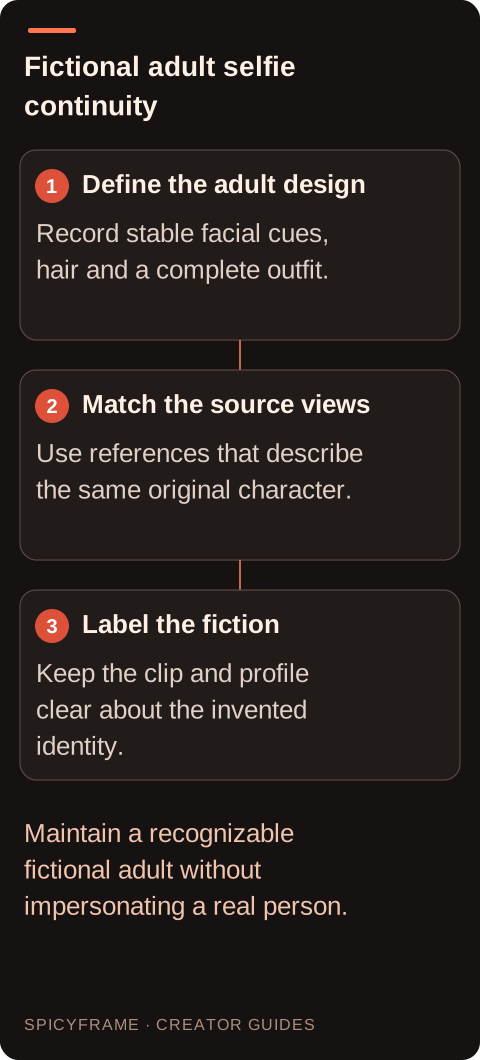
Define the adult design: Record stable facial cues, hair and a complete outfit.. Match the source views: Use references that describe the same original character.. Label the fiction: Keep the clip and profile clear about the invented identity.. Maintain a recognizable fictional adult without impersonating a real person.
Preserve the smartphone look without a false capture claim
A close lens, slight perspective distortion and simple room background can communicate a selfie style. That style does not mean the image was recorded by a real person holding a phone. Avoid captions that claim a live private message from an actual partner. If a phone or extended hand appears, review the grip and device edges carefully. A fictional adult can look relaxed and informal while remaining clearly labeled as a character. The selfie guide helps with framing. Keep the camera near the original view, because a large turn or orbit requires unseen facial surfaces and can make the character change more than a small blink or smile.
Write a character specific but restrained prompt
A proposed brief might say: “Use @Image1 for the original fictional adult character’s face and short dark hair, and @Image2 for the green cardigan over a complete casual outfit. Close smartphone style portrait in a simple bright room, one natural blink and a small friendly smile, steady framing, soft window light and quiet room ambience.” This describes a visual study, not a guarantee of identity. Avoid adding romantic claims addressed to a real recipient or a scripted voice performance. SpicyFrame generates ambient audio rather than voice cloning. If the character’s face changes during the smile, revise the expression or reference set instead of assuming more emotional language will stabilize it.
A hypothetical fictional character continuity test
Imagine an illustrator has an original adult character with a blunt haircut, round glasses and a blue shirt. They want three short selfie style clips for a clearly labeled fictional character page. Before making the series, they test one five second blink and smile using a close portrait and a matching outfit reference. The review note checks glasses shape, hairline, face proportions and shirt collar. If the output adds a different haircut, the illustrator replaces a conflicting reference or simplifies movement. This example is a proposed workflow, not a reported generation result. An accepted first clip does not guarantee the next one will match, so each candidate needs the same identity review.
Check adulthood, identity and wardrobe together
Do not review only whether the character looks appealing. Confirm that the adult presentation remains clear, the face matches the approved fictional design and the complete outfit stays consistent. Watch the moments after hair or a hand crosses the face. The identity guide offers practical cues for drift. If an output makes the character look age ambiguous, do not use it; choose clearer adult references and a different result. Keep a small comparison sheet of accepted frames so later clips can be checked against the same design. Treat that sheet as an editorial aid rather than proof that the system stores or trains a persistent identity.
Publish with a clear fictional context
SpicyFrame supplies vertical 9:16 MP4 with ambient audio in 5, 10 or 30 seconds. Short clips can establish the selfie style without a lengthy performance. Choose resolution after reviewing the character; Ultra 1080p does not make an inconsistent face correct. Listen for unexpected speech and replace unsuitable sound externally. Label the page or clip clearly as an original fictional AI character where viewers could otherwise mistake it for a real adult sending personal content. Keep captions, profile wording and any dialogue in the same fictional frame. The useful outcome is a coherent character presentation with honest provenance, not a fabricated record of a real person or relationship.
AI girlfriend selfie video: planning decisions
Choice
Use when
Acceptance check
Original adult design
A fictional character page needs a stable identity
No real person impersonation or age ambiguity appears
Close portrait reference
Facial identity is the primary requirement
Hairline, glasses and face proportions agree
Matching outfit view
Shoulders and clothing need additional evidence
The complete outfit belongs to the same character
Small friendly expression
A short selfie study needs minimal motion
Blink and smile preserve the approved design
Clear fictional label
The clip could be mistaken for a real selfie
Page and caption identify the original AI character
AI image-to-video questions answered
Can the character be based on a celebrity?
Do not use this workflow to impersonate a famous person or borrow an identifiable real person’s likeness without appropriate authorization. Build an original fictional adult design and review both the source and output for unintended resemblance or misleading presentation.
Does selfie style mean a real person filmed it?
No. It describes perspective and composition. A generated character portrait can resemble a phone image while remaining fictional. Label it clearly and avoid claims that it is a live recording or personal message from a real partner.
How many references should I use?
Use the smallest coherent set that explains the adult character and outfit. A clear portrait and matching wider view may be enough. Extra contradictory images can make the identity less clear despite the studio allowing up to 12 references.
Will the studio remember the character next time?
Do not assume a persistent trained identity. Reuse the approved source set and role descriptions, then inspect each new output. A character sheet helps your own review but does not guarantee identical faces across separate generations.
What if the output looks too young?
Do not use an age ambiguous result for this concept. Choose clearly adult original references, simplify the styling and review another candidate. The character’s adult presentation should remain unambiguous throughout the clip, not only in the prompt.
Can I give the character a cloned voice?
SpicyFrame does not provide voice cloning in this workflow. It generates ambient audio that needs review. Any separately created narration belongs to an external process with appropriate rights and should remain clearly within the fictional character context.