Turn a glamour selfie into a natural adult portrait video with honest smartphone perspective, subtle expression and careful identity and background checks.
5 seconds · 480p · $3.99. Pay per video, no subscription required.
Updated
AI-generated editorial illustration: an adult fashion look in red city light. This is a styling reference, not a video-generation result.
Keep the selfie recognizable as your adult portrait
A glamour selfie AI video can add a small expression or movement to an authorized adult self portrait while preserving its personal style. The useful goal is a recognizable person with deliberate grooming, clothing and light, not a reconstructed face that happens to look polished. Use your own adult image or another consenting adult’s image within their agreed scope. Define glamour through a complete outfit, an intentional crop and a relaxed expression. A smartphone perspective can feel direct and informal without implying secret recording. Describe the finished clip as an AI animated portrait when its context could otherwise suggest that it records an actual spontaneous moment.
Read the phone perspective before choosing movement
A close smartphone camera can make the nearest features appear larger and the background recede sharply. That perspective is part of the source, not necessarily an error to remove. A large head turn or camera orbit asks the generator to infer a very different view of the face. For a first test, keep the viewpoint close to the original and choose a small blink, smile or head movement. The selfie animation guide covers the basic workflow. Here the priority is retaining the recognizable relationship among eyes, nose, jaw and camera distance rather than asking for a new idealized portrait unrelated to the person’s photograph.
Choose a clear expression and complete outfit
A sharp source with relaxed facial muscles provides useful evidence for a subtle animation. Heavy filters, extreme expressions or hair covering one eye can make identity review harder. Check the neckline, shoulder line and visible accessories so the fashion styling has a stable basis. Keep the adult fully clothed in the approved look and avoid asking the system to change clothing as a side effect of making the portrait more glamorous. The source photo guide can help evaluate focus and crop. If the original image already strongly changes facial proportions, consider a more natural authorized source before adding motion rather than compounding several transformations.
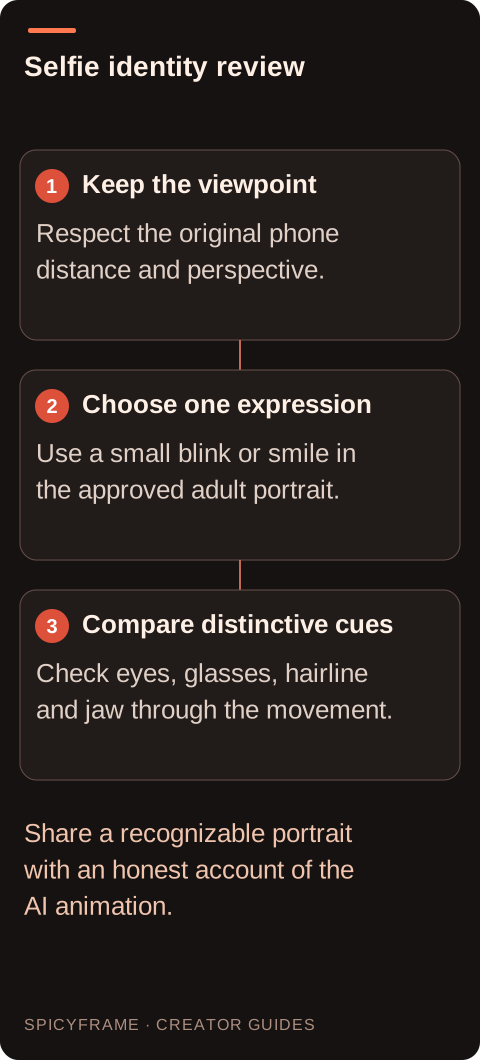
Keep the viewpoint: Respect the original phone distance and perspective.. Choose one expression: Use a small blink or smile in the approved adult portrait.. Compare distinctive cues: Check eyes, glasses, hairline and jaw through the movement.. Share a recognizable portrait with an honest account of the AI animation.
Simplify the background and phone hand relationship
A selfie may show the phone, an extended arm or a mirror. Each adds a different continuity problem. A visible phone requires stable edges and a plausible grip; an extended arm can distort near the camera; a mirror requires matching reflections. Decide which elements actually belong in the shot. If the phone is outside the frame, do not ask for a visible device without a reason. Inspect the background for private documents, location details and unrelated people before uploading. A simple wall or soft room background gives the portrait space. Avoid descriptions such as hidden camera or unaware subject; the source and animation should remain openly authorized even when the style looks casual.
Write a small expression brief instead of a beauty wish list
A proposed prompt might say: “Use @Image1 for this consenting adult’s identity, hairstyle and cream jacket. Keep the close smartphone perspective and soft window light. One natural blink followed by a small relaxed smile, minimal head movement, steady framing and quiet room ambience.” This names observable behavior instead of asking the generator to make the person perfect. @Image1 communicates the reference role without guaranteeing identity. There is no dedicated face lock assumed here. If the output changes the jaw or eye spacing, use the identity guide to review the mismatch, then reduce the movement or choose a clearer source.
A hypothetical personal style portrait
Imagine an adult creator wants a five second profile introduction from their own jacket selfie. The proposed acceptance criteria are a recognizable face, unchanged glasses shape and a small smile that does not alter the mouth unnaturally. The creator checks the first frame against the source, then watches the blink and smile at normal speed. They pause only where the glasses cross the eyebrows or the teeth become visible. If the smile transforms the face, a smaller expression may be a better next attempt than a longer clip. This example describes a possible review process, not a tested result or a claim that the animation will improve audience response.
Review personal identity beyond one attractive frame
A selfie clip should be evaluated across time. Check eye spacing, eyebrow shape, hairline, glasses, facial hair and distinctive features that matter to the adult. A flattering opening frame does not justify a later identity change. Watch what happens when hair or a hand briefly covers part of the face. Compare garment details too, because a moving collar can distract from facial drift. The portrait video guide explains subtle movement planning. Avoid treating generated cosmetic changes as neutral improvements; the person should decide whether the altered appearance still represents them and whether it is appropriate for the intended profile or publication.
Choose a truthful use and a simple delivery
SpicyFrame provides vertical 9:16 MP4 with generated ambient audio in 5, 10 or 30 second durations. A five second portrait can test expression without asking for a long performance. Medium 480p, High 720p and Ultra 1080p add different levels of detail, but no resolution guarantees likeness. Listen for unexpected speech or sounds before sharing. Captions, cropping and sound replacement happen externally. For a personal profile, explain meaningful AI alteration rather than presenting the clip as an unedited live capture. Keep the original source and approved export together so you can revisit what changed. The final decision should rest on recognizability and honest context, not only on how polished the portrait appears.
Glamour selfie to video: planning decisions
Choice
Use when
Acceptance check
Small relaxed smile
The portrait should feel personal and recognizable
Mouth and jaw keep the adult’s distinctive shape
Natural blink
Minimal movement is enough for the profile
Eyes and glasses remain stable before and after closure
Original phone viewpoint
The selfie perspective is part of the identity
Face proportions do not shift toward a different lens
Simple room background
Attention belongs on the adult portrait
No private detail or new person appears behind the face
Honest profile caption
The clip could resemble live recorded footage
Meaningful AI animation is described accurately
AI image-to-video questions answered
Can I use my own selfie for this?
Yes, if you are an adult and have the relevant rights to the image. Review the intended context and any meaningful alteration. If the photo shows another person or was taken by someone else, their rights and permission may also matter.
Will the result look exactly like me?
Exact likeness is not guaranteed. Use a clear source, keep the movement small and compare distinctive features throughout the clip. An attractive frame is not enough if the face changes during a blink or smile.
Should I remove smartphone distortion?
Not automatically. The perspective may be part of what makes the selfie recognizable. Asking for a major lens or camera change adds reconstruction. Start near the original viewpoint and decide whether a different source would better serve the portrait.
Can I make it look casually recorded?
A relaxed visual style is fine when the adult has authorized the animation. Do not imply covert filming or falsely claim an unedited spontaneous recording. Describe the AI treatment when the publication context could mislead viewers about how it was made.
Why do glasses change during a blink?
Thin frames and moving facial features create a difficult overlap. Choose a sharper source and a smaller expression, then inspect the glasses across the full clip. More pixels may reveal the error without correcting it.
Is a longer selfie clip more natural?
Not necessarily. Longer duration gives more time for drift or repeated expressions. Match the length to one clear action, and choose a longer clip only when you have a specific development to review rather than expecting duration itself to add realism.