5 seconds · 480p · $3.99. Pay per video, no subscription required.
Updated
AI-generated editorial illustration: an adult fashion look in red city light. This is a styling reference, not a video-generation result.
Use a reference sheet as your own continuity record
A character reference sheet helps you document one adult fashion identity across source images, prompts and approved clips. It can describe a consenting real adult within an agreed use or an original fictional adult character. The sheet is an editorial planning tool, not a trained identity model or a guarantee of future consistency. Keep the styling fully clothed and the glamour focused on portrait quality, fashion and light. The useful outcome is a small source library that makes it clear which face, hairstyle, outfit and proportions belong together. This guide explains how to organize that evidence without assuming the generator automatically splits a collage into separate controllable references.
Choose the identity anchor before collecting more views
Select one clear portrait that best represents the adult’s approved identity. Look for readable eyes, hairline and face shape with moderate expression and useful light. For a real adult, use an authorized image that fits the agreed period and appearance. For a fictional character, choose an original clearly adult design and avoid borrowing a recognizable person’s likeness. The source image guide helps evaluate clarity. Mark the identity anchor in your own notes so later views can be checked against it. A folder full of attractive but inconsistent faces is not a reference sheet; it is a set of competing character designs.
Add views only when they explain missing information
A three quarter portrait may clarify the side of the face, while a full outfit image explains shoulders, garment length and accessories. A close detail can document a collar or glasses shape when those features matter. Do not add near duplicates merely to reach a large image count. Each file should have a stated job. The multiple reference guide explains role mapping in the studio. SpicyFrame accepts up to 12 authorized JPG, PNG or WebP images under 10 MB each, but the most useful number depends on the evidence. Conflicting hairstyles, ages or outfits can weaken the sheet even when every individual image looks good.
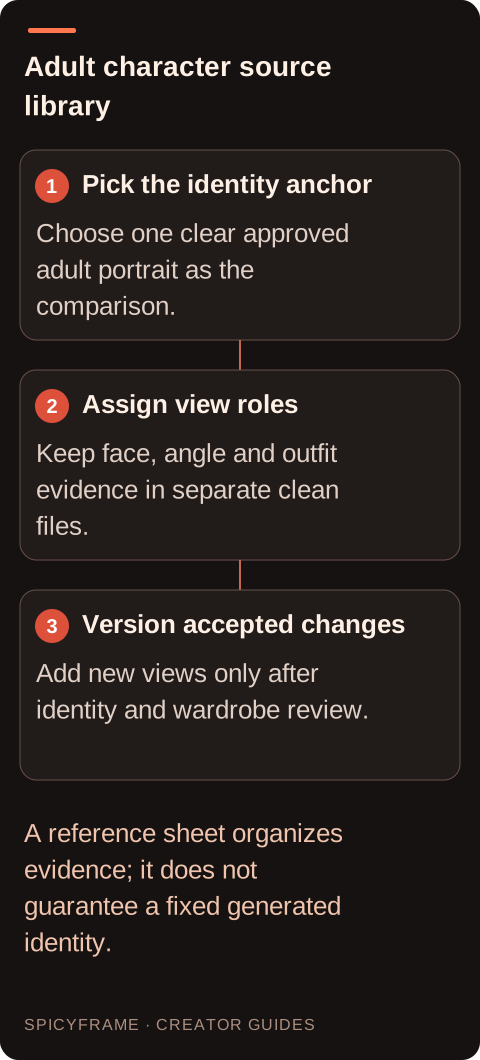
Pick the identity anchor: Choose one clear approved adult portrait as the comparison.. Assign view roles: Keep face, angle and outfit evidence in separate clean files.. Version accepted changes: Add new views only after identity and wardrobe review.. A reference sheet organizes evidence; it does not guarantee a fixed generated identity.
Separate the contact sheet from the uploaded files
A contact sheet is a convenient overview for you or a client, with several images and labels arranged together. Uploading that collage as one file does not automatically create several independent reference slots. The generator may interpret its panels, captions or repeated faces unpredictably. Keep the original images as separate files when you need distinct @Image1, @Image2 and other roles. Use the overview to decide which files to upload, then verify the actual order and mention mapping in the prompt. Labels printed inside an image are not a substitute for clear role descriptions. Preserve the clean source files so the planning layout does not become accidental visual content in the scene.
Write a compact identity and wardrobe record
Record stable visible facts: hairstyle, distinctive facial cues, approved proportions, garment color and structure, accessories and any intentionally variable elements. Keep identity separate from outfit so a later clothing change does not silently redefine the face. If a jacket has a broad collar and two buttons, say so rather than describing it only as elegant. The fashion guide helps identify useful garment checks. Avoid unneeded personal information in a real adult’s sheet; you usually do not need private addresses, identification documents or unrelated history to review a portrait. Record permission scope separately in an appropriate place rather than embedding sensitive details in every image file.
A hypothetical three view continuity package
Imagine an illustrator has an original fictional adult fashion character with short silver hair, rectangular glasses and a forest green coat. The package contains a close portrait, a three quarter portrait and a full outfit view, all checked against the same design. The planning sheet labels the portrait as identity, the side view as angle evidence and the full view as wardrobe. A proposed five second test asks for a small head turn in the coat, using the separate source files. The reviewer checks glasses, hairline and collar shape. This is a hypothetical workflow, not a tested result or a claim that three views guarantee identity preservation.
Review new output against the approved sheet
Compare the beginning, key action and ending moments with the identity anchor and relevant outfit view. The identity guide helps inspect face drift, while the sheet adds a record of which traits were actually approved. Note discrepancies specifically: changed glasses width, a new collar, shifted hairline or altered body proportions. Do not quietly add every generated frame to the reference library, because that can make accidental drift become the new standard. Accept a new view only after deliberate review and label its version. If the character changes intentionally, create a clear new package so older and newer campaign assets are not mixed by accident.
Maintain a traceable but proportionate source library
Keep file names, reference roles, prompt text and the approved export linked through a simple project record. A name such as characterA_coat_v02_front can be more useful than a random download name, provided the record contains no unnecessary sensitive information. SpicyFrame produces vertical 9:16 MP4 with ambient audio in 5, 10 or 30 seconds; the sheet should state which kind of shot each source supports rather than imply every view can support any movement. Turning storage off prevents new library and draft saving but does not eliminate processing needed for generation. Keep your own retention choices aligned with permission scope, and do not assume the planning sheet itself makes an otherwise unauthorized use acceptable.
Glamour reference sheet: planning decisions
Choice
Use when
Acceptance check
Identity anchor
One portrait should define the approved adult face
Other views agree on hairline, features and age presentation
Three quarter view
A small turn needs side angle evidence
The view belongs to the same adult design
Full outfit reference
Garment structure and proportions matter
Collar, length and accessories match the record
Separate upload files
Different images need distinct prompt roles
Actual reference order matches every mention
Versioned approved package
The character will appear in later projects
Intentional changes remain separate from accidental drift
AI image-to-video questions answered
Is a reference sheet a trained AI character?
No. It is an organizational and review tool. Reusing clear approved sources can communicate the same design, but this workflow does not create a persistent trained identity or guarantee matching faces across separate generations.
Can I upload a collage as several references?
A collage uploaded as one file remains one image input. Do not assume the system splits its panels into independent controllable references. Keep clean original files separate when you need distinct source roles and verify their actual mention order.
How many views should the sheet include?
Use enough to explain the intended face, angle and outfit without contradictions. A clear portrait, a useful three quarter view and a full outfit image may be sufficient for a simple brief, but the required evidence depends on the planned movement.
Should every generated frame become a reference?
No. Review a new view against the approved identity before adding it. Otherwise an accidental face or garment change can gradually replace the original design. Keep accepted additions versioned and rejected candidates separate.
Where should consent information go?
Keep a proportionate record of the real adult’s agreed transformation and use in an appropriate project location. Avoid embedding sensitive personal data into every image or contact sheet. This guide is a practical workflow, not a legally complete permission system.
Does turning storage off mean no processing occurs?
No. It prevents new library and draft saving, but processing still occurs to generate the requested video. Consider the service’s current privacy information and your own source retention choices when preparing a reference package.