5 seconds · 480p · $3.99. Pay per video, no subscription required.
Updated
AI-generated editorial illustration: adult swimwear fashion beside a pool at golden hour. This is a scene reference, not a generated-video sample.
Golden-hour glamour video: define the fashion brief
Golden hour glamour photography can become a restrained adult fashion video when sunlight keeps a consistent direction. Use an authorized portrait of a consenting adult in a complete styled outfit, and keep the action within the agreed nonsexual editorial brief. Warm color alone does not establish the scene: the face, clothing, ground and background should suggest the same sun position. Choose whether the sun is behind the subject, beside them or near the camera direction. A source already showing low warm light provides clearer evidence than an overcast photo requiring complete relighting. Treat invented light or weather as creative interpretation rather than documentation of an actual sunset shoot.
Read the existing shadow evidence
Before writing a prompt, inspect the nose shadow, highlights on hair, the ground shadow and bright edges of clothing. These cues can reveal conflicting light in a composite source. A strong shadow to the right suggests light from the left, while a rim around the head may indicate backlight. Do not ask for a bright sun on the opposite side without acknowledging that you are changing the scene. If the photograph contains multiple artificial lights, simplify the brief or choose another image. The source selection guide helps with image clarity, but the golden hour decision depends especially on whether the lighting evidence supports one readable sun direction.
Choose the camera move around the sun
A small push in can preserve the relationship between subject and sunlight. A broad orbit changes the angle to the sun and may reveal unseen surfaces, causing highlights and shadows to change in complex ways. For a first study, keep the camera nearly still and let the subject make one small gesture. If the person turns toward the sun, the bright area should move across the face for a reason. If they remain still, sudden switching from one lit cheek to the other is a continuity problem. The camera movement guide can help choose a smaller movement when dramatic travel would undermine the lighting brief.
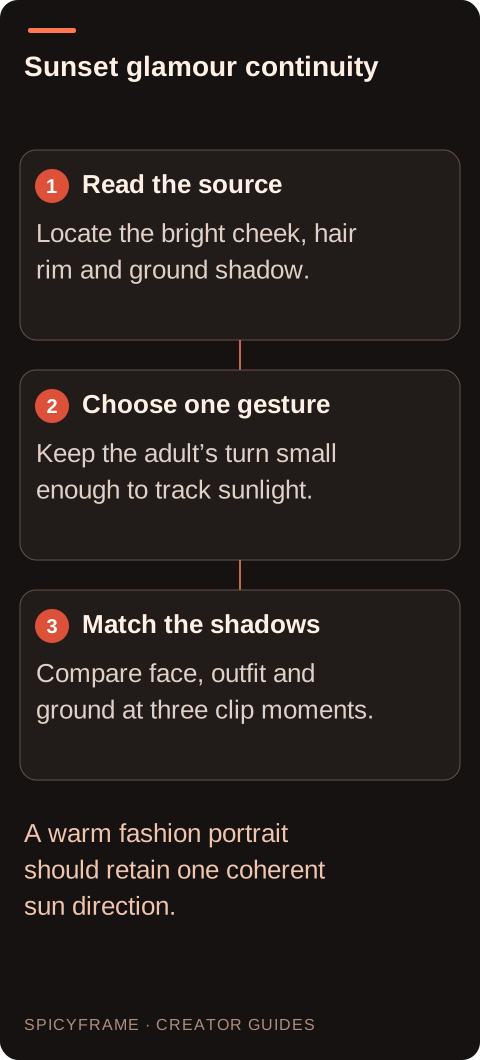
Read the source: Locate the bright cheek, hair rim and ground shadow.. Choose one gesture: Keep the adult’s turn small enough to track sunlight.. Match the shadows: Compare face, outfit and ground at three clip moments.. A warm fashion portrait should retain one coherent sun direction.
Describe warmth without erasing natural variation
Use a few concrete cues: low warm sunlight, soft open sky fill and a gentle rim along the hair. Avoid repeatedly asking for orange, glowing, radiant and amber everywhere. Too much color emphasis can flatten skin and make white clothing appear like a different garment. Keep some separation between sunlit areas and cooler shadows. The exact balance is artistic, but it should stay coherent throughout the clip. When a real garment’s color matters, provide a neutral reference for review and explain that the warm scene is an interpretation. The lighting prompt guide offers terms for source direction and fill without implying a built in color grading panel.
A restrained prompt and shot plan
A proposed prompt might say: “Use @Image1 for the adult in the linen jacket beside the field. Low warm sunlight comes from camera right, with soft sky fill on the shaded cheek. One gentle head turn toward the light, camera almost still, light breeze and distant birds.” Plan the opening as a relaxed three quarter pose, the middle as the turn and the ending as a brief hold. These are narrative cues, not precise endpoint controls. SpicyFrame does not guarantee an exact final pose or an unchanging wardrobe. A five second test can show whether the light direction and gesture make sense before you request a longer version.
A hypothetical outdoor portrait review
Suppose a photographer has permission to animate an adult portrait beside a stone wall. The source shows sunlight from the left and a long ground shadow to the right. The brief asks for a small smile and a slight camera push, while preserving that relationship. A reviewer compares the first, middle and last moments, checking the wall shadow and the bright side of the face together. If the face stays lit from the left but the wall shadow reverses, the scene is inconsistent even if each frame looks attractive alone. Reduce movement or change the source before adding atmospheric dust or lens flare. This is a worked planning example, not a reported test outcome.
Handle flare and exposure with restraint
A small flare can support a backlit mood, but it should relate to the sun’s position and camera angle. A bright flare crossing the face may hide identity drift or make the subject unreadable. Do not use it as a substitute for a coherent lighting setup. Watch for exposure pumping as the subject moves: the entire image should not repeatedly brighten and darken without a plausible reason. Clothing near the sunlit edge can lose texture, especially pale fabric. If the design depends on a visible lapel or sleeve seam, make that detail an acceptance criterion. Review the scene on a phone where bright highlights can dominate a small frame.
Keep time of day consistent across a sequence
For several clips, record sun direction, warmth, horizon brightness and shadow softness in a shared storyboard. A shot that feels like late afternoon will clash with one that looks like midday despite both being orange. Reuse suitable authorized references and compare adjacent clips before external assembly. SpicyFrame produces individual vertical 9:16 MP4 clips with ambient audio in 5, 10 or 30 second durations; editing a sequence happens separately. Listen for weather and wildlife sounds that fit the scene. A warm field image with loud urban traffic may need external audio treatment. Resolve lighting continuity before deciding whether the final export merits High 720p or Ultra 1080p.
AI golden-hour video: practical review decisions
Decision
Use when
Review before accepting
Side sunlight
Facial shape and garment texture need definition
The bright side agrees with ground shadows
Backlight
A warm rim suits the portrait concept
The face remains readable without excessive flare
Small head turn
A change in light should follow visible motion
Highlights travel for a clear physical reason
Gentle camera push
The sun relationship should stay stable
Exposure and background shadows do not jump
Multi shot edit
Several clips share one time of day
Warmth, shadow direction and sky brightness agree
AI image-to-video questions answered
Can I add golden hour to an overcast photo?
You can request the look, but it involves substantial relighting. The system must infer shadows and highlights absent from the source. A reference already showing directional low sunlight gives a clearer basis for a coherent result.
Should every shadow look orange?
No. A warm sun can coexist with cooler sky filled shadows. Uniform orange treatment may flatten the scene and obscure garment color. Judge whether the light sources feel connected rather than requiring every surface to share one hue.
Why does the face light switch sides?
The generation may have lost track of the sun direction during a turn or camera move. Reduce the movement, state one light direction and choose a source with clear shadow evidence. Inspect the background shadows at the same moments.
Does lens flare make the shot more realistic?
Only when it fits the sun and viewpoint. Unmotivated flare can distract from the subject or conceal artifacts. Use it sparingly, and check that it does not remove important facial or clothing detail at the key moment.
How long should the first test be?
Five seconds can test one gesture under stable sunlight. Ten seconds may suit a slower turn or walk. Choose thirty seconds only when the shot has a meaningful development and you are prepared to review the entire lighting progression.
Can I use the clip as proof of actual weather?
No. Generated light and weather can differ from the photographed conditions. Describe the result as an AI animated or generated interpretation when context could otherwise make viewers believe it documents a real filmed moment.