5 seconds · 480p · $3.99. Pay per video, no subscription required.
Updated
AI-generated editorial illustration: an adult fashion look in red city light. This is a styling reference, not a video-generation result.
A mode name is not a complete behavior specification
The difference between Grok video normal and spicy is often described through old examples or interface screenshots. Those are not a reliable current specification for every account and product surface. The official X Help page confirms general Grok access but does not document a present consumer mode-by-mode comparison. This guide therefore does not claim an exact current difference in permissions, quality or motion. For historical context, use the broader Grok spicy guide. For a practical decision, compare what the current official interface actually offers against a defined non-explicit adult glamour brief. The relevant question is whether the resulting scene fits, not whether a label sounds more expressive or permissive.
Separate content scope from visual style
A mode can potentially affect more than one dimension, but do not assume which without documentation. Content scope concerns what is allowed; visual style concerns lighting, pose, palette and atmosphere; motion concerns what changes over time. An adult in a tailored evening suit can look dramatic through red side light and a confident posture without requiring explicit content. If your goal is that fashion mood, describe it directly. The glamour prompt guide offers useful language. Avoid treating a mode name as a substitute for consent or as permission to request a scene that conflicts with the service's rules. A style comparison should stay within the same genuinely permitted creative scope.
Confirm both options before planning a comparison
Use the current official app or site and record which controls are actually available to your account. Do not reconstruct a missing menu from a tutorial or assume a paid plan includes both labels unless current official information says so. If only one workflow is available, that is the scope of your observation. A meaningful comparison requires known conditions, not imagined settings. Note the product surface, date and any relevant account notice. The Grok image-to-video guide supplies broader context, but consumer controls should be verified in their own interface. Developer API parameters or another user's screenshot do not automatically establish the options your account can use.
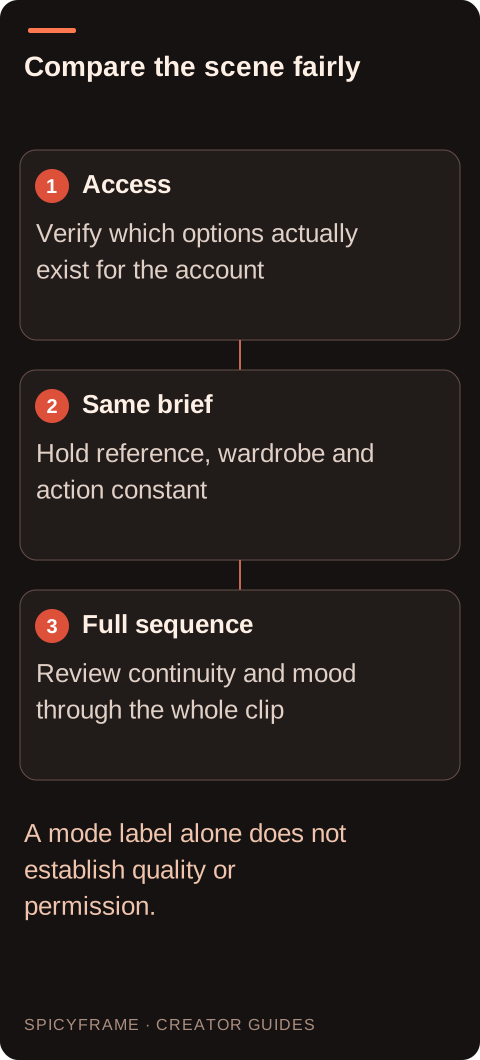
Access: Verify which options actually exist for the account. Same brief: Hold reference, wardrobe and action constant. Full sequence: Review continuity and mood through the whole clip. A mode label alone does not establish quality or permission.
Hold the scene constant when evaluating output
If a permitted comparison is available and you choose to make it, use the same authorized adult reference and the same core scene. Keep the outfit, setting, action and framing stable so a changed result is not simply caused by a different prompt. A brief such as an adult model in a burgundy jacket making one subtle glance under steady soft light is easier to compare than two unrelated fashion scenes. Record every actual setting rather than inferring defaults. This is an evaluation method, not a benchmark performed for this article. Without repeated controlled evidence, do not turn one attractive clip into a claim that a mode is universally better, more consistent or more faithful to identity.
Score the result on useful fashion criteria
Review face consistency, garment silhouette, hand stability, framing and the visibility of the requested action. Add a mood criterion only after defining it: for example, whether the red background remains restrained and the face stays readable. Watch the complete sequence at normal speed, then compare the same moments across outputs. A dramatic opening frame can conceal a changing collar or an unwanted zoom later. The fashion video guide explains why clothing continuity matters. Keep a simple written note for each criterion rather than a vague overall impression. That record helps distinguish a stylistic preference from a technical mismatch and makes any revision easier to explain.
A hypothetical comparison for an eveningwear portrait
Suppose a creator's current official interface offers two relevant style options, and both permit the same non-explicit adult portrait. The planned reference shows a consenting adult in a black evening jacket. The shared brief asks for one small gaze shift, steady amber light and a fixed vertical composition. The creator would review whether either result changes the lapels, face or framing, and whether the requested atmosphere remains coherent. This is hypothetical; no Grok modes were tested for this guide. If one option is unavailable, the comparison stops rather than assuming how it would behave. If both results miss the brief, a clearer source or smaller movement may matter more than choosing a different label.
Do not confuse a refusal with a quality result
A refused request provides information about handling of that request, not a score for visual quality. Read any official reason and use the appropriate support route if necessary. Do not seek a mode or wording that disguises prohibited intent. A genuinely permitted adult fashion concept may still need clarification, but the revision should make the intended scene clearer rather than attempt to defeat a rule. If you choose an independent workflow such as SpicyFrame, evaluate its own non-explicit scope and deliverable. It produces vertical 9:16 MP4 video with ambient sound and separate paid settings; it is not a replacement Grok mode. Product selection and moderation handling are different decisions.
Choose the simplest available workflow that meets the brief
Once the output is reviewed, select based on the actual asset: stable adult identity, consistent wardrobe, suitable movement and understood export conditions. If the distinction between labels remains undocumented or unavailable, say so instead of repeating a confident but unsupported explanation. For some projects, a conventional fashion scene may satisfy the desired glamour mood without any special mode. For others, the existing controls may not meet the requirement. The artifact guide helps diagnose motion problems independently of branding. The final decision should be a documented fit for one project, with room to reassess when the provider changes its interface or when your creative requirements become different.
Practical decisions for this brief
Requirement
Decision
Evidence to check
Current mode details are undocumented
Avoid a universal behavior claim
Use the exact official interface
Both options are available
Keep the source and brief constant
Differences are not caused by new inputs
One output looks dramatic at first
Review the whole sequence
Face and wardrobe remain stable
A request is refused
Read the official explanation
Moderation is separate from quality scoring
Neither output meets the brief
Revise source or motion
The actual failure mode guides the next step
AI image-to-video questions answered
What is the verified current difference between normal and spicy?
The official source reviewed here does not provide a current consumer mode specification. Check the controls and explanations in your exact official interface rather than relying on old screenshots.
Does spicy automatically mean better glamour video?
No supported quality ranking follows from the label. Evaluate the same permitted adult fashion brief for face consistency, clothing, framing, movement and the intended atmosphere.
Can I compare modes with different source photos?
That makes the result harder to interpret. If comparing, keep the authorized reference and core scene constant so changes are not simply caused by different visual evidence.
Does a refused request prove one mode is worse?
No. Refusal and visual quality are separate questions. Read the official reason and use permitted next steps rather than treating moderation as a benchmark result.
Should I assume both modes exist on my plan?
No. Verify current account controls and official entitlement information. Do not transfer another user's access or developer API capabilities to your consumer interface.
What if neither result preserves the outfit?
Review the source and simplify the action. A clearer reference or smaller turn may address the problem more directly than changing a mode label alone.
Sources
External pages, opened in a new tab. Rankings reflect the time of writing.