Does Grok always offer spicy video from uploaded photos?
That universal availability is not established here. Check the current official interface and account notices for the exact upload and video workflow you intend to use.
SPICYFRAME · PRACTICAL GUIDES
Prepare an authorized adult glamour photo for Grok, separating upload availability, likeness consent, image quality and permitted motion requests.
5 seconds · 480p · $3.99. Pay per video, no subscription required.
Updated

Grok spicy mode for uploaded images is a different question from creating a fictional image from text. A photo supplies a particular person's appearance, clothing and setting, and may carry rights that a prompt alone does not. This guide covers non-explicit adult glamour with authorized references. It does not establish that every current Grok interface offers an uploaded-image Spicy workflow. The official X Help page does not provide that consumer feature matrix, so use the controls and notices in your actual official interface. The broader Grok spicy guide provides context. Before looking for a style control, decide whether the photo is appropriate to submit and whether the intended transformation matches the subject's consent.
Permission to take or publish a photograph does not automatically imply agreement to an AI-generated glamour animation. Explain the intended styling, invented movement and publication context to the depicted adult. A portfolio portrait, a fashion teaser and an advertisement can imply different uses. Publicly available images and celebrity photos are not a substitute for authorization. Use yourself, a consenting adult or a fictional adult character you are entitled to use. Keep the reference's existing clothing and presentation aligned with the brief. The NSFW-style guide describes the relevant non-explicit scope. Clear consent is part of defining the project, not an optional step that a provider's upload button performs for you.
Check whether the current app or site supports the kind of image input you want and what conditions it displays. Do not assume that an image attachment in a chat is identical to a video reference workflow, or that a generated image and an uploaded photo receive the same available controls. Record the surface and any notice if a function is absent. Follow current official instructions rather than a historical menu path. The Grok image-to-video guide discusses the wider task, but this article does not invent file limits, upload menus or mode eligibility for Grok. Technical compatibility must be verified where the actual input is submitted.
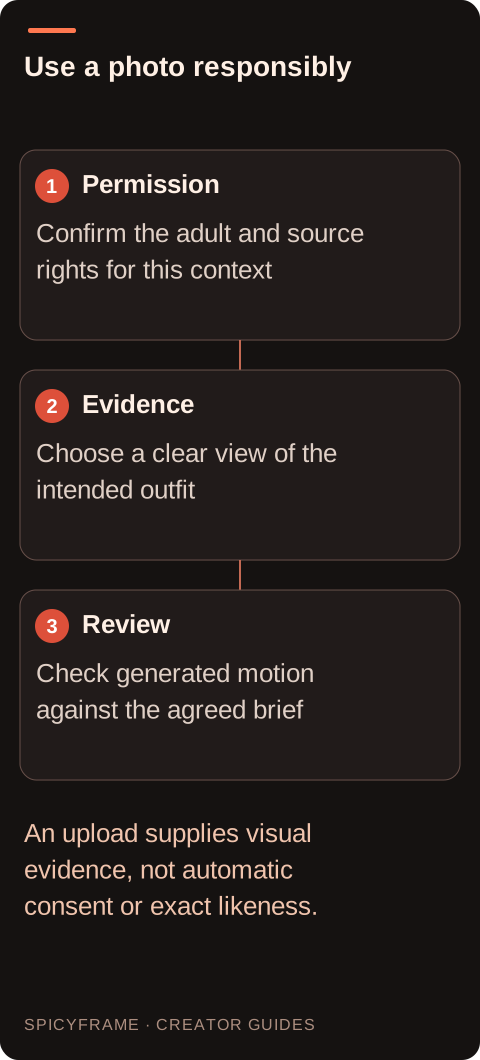
Choose a clear image showing the intended face, outfit and relevant hands. A front or modest three quarter view usually provides more useful evidence for a restrained portrait than an extreme angle with heavy occlusion. Avoid screenshots containing interface controls or captions over the subject. Dark eveningwear should retain enough tonal separation for seams and edges to be visible. If the final concept is vertical, check whether the source leaves room around the head and garment. The reference photo guide helps assess those details. A dramatic glamour still can be attractive yet poorly suited to motion if the defining clothing shapes disappear into shadow or extend beyond the crop.
A reference-based brief should say what changes over time while preserving the intended adult presentation. For example, a small glance toward the lens or a subtle movement in a coat hem can create a fashion mood without changing the outfit. Avoid a large turn when the source gives little evidence of the hidden side of the face or garment. Keep lighting and camera movement modest if identity matters. The model is interpreting new frames, not recovering a recorded action from the photo. More precise wording can clarify the goal but does not guarantee likeness. Review the whole sequence for changes to facial features, jewelry and garment construction rather than assuming the supplied image locks them in place.
Suppose a consenting adult supplies a clear portrait in a dark velvet evening jacket for a non-explicit fashion teaser. The plan is to confirm that the current official workflow accepts an uploaded reference, read its rules, and use a brief centered on one gentle gaze shift with steady light. Before submission, the creator removes an irrelevant border externally and checks that the jacket lapels remain readable. This is a proposed process, not a tested Grok result. If the interface does not offer the intended image-to-video path, the creator records that limitation instead of assuming a hidden menu exists. The next decision is whether another documented, permitted workflow fits the project.
SpicyFrame is independent of Grok and accepts up to 12 authorized JPG, PNG or WebP references under 10 MB each, with external preparation required for HEIC or animated formats. It creates one vertical 9:16 MP4 with ambient sound in 5, 10 or 30 seconds. Those are SpicyFrame facts, not Grok upload limits or entitlements. If comparing the products, keep their conditions clearly separated. The multiple reference guide helps choose a coherent set rather than adding every available portrait. A second view is useful when it clarifies the same adult subject and outfit; conflicting wardrobe and lighting can make the desired scene less definite.
Compare the exact submitted photo with the beginning, middle and end of the generated sequence. Check whether the adult remains recognizable, the clothing retains its intended coverage and design, and the motion stays within the approved brief. If a result changes the person's presentation materially, do not treat technical completion as permission to publish it. Keep the source and final file separate and label generated interpretation where appropriate for the destination. If a request is moderated, read the official reason and choose permitted next steps rather than trying to conceal the source or intent. The value of an uploaded reference is clearer visual evidence; it does not remove the need for consent, review or accurate presentation of the resulting motion.
| Requirement | Decision | Evidence to check |
|---|---|---|
| Photo shows a real adult | Confirm contextual consent | AI glamour and publication are understood |
| Attachment control is visible | Verify its actual purpose | Chat input is not assumed to be video input |
| Dark jacket loses its edges | Choose a clearer source or edit tone externally | Garment structure is readable |
| Large turn is requested from one view | Reduce motion or improve evidence | Hidden geometry is not assumed accurate |
| Output changes the agreed presentation | Review before publication | Completion is not mistaken for approval |
That universal availability is not established here. Check the current official interface and account notices for the exact upload and video workflow you intend to use.
Do not assume so. Image understanding, image editing and video reference workflows can be different functions with different controls and conditions.
You also need to consider the depicted person's agreement to the AI glamour context and publication. Source copyright and likeness consent are separate parts of the project.
Use a clear authorized adult image with readable facial features, consistent clothing and enough framing space for one modest action. Avoid obstructing captions or heavy compression.
No. It provides evidence, but generated frames still require review for identity and wardrobe drift throughout the sequence, especially during turns or occlusion.
No. Product requirements must remain separate. Verify Grok's current official input conditions rather than transferring another service's file formats, size limits or reference count.
External pages, opened in a new tab. Rankings reflect the time of writing.