Should I always choose video over a still?
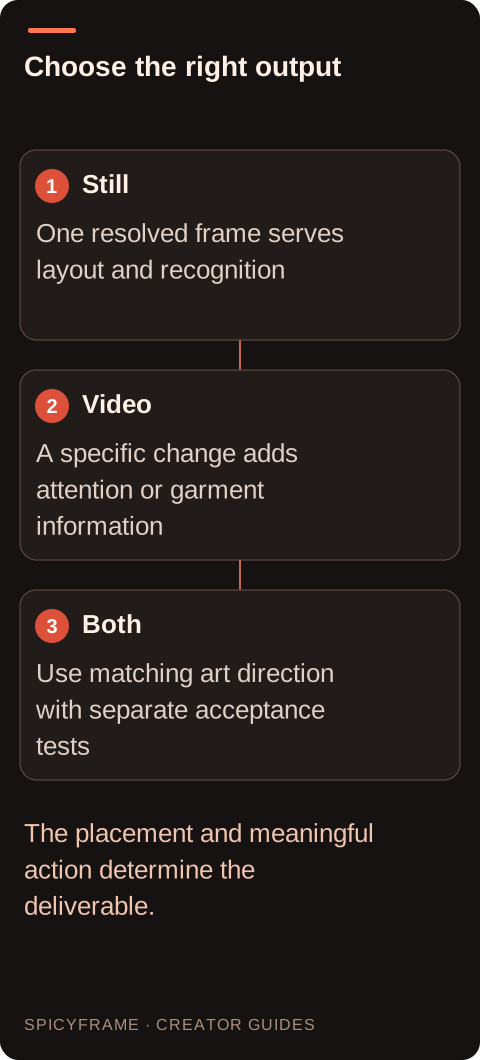
No. Choose video when the movement adds meaning to the placement. A poster, cover or exact layout may be served more directly by a well-composed still.
SPICYFRAME · PRACTICAL GUIDES
Choose a still or video for a non-explicit Grok glamour project by comparing framing, motion, continuity, export requirements and the evidence available.
5 seconds · 480p · $3.99. Pay per video, no subscription required.
Updated

Grok spicy mode images and videos serve different creative purposes. A still needs one resolved composition; a video needs that composition and its details to remain coherent while something changes. For non-explicit adult glamour, a poster may be best served by a polished eveningwear portrait, while a short teaser may benefit from a subtle glance or moving coat hem. Do not choose video simply because it appears more advanced. The official X Help page does not provide a current consumer Spicy feature matrix, so verify the actual creation and export options in your interface. The broader Grok spicy guide explains context; this guide focuses on selecting the right deliverable for the brief.
A cover image, mood board or campaign tile often depends on precise placement of the face, garment and typography. A still lets you judge those relationships without also managing time. If exact text or a logo matters, prepare that layout in an appropriate editor rather than relying on generated lettering. The visual can remain bold through eveningwear, red and amber light or a confident adult fashion pose. Motion is not required to establish glamour. Keep the source and rights clear, especially when a real adult's likeness is involved. The fashion video guide is useful when movement is needed, but its continuity challenges may be unnecessary for a static placement whose main job is instant recognition.
A moving asset is useful when the action contributes something the still cannot: the fall of a coat, a small shift of gaze, a controlled turn or an atmospheric change in the scene. Define that contribution in one sentence. If you cannot explain what the movement adds, reconsider whether a still meets the need more directly. Keep the action bounded for a short glamour shot and avoid turning it into an unrelated sequence of poses. The camera movement guide helps separate camera motion from subject action. A camera move can change attention, but it also asks for new spatial relationships and may reveal information that the source does not actually contain.
An image supplies visible appearance, lighting and composition at one moment. It does not contain verified timing, velocity or hidden surfaces. A raised sleeve might have been moving in either direction, and a frontal portrait does not establish the exact side view of the face. Video generation interprets those missing relationships. Choose a clear authorized adult reference and keep the movement consistent with what it shows. The reference quality guide explains useful source checks. Additional views can help clarify the intended look when supported, but they should be consistent in identity and wardrobe. Do not assume that providing a still guarantees exact likeness throughout a generated sequence.
Suppose a small fashion label needs both a website banner and a vertical social teaser featuring an authorized adult model in a red evening jacket. The banner's job is to show the jacket and leave space for exact campaign text, so a still with external layout work may be appropriate. The teaser's job is to create a moment of attention, so one subtle gaze shift in a stable portrait could be planned. This is a hypothetical production decision, not a tested Grok result. The assets share a visual direction but have different acceptance criteria. The team should not assume a single generated video frame will automatically provide the best still composition or the necessary resolution for every placement.
For a still, confirm the supported file type, dimensions and use conditions. For video, also check duration, aspect ratio, sound, download availability and any account-specific conditions. A browser preview is not proof of the final deliverable. Use current official information for Grok rather than transferring developer API capabilities or another service's specifications. As a separate example, SpicyFrame outputs one vertical 9:16 MP4 with ambient sound in 5, 10 or 30 seconds, at 480p, 720p or 1080p. Those are SpicyFrame facts. If the project needs horizontal video, exact typography, scripted voice or precise multi-shot editing, plan the appropriate external work instead of assuming the generation interface supplies a complete production suite.
For the still, inspect composition, facial features, hands, garment construction and any visible text. For the video, repeat those checks across time and watch the complete sequence at normal speed. Look for drifting jewelry, changing seams, unstable reflections and an unwanted zoom that removes useful layout space. A single appealing frame cannot establish video quality. The artifact guide helps describe motion-specific problems. Keep the adult glamour brief and consent in view: an unexpected change of presentation may make a technically complete output unsuitable. The review should reflect the destination and the agreed concept rather than a general impression that moving content is inherently more valuable.
Save the source still, generated motion and externally edited final assets separately. If you use one product for imagery and another for video, check the relevant terms and permissions at both stages. Record whether a published example is an actual output or only a proposed prompt. Avoid claiming that a mode produces a certain duration, resolution or style universally when the current consumer documentation does not establish it. For a simple campaign, the strongest plan may use a still in one placement and a short motion asset in another. The choice is driven by what viewers need to see and what the workflow can documentably deliver, while keeping the content non-explicit, adult and authorized.
| Requirement | Decision | Evidence to check |
|---|---|---|
| Campaign cover needs exact layout | Choose a strong still and external typography | Face, outfit and text space work together |
| Teaser needs a moment of attention | Plan one meaningful action | Movement adds something the still lacks |
| Source has limited hidden geometry | Keep motion restrained | New views are not assumed accurate |
| Different placements need different formats | Verify each export requirement | One asset is not forced into every role |
| Video looks good in one frame | Review the full sequence | Continuity meets the actual brief |
No. Choose video when the movement adds meaning to the placement. A poster, cover or exact layout may be served more directly by a well-composed still.
It contains one visible moment, not verified timing or hidden views. Generated motion interprets those missing relationships and should not be described as recovered footage.
It may be usable, but do not assume it has the best composition, detail or layout space. Evaluate the extracted frame against the actual still-image requirements.
Do not assume so. Check the current official workflow for each output, including dimensions, duration, download availability and any account conditions.
Inspect identity, hands, clothing, reflections and framing throughout the sequence. A clean opening frame does not establish that the same details remain coherent during movement.
Yes, when the relevant terms and source permissions allow it. Keep the stages separate, verify each deliverable and plan external layout or editing where exact control is needed.
External pages, opened in a new tab. Rankings reflect the time of writing.