5 seconds · 480p · $3.99. Pay per video, no subscription required.
Updated
AI-generated editorial illustration: an adult fashion look in red city light. This is a styling reference, not a video-generation result.
Start with the exact non-explicit use
OnlyFans AI content labeling is a policy and identity question before it is an editing task. This guide concerns a non-explicit adult fashion profile presentation, such as an authorized portrait in an evening jacket. It does not provide access to explicit material or guidance for producing it. Write down whether the proposed clip represents the real account holder, another consenting adult or an entirely fictional adult design. Do not assume those cases receive the same treatment. A hypothetical creator may want to animate their own approved fashion portrait while keeping the account description unchanged. The relevant question is whether that exact alteration and placement comply with current rules, not whether other accounts appear to use synthetic imagery.
Verify current rules before relying on a label
The official terms page was not accessible for complete verification during this research, so this article does not assert current AI eligibility, exact label wording or a right to upload. Consult the current official terms and creator help within the account, and ask official support about unresolved identity or disclosure questions. Keep the response and review date with the proposed asset. A hashtag is not a substitute for permission, and a visible AI notice cannot make otherwise disallowed material acceptable. Do not copy alleged requirements from an unrelated creator's post. Platform rules can distinguish account verification, depicted identity, synthetic alteration and public profile surfaces. Resolve each relevant condition before committing to a production plan or implying that a label guarantees acceptance.
Separate identity verification from transformation consent
A person being an adult or having a verified account does not, by itself, authorize every transformation of their image. Agree on the outfit, gesture, background, displayed name and distribution context. If the source portrait was commissioned, check the photographer's license as well as the subject's approval. The consent and privacy guide helps separate control of a file from permission to use a likeness. Do not substitute another person's face or suggest an endorsement from a collaborator without explicit authorization. For a real account holder, compare the planned clip with the identity they intend to present. A fashion treatment can still mislead if it changes a recognizable person into a different persona while preserving their name.
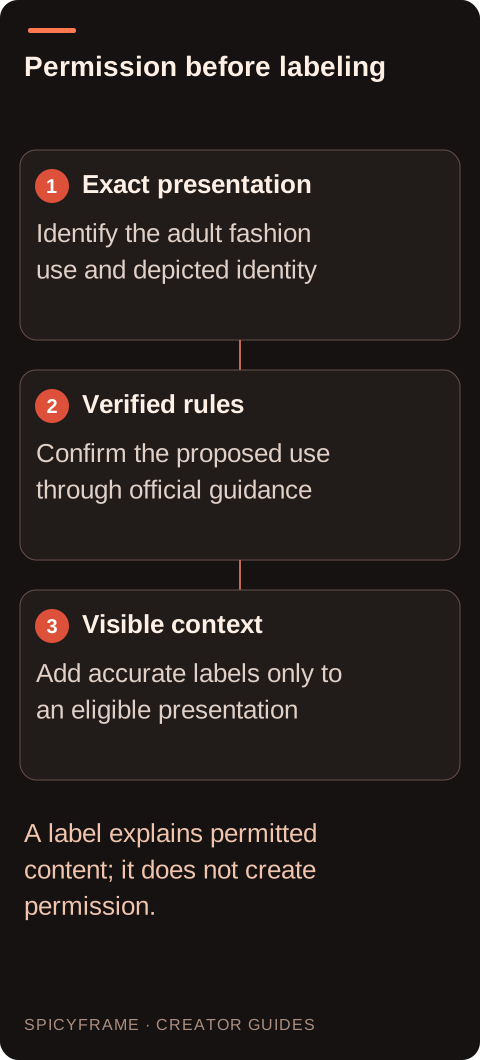
Exact presentation: Identify the adult fashion use and depicted identity. Verified rules: Confirm the proposed use through official guidance. Visible context: Add accurate labels only to an eligible presentation. A label explains permitted content; it does not create permission.
Design the label around the viewer's interpretation
Once the current rules have been verified, place the required context where viewers encounter the clip. An accurate description might explain that movement was generated from an authorized fashion photograph, if that is the actual process and permitted wording. Do not claim a real video shoot, live appearance or spoken message when none occurred. Add text outside the generator so spelling and visibility remain controlled. If the platform provides a specific disclosure field, review its purpose rather than assuming an ordinary caption serves the same function. Check the poster image and any crop that appears before playback. A label hidden beneath interface elements or absent from a reused derivative may fail to communicate the context you intended.
Keep the fashion treatment within the agreed brief
Choose a stable portrait, a simple background and a modest movement that introduces the clothing. A hypothetical evening-jacket clip could use a slow camera move while the adult subject holds a neutral pose. Avoid changes in coverage, body emphasis or accessories that alter the approved impression. The glamour prompt guide can support a restrained editorial approach, while the actual policy decision remains separate. Generated ambient audio should not imply that the subject spoke a statement or recorded a personal greeting. If words are needed, use authorized external narration and accurate captions without suggesting scripted lip-sync that the studio does not provide. The finished asset must remain a truthful non-explicit styling presentation.
Test the permitted presentation before buying a final
Only commission the final profile version after resolving the applicable platform conditions. A five second Medium 480p draft costs $3.99 and can test whether the evening jacket, face and reserved label area stay stable. SpicyFrame provides 5, 10 or 30 second vertical 9:16 MP4 clips with ambient audio, with High 720p and Ultra 1080p also available. It does not create a compliant platform label on your behalf or guarantee upload acceptance. Use authorized JPG, PNG or WebP references under 10 MB each, up to 12, and keep the reference set limited to the approved identity. Exact captions and publishing require external tools. Inspect the label in a mockup before paying for higher resolution; a larger file cannot resolve a missing permission or unreadable disclosure. Keep the draft unpublished if the eligibility question remains open, and retain the final wording with the exported video for any later review.
Review the entire result before any account upload
Inspect the face, jacket edges, hands and background frame by frame where movement is complex. Check whether the model invents a logo, changes a tattoo or produces an expression the subject did not approve. The artifact guide explains why a clean first frame does not establish consistency throughout a clip. Watch with and without sound, then inspect the exact label placement in the intended publishing preview. If a current rule is still unresolved, keep the work as an unpublished draft. Do not repeatedly upload rejected variations to discover a boundary through trial and error. Seek clarification or revise the concept to a use that is clearly allowed under the verified rules.
Keep permission and distribution records with the asset
Store the authorized reference, subject approval, current policy notes, final label and approved MP4 as one production record. That record should distinguish private review from public publication and from any later paid distribution. A label in the original post does not automatically travel with a downloaded copy, so consider how approved derivatives will preserve context. The fashion video guide is useful when adapting the visual composition for another non-explicit channel, but each destination requires its own rules review. If consent changes or the platform updates its requirements, revisit the asset before reusing it. No generator can promise account acceptance, guaranteed commercial rights or immunity from a moderation decision.
OnlyFans AI content labels: check before publishing: review decisions
Decision
Practical action
Approval evidence
Exact use
Describe the non-explicit fashion placement
Identity and alteration are unambiguous
Official review
Read current account guidance
No unverified acceptance claim remains
Source consent
Approve transformation and publication
Photographer and subject rights are covered
Label design
Use accurate external wording
Context appears with the viewed asset
Reuse
Review each destination separately
Permission and disclosure travel together
AI image-to-video questions answered
Does an AI hashtag guarantee that my upload is permitted?
No. Disclosure and eligibility are different questions. Verify the current official rules for the exact identity, alteration and placement, then use the required label only if the underlying use is allowed.
Has this guide verified the latest OnlyFans AI policy?
The complete official terms were unavailable for verification during research. The article therefore avoids asserting exact current permissions or mandatory wording and directs the creator to current official account guidance.
Can account verification replace the subject's consent?
No. Identity verification does not establish permission for a particular outfit, transformation, audience or commercial association. Obtain the depicted adult's approval and the necessary rights to the source photograph separately.
Should I describe generated movement as a filmed greeting?
No. A generated fashion animation is not evidence that the person recorded a greeting or spoke a message. Describe the production truthfully and keep any external narration authorized and accurately contextualized.
What should I do after an upload is rejected?
Review the stated reason and seek clarification through official support if necessary. Do not try to evade a restriction by hiding labels, changing spelling or repeatedly uploading essentially the same prohibited treatment.
Can I reuse the same labeled clip on another platform?
Only after checking that destination's rules and the agreed sharing scope. Preserve the relevant identity context in the new presentation rather than assuming the original caption accompanies every derivative file.