Plan a non-explicit adult fashion presentation for Patreon with creative scope, current policy checks, accurate member promises and source permissions.
5 seconds · 480p · $3.99. Pay per video, no subscription required.
Updated
AI-generated editorial illustration: an adult fashion look in red city light. This is a styling reference, not a video-generation result.
Define the creative work the page will present
Glamour AI video for Patreon can be approached as a non-explicit fashion-art project: an adult editorial portrait, a costume color study or a design-process presentation. Decide what supporters are being shown and what, if anything, they are promised beyond the preview. A hypothetical illustrator might animate an original adult character in a tailored velvet suit and discuss the lighting choices. That is different from claiming a filmed model session or a real person's personal message. Keep the project description accurate about the creator's role and the synthetic movement. This guide concerns ordinary adult fashion presentation and policy review; it does not provide explicit-content production advice or direct readers toward pornography.
Verify the current policy for the actual page context
The official Patreon guidance could not be fully accessed for verification during this research. This article therefore does not assert current AI eligibility, page-category requirements, permitted identity types or exact disclosure language. Read the current official creator guidelines and AI guidance, using the account's help resources where necessary. Ask official support about a concrete proposed non-explicit fashion presentation if a condition remains unclear. Keep the response and review date with the project brief. Do not assume that another creator's page establishes permission for your own work. A public preview, membership post and promotional advertisement may involve different rules or presentation constraints. Resolve the actual intended use before promising it to an audience or spending on a series of clips.
Separate the public preview from the member promise
Write down what the preview contains and what a supporter would receive. If the project offers a design-process discussion, say that rather than implying an exclusive real-world shoot. Avoid invented release schedules, guaranteed personalization or access to a depicted fictional person. The preview should remain representative of the finished non-explicit work. Do not use a misleading cover to suggest a different category of material behind a membership boundary. A hypothetical monthly fashion study could include an approved animation and a written explanation of wardrobe decisions, but that is an illustrative project plan, not a claim about an existing offering. The storyboard guide helps map each asset to the promise it actually fulfills.
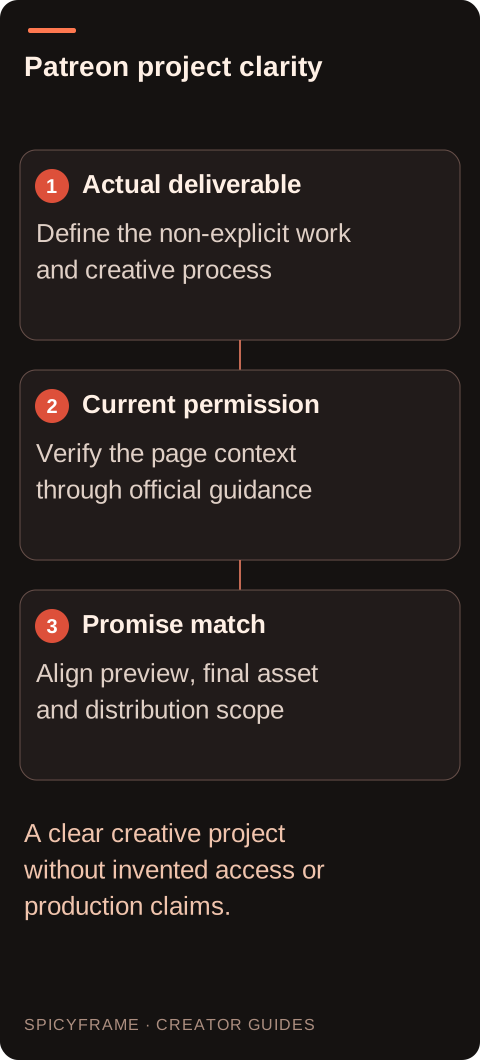
Actual deliverable: Define the non-explicit work and creative process. Current permission: Verify the page context through official guidance. Promise match: Align preview, final asset and distribution scope. A clear creative project without invented access or production claims.
Choose references whose rights fit the project
Use original fictional adult artwork or authorized photographs of consenting adults, with permission for the proposed transformation and distribution. A portrait license may distinguish personal display, paid membership use and advertising, so check the relevant scope. If a collaborator designed the costume, confirm that the work can be animated and presented under the intended credit. Keep source files and permissions organized by project version. The reference-image guide helps avoid combining incompatible faces, garments and backgrounds. Do not borrow a celebrity likeness to make a fictional fashion character more recognizable. The page should communicate the creator's actual work, not imply a collaboration or endorsement from someone whose image or design was never authorized.
Make the animation support a useful creative explanation
Choose one visual decision worth discussing, such as how a cool side light separates a velvet jacket from a dark background. Keep movement restrained enough that readers can inspect that choice. A hypothetical clip could use a slow camera approach while the adult character maintains a neutral pose. Avoid erotic framing or changes in garment coverage. Add exact labels and explanatory text externally, and distinguish intended prompt instructions from what the model actually delivered. The lighting guide can help describe the visual treatment without claiming a physical studio setup that did not exist. If the post includes a behind-the-scenes account, explain the real editing workflow rather than fabricating photographs, production credits or test results.
Generate the scene promised by the creative project
Use the draft to test the visual decision the project description promises to explain. A five second Medium 480p clip costs $3.99 and can reveal whether cool side light preserves the velvet jacket and adult character. SpicyFrame also offers 10 or 30 second vertical 9:16 MP4 clips with ambient audio, plus High 720p and Ultra 1080p quality options. It does not write the process article, assemble a membership post or verify Patreon eligibility. Prepare those elements externally after the applicable policy question is settled. Authorized JPG, PNG or WebP references must be under 10 MB each, with up to 12 supported. Record what changed between the prompt and output so the process explanation stays factual. If the draft cannot demonstrate the intended lighting choice, revise the scene or promise before commissioning a final. A completed but unsuitable result is a creative expense rather than an automatic confirmed-failure refund.
Review the work against the stated membership description
Compare the final animation with the preview, project description and any announced delivery format. Check identity consistency, stable clothing, readable external text and accurate creative credits. If the garment changes materially, either correct the work or explain the concept honestly without presenting it as an exact product. The artifact guide supports this visual review. Listen to the ambience and remove sounds that suggest an unauthorized performance or real person's spoken message. Obtain final approval from any depicted adult and relevant collaborator. If the actual deliverable differs from what was promised, revise the promise before publication rather than using a polished visual to conceal the mismatch.
Keep distribution and future reuse within the agreement
Inspect the current upload settings and processed preview for the actual post location. This guide does not promise a particular file entitlement, video-hosting feature or approval outcome. Save the approved master, source permissions, project wording and policy notes together. If the clip is later used in a public advertisement, a portfolio or another membership project, check those uses separately. Supporter access does not automatically make every downstream reuse private or authorized. Keep any AI context and creative credits with the asset where they affect understanding. A clear project can explain what the creator made, what was generated and what was edited externally without overstating the technology or the rights available in the finished work.
Glamour AI video for Patreon: check creator rules: review decisions
Decision
Practical action
Approval evidence
Project promise
Describe the actual fashion-art deliverable
Preview and member description agree
Current policy
Verify the specific page context
No assumed eligibility or label requirement
Source rights
Check artwork, portrait and collaborator scope
Transformation and distribution are authorized
Process account
Describe real generation and external editing
No invented shoot or test results
Reuse
Review promotion and portfolio uses separately
Permissions and context remain accurate
AI image-to-video questions answered
Does this article confirm Patreon's current AI eligibility rules?
No. The complete current official guidance was unavailable for verification here. Check official creator and AI policies for the actual page context and resolve uncertain conditions with official support before publishing.
Can my public preview promise a real model shoot?
Only if that is what actually occurred and the necessary permissions exist. A generated fashion animation should not be described as documentary footage or a personal recording from a fictional character.
Does a membership boundary make the work private?
Do not assume so. The audience and sharing context still need approval, and copies may travel beyond the original post. Agree on distribution scope rather than relying on the word membership.
Can I show the prompts and call it a process study?
Yes, if the account of the work is accurate and permitted by the relevant rules and rights. Distinguish prompt intentions from actual results and do not invent production tests or collaborator credits.
Do I need permission from the costume illustrator?
Check the license and collaboration agreement for animation, derivative work and the intended distribution. Owning a file or commissioning one illustration does not automatically authorize every future use.
What if the finished animation differs from the promised preview?
Revise the asset or the promise before release. Supporters should be able to understand what the actual non-explicit deliverable contains, without relying on a cover that suggests a different work.